
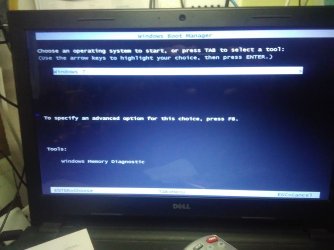
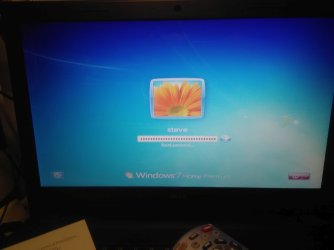
This problem was on a Dell Inspiron 15-3541 laptop OS Win7 Home 32bit. When I 1st started up the laptop this morning the 1st screen that came up was the"Windows boot manager" see the 1st jpg picture attachment. I told Win to go on and boot in normal mode. I got to the Win screen that asks for the Win logon password. The box were the password is typed in was filled with the dot cover ups and I couldn't del them to type in the correct password, see the 2nd attachment. I also couldn't get into safe mode because of the password problem. I tried to get into the laptop bios to set the internal optical drive as 1st boot. I have a self booting prog that will force a reset of the Win login password in case I forget the password. The optical drive was already set as the 1st boot. I ran the win password wipe. It didn't work. I next unplugged the power pack and dropped the main battery. I let the laptop sit that way for an hour and a half while I made something to eat and watch tv. When I put the battery back in and plugged the power pack back in and fired up the laptop. The laptop is back to normal. Why did this happen? Did someone or something invade my laptop?
Steve
Steve
Attachments
My Computer
- Computer type
- Laptop
- Computer Manufacturer/Model Number
- Dell Inspiron 3541
- OS
- windows 7 home 32 bit, I just changed back from 64 to 32bit
- CPU
- amc a6-6310, radon r4 graphics 1800mhz with 4 cores
- Memory
- 6.8gb
- Graphics Card(s)
- not sure off hand
- Sound Card
- not shure off hand
- Monitor(s) Displays
- built in lcd
- Screen Resolution
- 1366 x 768
- Hard Drives
- 1 500gb sata internal HDD and 1 250 gb's sata HDD in a USB external USB case.
- Keyboard
- Wifi with attached wifi mouse
- Internet Speed
- don't know
- Antivirus
- Zone Alarm
- Browser
- Firefox
- Other Info
- The gateway laptop model MD2614U died because a voltage regulator on the motherboard went poof. The Gateway laptop has been scraped.


