SamCec
New member
Fonts are 1/2 height?
This problem is hard to explain but using Acronis True Image Home 2010, I have the following problem. I think the best way to describe it is to use an example. I use Acronis True Image Backup. When you are doing a backup, it shows a "Progress" screen that has some text, a progress bar and shows the approximate time remaining to finish the backup. There is only ONE line that I have a problem with and that's the "time remaining" line. If, for example, it shows "2 hours", horizontally it shows the time and the words but ONLY the upper half of the characters.
The OS is Windows-7 Ultimate Firefox is my browser. In Firefox, In the browser,I did go to Tools > Options > Content >Advanced on the window, I do have checked "Allowed pages to choose their own font...". If you have any suggestions, I would appreciate it.
Thanks,
Sam
This problem is hard to explain but using Acronis True Image Home 2010, I have the following problem. I think the best way to describe it is to use an example. I use Acronis True Image Backup. When you are doing a backup, it shows a "Progress" screen that has some text, a progress bar and shows the approximate time remaining to finish the backup. There is only ONE line that I have a problem with and that's the "time remaining" line. If, for example, it shows "2 hours", horizontally it shows the time and the words but ONLY the upper half of the characters.
The OS is Windows-7 Ultimate Firefox is my browser. In Firefox, In the browser,I did go to Tools > Options > Content >Advanced on the window, I do have checked "Allowed pages to choose their own font...". If you have any suggestions, I would appreciate it.
Thanks,
Sam
My Computer
At a glance
Windows 7 Ultimate (64bit)AMD Phenom II X4 980 Processor 3.70 ghz8 GB
- Computer Manufacturer/Model Number
- Home Made
- OS
- Windows 7 Ultimate (64bit)
- CPU
- AMD Phenom II X4 980 Processor 3.70 ghz
- Memory
- 8 GB
- Monitor(s) Displays
- Samsung
- Hard Drives
- (c) WD500 - ATA
(d) WD500 - ATA

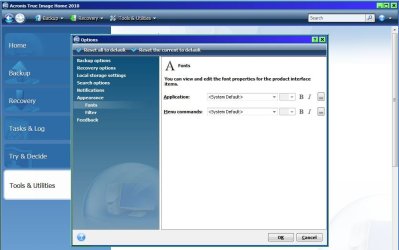
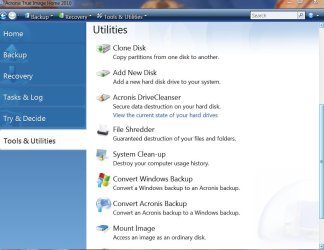
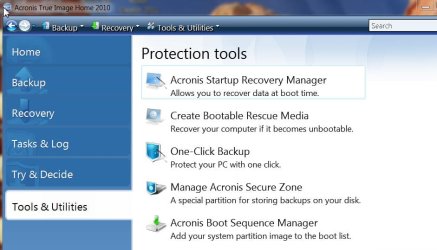
 see attached). On the PT.jpg (Protection Tools) I was able to capture all the sub items. On the Util.jpg (Utilities) I was able to capture all but the last two items. They are "Unmount Image" and "Search Setting".