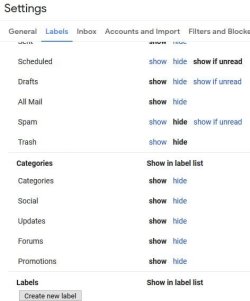
The categories are "intelligent labels" and as far as I know they are only editable by google themselves, they also simply tag the email with the label, they do not move the email from it's original location.
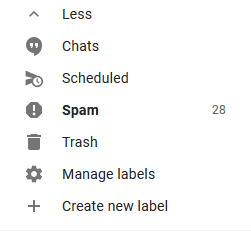
However, you can approximate the automatic addition of specific emails to a set folder/group or whatever they are called this week. To do this create a set of new labels and if you want arrange them into groups and set colours to groups etc, to start this go to the bottom of the left pane and there is an entry Add New Label [you may need to click on More..].
Once you have your folder structure set up as you like / need you need to create a filter that will select just the items you want to store in each of your categories, this is a simple case of finding an email that meets you criteria and then selecting this and at the far right of the options there is a more option, (three vertical dots) from here select "Filter Messages like these " There is then a box which allows you to refine the parameters that select the items such as from address keywords etc, when happy that the search works how you wish, select the Create Filter Button and complete the next page ensuring that you select move the folder you wish to have it located, the options on this screen allow you to mark the item as read, (good for low priority mails to read when you have time, and even delete, which as is a way to have your own personal spam list
This seems a little complex, but once you have Done a couple it's quite easy