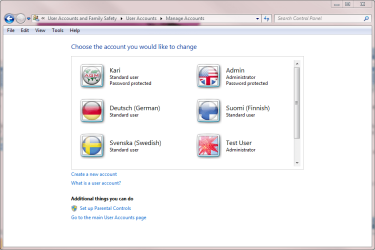
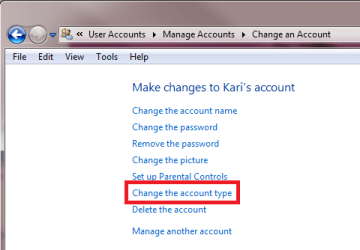
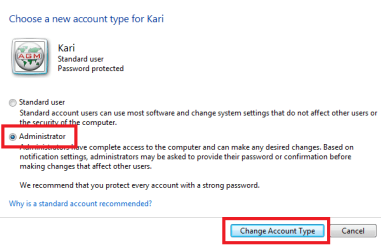
Is it true that there can be more than one administrator on Window 7? Someone told me that this is true and gave me instructions as to how to put myself on as 2nd administration. Well, I did this, but when I went back on the computer using me as the administrator I seemed to run into problems. I lost all my favorites, the vault I have from my security program and I couldn't seem to do anything like I am used too. Can you help me with suggestions as to what I am doing wrong and how to rectify them? I want to be the 2nd administrator because I want to do different things ie deleteing things from the computer (currently trying to delete clip art) that I don't need, but am not able to do so since I am not the primary administrator. I appreciate any help. Thank you.
When you create another administrator-level account, it is still a different account. That's why you don't have the favourites etc from the "original" administrator's account. Programs can also be installed for all users or just the current user - this is also why some stuff may not show up in your new account. Let us know what programs you're having what issues with.
Thank you for your reply. I would like to be an additional administrator as my husband the current administrator is always not around when I need his help.
Basically, I would like to have access to all that my husband has access too. I use the favorites on the computer at least 90% to my husband's 10% of the time. I had installed Trend Micro which is a security program. Since he is the administrator I do not have access to the vault which is a part of Trend Micro.
I am on the computer more often than my husband. Is it possible to transfer the information he has as administrator to me as a co-administrator without me having to manually do this?
What is the point of having two adminstrator's if one really does not have access to a lot.
I am so glad to have someone to help me. I have a dummy computer book for seniors and I also have a dummy computer book for Window 7. Although they have a lot of information they really don't go into depth when I am looking for an answer.
JTMTR, if you are using the computer more often than your husband, perhaps you could persuade him to use the new administrator account while you use the existing one?
JTMTR, if you are using the computer more often than your husband, perhaps you could persuade him to use the new administrator account while you use the existing one?
Good point.
JTMTR, keep in mind, when you create a new account, it's like adding another PC to the household, only, it's on the same machine. The new account will have it's own themes, desktop icons, start menu, IE favorites, documents, pictures, mail, contacts, colors, mouse settings, and task bar settings. Further, it will share none of these things with any other user on the PC, including administrators. My suggestion would be to continue using your husbands administrator account and privileges, if he'll give you his password. Otherwise, you'll need to start all over with a new account.