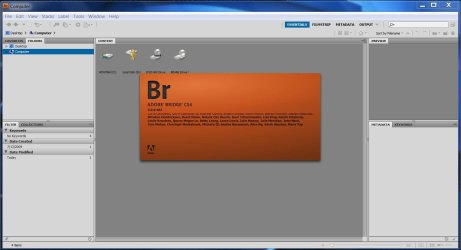
Adobe Bridge CS4 will not open

snuff

New member
Local time
3:58 AM
Messages
26
hey guys, had an issue with Photoshop CS4 the other day and turns out it was simply that a particular service hadn't started as id changed to disable ( fixed the problem ). Now Adobe Bridge CS4 will not open was working perfectly fine before i fixed the Photoshop problem ( is how i discovered the Photoshop error trying to open RAW photos through bridge ). Anyway bottom line is Bridge dose not want to open i keep getting that X program has stoped working check online for solution or close program error message ive clicked view problem details and here is what the report said
Problem signature:
Problem Event Name: BEX
Application Name: Bridge.exe
Application Version: 3.0.0.464
Application Timestamp: 48b75dac
Fault Module Name: Bridge.exe
Fault Module Version: 3.0.0.464
Fault Module Timestamp: 48b75dac
Exception Offset: 002d783e
Exception Code: c000000d
Exception Data: 00000000
OS Version: 6.1.7100.2.0.0.256.1
Locale ID: 3081
Additional Information 1: bfdc
Additional Information 2: bfdc619e6143a607f9953d13c086d671
Additional Information 3: a55f
Additional Information 4: a55f6e399d41d666efdd151fcac04b68

if any one has any idea what the hell is going on that would be great and yes ive tryed click here to search for solution on the net as well lol any way guys thanks in advance
 

My Computer

OS
Windows 7, Windows XP, Windows server 2008
CPU
intel E2180
Motherboard
gigabyte GA-EP31-DS3L
Memory
2 gig generic kingston ram
Graphics Card(s)
Nvida 8400 gs
Sound Card
M-Audio Delta 2496
Monitor(s) Displays
ViewSonic 19"
Hard Drives
1x 300gb sata
1x 80gb IDE
1x 20gb segate IDE
PSU
trimaX 600
Case
thermaltake armour jr
Cooling
stock
sigh some one has to know something surely :(
 

My Computer

OS
Windows 7, Windows XP, Windows server 2008
CPU
intel E2180
Motherboard
gigabyte GA-EP31-DS3L
Memory
2 gig generic kingston ram
Graphics Card(s)
Nvida 8400 gs
Sound Card
M-Audio Delta 2496
Monitor(s) Displays
ViewSonic 19"
Hard Drives
1x 300gb sata
1x 80gb IDE
1x 20gb segate IDE
PSU
trimaX 600
Case
thermaltake armour jr
Cooling
stock
Have you tried updating Bridge to the latest version?

The bridge.exe executable currently on your machine is timestamped "Fri, 29 Aug 2008 02:23:40 GMT". By now, there are probably newer versions. They may include the fix for the crash you're experiencing.
 

My Computer

Computer Manufacturer/Model Number
Multiple machines in various stages of decomposition.
OS
Win7x64
last update for bridge was 02/27/2008 as stated here on the adobe website :( so doubt thats the problem ive had no issues what so ever with bridge until the licence thing happened then after i turned the licence service back on photoshop ran and now bridge crashes every single time i try to open it ive tryed disableing the licence service again to see if that helped but still no cigar *sigh* thanks for the input though much appreciated
 

My Computer

OS
Windows 7, Windows XP, Windows server 2008
CPU
intel E2180
Motherboard
gigabyte GA-EP31-DS3L
Memory
2 gig generic kingston ram
Graphics Card(s)
Nvida 8400 gs
Sound Card
M-Audio Delta 2496
Monitor(s) Displays
ViewSonic 19"
Hard Drives
1x 300gb sata
1x 80gb IDE
1x 20gb segate IDE
PSU
trimaX 600
Case
thermaltake armour jr
Cooling
stock
last update for bridge was 02/27/2008 as stated here on the adobe website :( so doubt thats the problem ive had no issues what so ever with bridge until the licence thing happened then after i turned the licence service back on photoshop ran and now bridge crashes every single time i try to open it ive tryed disableing the licence service again to see if that helped but still no cigar *sigh* thanks for the input though much appreciated

How about a uninstall/reinstall of Bridge? Have you tried that?

With these sorts of complex application crashes, it's entirely possible that a file or setting has become corrupted. Therefore, it's good to try the simple things before getting too deep into troubleshooting.
 

My Computer

Computer Manufacturer/Model Number
Multiple machines in various stages of decomposition.
OS
Win7x64
i have mine working no problems, but i wonder if it's the same problem i heard from another member of this site he couldn't get Flash CS4 to work, and we thought if was because his version of Windows 7 was 6.1.7100 RC, compared to my 6.1.7600 RTM.
It didn't make a difference, we concluded that installing Adobe CS4 Master made it work 100%.
Go figure:sarc:
 

Attachments

  • adobe bridge CS4.JPG
    adobe bridge CS4.JPG
    113.8 KB · Views: 173

My Computer

Computer Manufacturer/Model Number
custom of course...built by grimreaper
OS
Windows 7 Ultimate X64
CPU
Intel Core 2 Quad Q9650 3.0GHz (3.6GHz 24/7) maxed 4.05GHz
Motherboard
EVGA 790i Ultra SLi Model#132-CK-NF79-A1 BIOS P10
Memory
8GB OCZ DDR3 PC3-14400 @ 1800MHz NVIDIA SLi-Ready
Graphics Card(s)
2XBFG GeForce GTX 280 OC Edition SLi'd
Sound Card
SoundBlaster X-Fi Titanium Fatal1ty Pro Series
Monitor(s) Displays
Samsung 52" 1080P LCD HDTV (LN52B550)
Screen Resolution
1920X1080 @ 60Hz
Hard Drives
3xWestern Digital WD1001FALS Caviar Black 1TB Hard Drive(s) RAID 0 x2 encased in 3xMasscool KuFormula SHF1 HDD Cooler(s)
PSU
ThermalTake ToughPower 1200W P/N:W0133RU Modularized
Case
ThermalTake P/N: VH6000BWS Armor Full-Tower
Cooling
ThermalTake SpinQ P/N: P0466 CPU Cooler
Keyboard
Logitech cordless Y-RAJ56A piece of ****
Mouse
Logitech G7 Laser Cordless mouse black
Internet Speed
10 Mbps DL-1Mbps UL wirelessly DWA-552 extreme N
Other Info
1XSamsung DVD burner SH-S223Q/BEBN SATA
1XSamsung DVD burner SH-S223L/BEBN SATA
1XLG GGW-H20L Blu-Ray burner
4XCooler Master 120mm Blue LED SickleFlow 2000 RPM
1XBelkin UPS F6C1500TWRK) backup power supply
yeah i was hoping i wouldnt have to reinstall looks like ill just do that and grim im running CS4 master collection so yeah hmmm any way ill just reinstall thanks any way guys much appreciated
 

My Computer

OS
Windows 7, Windows XP, Windows server 2008
CPU
intel E2180
Motherboard
gigabyte GA-EP31-DS3L
Memory
2 gig generic kingston ram
Graphics Card(s)
Nvida 8400 gs
Sound Card
M-Audio Delta 2496
Monitor(s) Displays
ViewSonic 19"
Hard Drives
1x 300gb sata
1x 80gb IDE
1x 20gb segate IDE
PSU
trimaX 600
Case
thermaltake armour jr
Cooling
stock
see if you can just repair master ...i also have master and i have no problems with any of them updated and works 100%
 

My Computer

Computer Manufacturer/Model Number
custom of course...built by grimreaper
OS
Windows 7 Ultimate X64
CPU
Intel Core 2 Quad Q9650 3.0GHz (3.6GHz 24/7) maxed 4.05GHz
Motherboard
EVGA 790i Ultra SLi Model#132-CK-NF79-A1 BIOS P10
Memory
8GB OCZ DDR3 PC3-14400 @ 1800MHz NVIDIA SLi-Ready
Graphics Card(s)
2XBFG GeForce GTX 280 OC Edition SLi'd
Sound Card
SoundBlaster X-Fi Titanium Fatal1ty Pro Series
Monitor(s) Displays
Samsung 52" 1080P LCD HDTV (LN52B550)
Screen Resolution
1920X1080 @ 60Hz
Hard Drives
3xWestern Digital WD1001FALS Caviar Black 1TB Hard Drive(s) RAID 0 x2 encased in 3xMasscool KuFormula SHF1 HDD Cooler(s)
PSU
ThermalTake ToughPower 1200W P/N:W0133RU Modularized
Case
ThermalTake P/N: VH6000BWS Armor Full-Tower
Cooling
ThermalTake SpinQ P/N: P0466 CPU Cooler
Keyboard
Logitech cordless Y-RAJ56A piece of ****
Mouse
Logitech G7 Laser Cordless mouse black
Internet Speed
10 Mbps DL-1Mbps UL wirelessly DWA-552 extreme N
Other Info
1XSamsung DVD burner SH-S223Q/BEBN SATA
1XSamsung DVD burner SH-S223L/BEBN SATA
1XLG GGW-H20L Blu-Ray burner
4XCooler Master 120mm Blue LED SickleFlow 2000 RPM
1XBelkin UPS F6C1500TWRK) backup power supply
yeah i had no problems what so ever at all untill i stoped that particular FLEXlicencing service then photoshop stoped working ( bridge still worked ) googled the error and realised id caused that problem so started that service again then bridge stoped working im just going to reinstall now any way guys thanks any way if it doesnt work then yeah ill be back thanks again
 

My Computer

OS
Windows 7, Windows XP, Windows server 2008
CPU
intel E2180
Motherboard
gigabyte GA-EP31-DS3L
Memory
2 gig generic kingston ram
Graphics Card(s)
Nvida 8400 gs
Sound Card
M-Audio Delta 2496
Monitor(s) Displays
ViewSonic 19"
Hard Drives
1x 300gb sata
1x 80gb IDE
1x 20gb segate IDE
PSU
trimaX 600
Case
thermaltake armour jr
Cooling
stock
sorry guys forgot to reply i got bridge working didnt have to reinstall or repair or anything just had to hold down a couple of keys while it opened to re set it or something cant remember exactly but it works now thanks you all for your help
 

My Computer

OS
Windows 7, Windows XP, Windows server 2008
CPU
intel E2180
Motherboard
gigabyte GA-EP31-DS3L
Memory
2 gig generic kingston ram
Graphics Card(s)
Nvida 8400 gs
Sound Card
M-Audio Delta 2496
Monitor(s) Displays
ViewSonic 19"
Hard Drives
1x 300gb sata
1x 80gb IDE
1x 20gb segate IDE
PSU
trimaX 600
Case
thermaltake armour jr
Cooling
stock
thanks vlim that was what i had to do forgot to come back and mention i got it working thanks any way.
 

My Computer

OS
Windows 7, Windows XP, Windows server 2008
CPU
intel E2180
Motherboard
gigabyte GA-EP31-DS3L
Memory
2 gig generic kingston ram
Graphics Card(s)
Nvida 8400 gs
Sound Card
M-Audio Delta 2496
Monitor(s) Displays
ViewSonic 19"
Hard Drives
1x 300gb sata
1x 80gb IDE
1x 20gb segate IDE
PSU
trimaX 600
Case
thermaltake armour jr
Cooling
stock
Back
Top