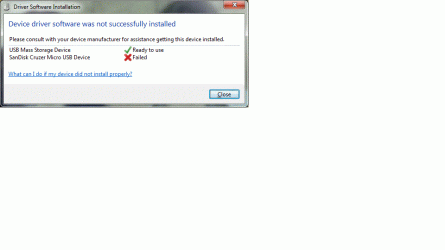
I installed Windows 7 service pack 1 this morning and the USB disk drives are no longer recognized:
Generic Compact Flash USB Device - This device is not configured correctly. (Code 1) The service cannot be started, either because it is disabled or because it has no enabled devices associated with it.
Generic MS/MS-Pro USB Device - This device is not configured correctly. (Code 1) The service cannot be started, either because it is disabled or because it has no enabled devices associated with it.
Generic SD/MMC USB Device - This device is not configured correctly. (Code 1) The service cannot be started, either because it is disabled or because it has no enabled devices associated with it.
Generic SM/xD-Picture USB Device - This device is not configured correctly. (Code 1) The service cannot be started, either because it is disabled or because it has no enabled devices associated with it.
I have searched the web for these error codes, with no success. Do you know of a fix?
Generic Compact Flash USB Device - This device is not configured correctly. (Code 1) The service cannot be started, either because it is disabled or because it has no enabled devices associated with it.
Generic MS/MS-Pro USB Device - This device is not configured correctly. (Code 1) The service cannot be started, either because it is disabled or because it has no enabled devices associated with it.
Generic SD/MMC USB Device - This device is not configured correctly. (Code 1) The service cannot be started, either because it is disabled or because it has no enabled devices associated with it.
Generic SM/xD-Picture USB Device - This device is not configured correctly. (Code 1) The service cannot be started, either because it is disabled or because it has no enabled devices associated with it.
I have searched the web for these error codes, with no success. Do you know of a fix?
My Computer
- Computer Manufacturer/Model Number
- HP / p6510f
- OS
- Microsoft Windows 7 Home Premium Edition (64-bit)
- CPU
- AMD Athlon(tm) II X4 630 Processor
- Motherboard
- FOXCONN 2A92
- Memory
- 4 GB
- Graphics Card(s)
- ATI Radeon HD 4200
- Sound Card
- Realtek High Definition Audio
- Monitor(s) Displays
- HP 2009m
- Hard Drives
- Hitachi HDS721075CLA332 SCSI - system disk
Seagate ST31500541AS SCSI - storage disk