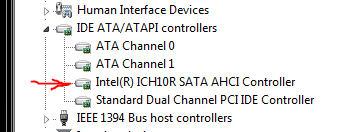
I Have tried changing the registry msahci 'Start' setting to zero and have extensively googled looking for an answer. Most just mention editing the registry.
I set the Sata Mode to AHCI in my Gigabyte EP35C-DS3R BIOS
and I get a Bsod in windows whirly symbols startup screen
my error dump says it happened in [FONT=Segoe UI, Arial]ntkrnlmp.exe which does not help.
[/FONT]Can anyone help please?
thenks
Mike
I set the Sata Mode to AHCI in my Gigabyte EP35C-DS3R BIOS
and I get a Bsod in windows whirly symbols startup screen
my error dump says it happened in [FONT=Segoe UI, Arial]ntkrnlmp.exe which does not help.
[/FONT]Can anyone help please?
thenks
Mike
My Computer
At a glance
Windows 7 Ultimate x642.67 gigahertz Intel Core2 Quad Q94508gbnvidia 8800gt
- OS
- Windows 7 Ultimate x64
- CPU
- 2.67 gigahertz Intel Core2 Quad Q9450
- Motherboard
- Gigabyte Technology Co., Ltd. EP35C-DS3R
- Memory
- 8gb
- Graphics Card(s)
- nvidia 8800gt
- Monitor(s) Displays
- sony bravia 46
- Screen Resolution
- 1900x1200
- Hard Drives
- 1tb sanyo
WDC WD2500KS-00MJB0 ATA (250.06 GB)
Corsair CSSD-F60GB2 [Hard drive] (60.02 GB)
- Internet Speed
- very slow