All types of video dragging

rrabnif

New member
Local time
9:49 AM
Messages
7
Just purchased a new laptop with windows 7 64 bit (i think home premium), and all forms of video i play, whether in windows media player, vlc or even online on iplayer, seem to be suffering from spontaneous errors, causing the video to slow down. Whilst only lasting maybe a second each time, it also causes the audio to take on a jarring robotic quality, and as such i'm looking for a fix

Can anybody help?
 

My Computer My Computer

At a glance

windows 7 home premium x64
OS
windows 7 home premium x64
Hello there, rrabnif! Welcome to SevenForums!

Ok, tell me something:

1) what kind of laptop is it (brand/model)? can you fill your system specs?
2) what kind of videos are you trying to play? 720p, 1080p and which formats?
3) do you have any codec packs installed in your system?
 

My Computer My Computer

At a glance

Windows
Computer type
PC/Desktop
OS
Windows

My Computer My Computer

At a glance

windows 7 home premium x64
OS
windows 7 home premium x64
Ok, it's a new laptop with 2nd gen Core i5 Processor, 6GBs of RAM, integrated video (i'm taking a guess and say it's an Intel HD 2000)

It shouldn't have any problems playing video files!

Those videos you're playing, you moved them from another PC? or you just downloaded them (via interweb, videocamera, USB)?

Because if you moved them from another PC, there's a slight chance that the videos may got corrupted on the way!

Now, are your drivers completely updated?

1) Video
2) Audio
3) Chipset


Report back after checking that, please :D
 

My Computer My Computer

At a glance

Windows
Computer type
PC/Desktop
OS
Windows
Some files have been moved, some originated on this machine. However, i'm not sure if that's the problem, since this fault is also true of any web video i stream

And i'm embarrassed to admit that i am not knowledgeable enough to know how to check the requested drivers (hence my being unable to resolve this issue myself) :s
 

My Computer My Computer

At a glance

windows 7 home premium x64
OS
windows 7 home premium x64
Ok. Let's see.

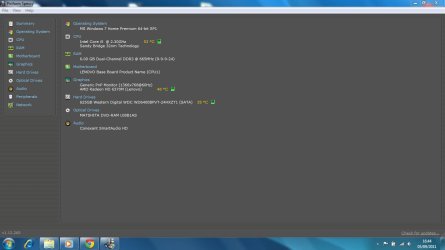
Download Speccy from this website: Speccy - Builds

If you don't want to install anything in your system, download the portable one and take a Screenshot with the program open. That'll give us the idea of the hardware inside your Laptop. :)
 

My Computer My Computer

At a glance

Windows
Computer type
PC/Desktop
OS
Windows
Here you go
And thank you for helping with this
 

Attachments

  • specs.jpg
    specs.jpg
    52.4 KB · Views: 16

My Computer My Computer

At a glance

windows 7 home premium x64
OS
windows 7 home premium x64
Ok. I'm told i don't have a sufficient graphics adapter for catalyst

Downloaded chipset and updated drivers. Will now get a video playing and see if it's solved :s
 

My Computer My Computer

At a glance

windows 7 home premium x64
OS
windows 7 home premium x64
No still there
 

My Computer My Computer

At a glance

windows 7 home premium x64
OS
windows 7 home premium x64
Ok, now i feel foolish
For the first time on this laptop I've listened to music and the fault is occurring here, so it seems my diagnosis of the fault lying with the video was incorrect, it's an audio problem. Is this something you could solve or should i move this thread to the appropriate sub forum?
 

My Computer My Computer

At a glance

windows 7 home premium x64
OS
windows 7 home premium x64
Download the Conexant HD Audio drivers from the Lenovo website and update them...

Now it's really about trial and error.

Check what programs are running with the startup:

1) go to "start" and type "msconfig" without the quotes, open that.
2) go to the Windows Startup tab and take a screenshot (make sure that at least the names are visible)
3) attach it here

Report back after that, please :geek:
 

My Computer My Computer

At a glance

Windows
Computer type
PC/Desktop
OS
Windows
Back
Top