AMD X6 1090T More Overclocking Adventures! BSOD's

Nomad8459

New member
Power User
VIP
Local time
11:40 AM
Messages
171
Location
Liverpool
I have been quite succesfully running my AMD X6 1090T BE at 3.936GHZ, bearing in mind this on an AM2+ board being an M4N72-E.
Multi: X18
HT: 218.7Mhz
HT link: 2187Mhz
NB: 2616Mhz
Ram:8GB @ 872Mhz at 4-4-4-12-20 (2.1V) (4x2GB)
CPU Vcore: 1.456V
CPU-NB: 1.3V

Turbo disabled, Cool and Quiet and C1E enabled!

This gives me very reasonable results and as this is a video encoding machine, am quite pleased.

I have always seen that these chips can be pushed further at seemingly lower voltages and I yearn for 4.2Ghz which some people have managed to achieve.

The main reason I am writing this though is because I always found it so hard to get good information, it involved much trawling around and searching through various people's guides, and I had several BSOD along the way.

From what I have myself witnessed, I would like to offer a theory as to what some of these mean in lay man's terms when overclocking the AMD.

Common ones include:

Secondary Processor Clock Interupt
A problem has been detected and windows has shut down
An incorrectable hardware issue

All of these basically mean that you are going to far, either the processor has reached its limit and a core is shutting down, or its overheating. No matter what I tried, when I recieve these I couldn't push any futher, more voltage did not help.

By the way, the most worrying, an Incorrectable Hardware Issue, is correctable just not by Windows, the blind panic of thinking your CPU has failed totally is very disconcerting! Usual means voltage is wrong somewhere and Windows can't control it.

IRQL not less or equal
System Service exception

I believe this can be solved by adding CPU-NB voltage, it seems to be related to the communication between the HT link and the IMC(NB) on the chip, another reason this crops up is if your multipliers are too far apart it seems, it used to be that CPU-NB and the HT Link were linked together but now they can be unlinked, however if you set a CPU-NB multiplier that is more than 2 above the HT, this error seems to be thrown up, say 11X cpu-nb and 8X HT link.

This then can be corrected by keeping these together somewhat, obvioulsy people want to push the CPU-NB higher these days, but I found that sticking within 2 multipliers of the HT link kept the system stable, say 10X and 8X.

In the overclock I mention at the start, the CPU-NB multiplier was 12X and the HT link was 10X and this was stable, however if I pushed the CPU-NB up one more I would get an error.

Also you may recieve the system service error if you try to push the HT link too much past 2600Mhz which is the peak speed of HT3.0.

So far example when I tried matching my NB of 2616 with my HT link I would get a BSOD with system service exception.

Essentially the "system" or the motherboard in this case cannot handle what you are asking it to do.

On this board I have tired everything to get beyond 4Ghz and I have finally come to the conclusion that MY CPU cannot handle anything more.

My peak CPU case temp, is 57C under full load.

Thanks to my cooler it doesn't alter much even if I load 1.504V onto the Vcore, however even with this much extra voltage, I would always BSOD or would see a core fail while monitoring in Core Temp, anything above 4Ghz and the core fails on this particular CPU.

Assuming its not a power delivery error on the part of the VRM's on the board of course.

Anyway, my best overall clock after much more fiddling:

Multi: X16
HT: 250
HT Link: 2500Mhz
NB: 2750Mhz
Ram: 8GB @ 1000Mhz 5-5-5-15-20 (2.1V) (4x2GB)
Cpu Vcore: 1.488V
Cpu NB: 1.3V

Total Overclock is 4.0Ghz exactly and I will have to settle for that.

One other thing it seems that Windows Experience Index is very sensitive to bad Overclocks, it will BSOD if anything is wrong!

I now have :

CPU: 7.6
Ram: 7.7
Graphics: 7.9
Graphics: 7.9
Disk: 5.9

My disc is weak because it isnt an SSD as yet.

Hope this helps somebody, it may only be relevant to my board, and with the FX processors around, AMD people are moving on, although I hear that even the 8 core ones are struggling to beat X6 BE on a lot of benchmarks.

Oh well after passing lots of benchmarks, the last listed overclock failed intel burn test which i used after having a random BSOD after 2 hours of playing FSX.

So back to the drawing board:

Multi: x18
HT: 220
Ht Link: 2200
NB: 2659mhz
Ram: 8GB @ 880mhz at 4-4-4-12-18 DDR2 (2.1V) (4x2GB)
Cpu Vcore: 1.488v
Cpu NB: 1.220V
HT v: 1.3V
NB v: 1.4V

Turbo disabled, Cool and Quiet and C1E enabled!

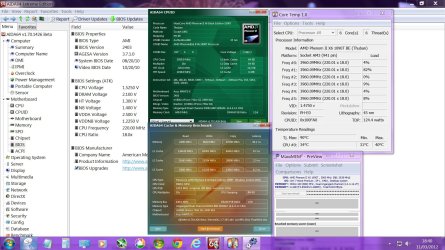
Speed = 3.963ghz on all 6 cores

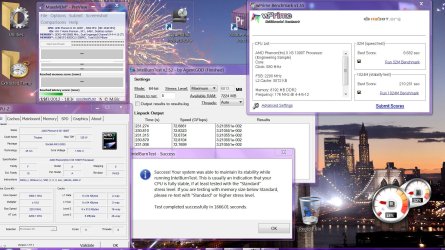
Intel Burn Test on MAXIMUM stable

In Core temp, I have adjusted the offset by 10 to give more accurate data, even with this addition, idles at 27C max temps in Intel Burn test MAXIMUM were 60C, but apparently the temps get more accurate when nearer the higher temp ranges so the offset imakes for a bad result really.
 

Attachments
  • M4N72-E AMD X6 1090T 3.96GHZ.JPG
    M4N72-E AMD X6 1090T 3.96GHZ.JPG
    310.8 KB · Views: 103
  • M4N72-E AMD X6 1090T 3.96GHZ(2).JPG
    M4N72-E AMD X6 1090T 3.96GHZ(2).JPG
    301.3 KB · Views: 88
Last edited:

My Computer My Computer

At a glance

Windows 7 64 bitAMD hexa core AMD Phenom II X6 1090T BE proce...8gb 2 x 4gb Crucial Tactical Tracers Elite DD...MSI NVIDIA GTX660OC 2048MB AT 1215MHZ
Computer type
PC/Desktop
Computer Manufacturer/Model Number
Nomad Creative Solutions (Home build)
OS
Windows 7 64 bit
CPU
AMD hexa core AMD Phenom II X6 1090T BE processor 3.2ghz
Motherboard
ASUS M4N98TD EVO with sli NVIDIA 980a chipset
Memory
8gb 2 x 4gb Crucial Tactical Tracers Elite DDR3 1600mhz
Graphics Card(s)
MSI NVIDIA GTX660OC 2048MB AT 1215MHZ
Sound Card
Onboard VIA HD audio 1708S
Monitor(s) Displays
samsung 40 inch LED monitor
Screen Resolution
1920 X 1080 P
Hard Drives
1 TB Samsung f3 spinpoint
1 TB SATA WDC green
500GB SATA Seagate
250 GB IDE Samsung
PSU
800w PSU
Case
Coolermaster CM690 II Advanced
Cooling
1x140mm In, 2x120mm In, 2x140mm Out, 1x120mm Out
Keyboard
WIRELESS KEYBOARD/TOUCH PAD
Internet Speed
10.6MBPS
Other Info
WINDOWS 7 HOME PREMIUM 64 BIT SP1

Tuniq Tower 120 Extreme CPU cooler
I have my 1090T stable at 4GHz. Takes a lot of voltage tho 1.448v. NB is @ 3GHz. Load temp is 56c running Prime.

The problem I've got is I can't push my RAM higher than 1600. When I try I get random blue screens. I'm hoping ASRock puts out a better BIOS soon.
 

My Computer My Computer

At a glance

Windows 7 Ultimate (x64) SP1Intel 3770k 4.6GHz8GB (2x 4GB) Crucial BallistixSapphire 7950 (1060/1600)
Computer Manufacturer/Model Number
tw33k
OS
Windows 7 Ultimate (x64) SP1
CPU
Intel 3770k 4.6GHz
Motherboard
ASUS Maximus V Formula
Memory
8GB (2x 4GB) Crucial Ballistix
Graphics Card(s)
Sapphire 7950 (1060/1600)
Sound Card
On Board Realtek HD Audio
Monitor(s) Displays
27" Acer B273HU (via HDMI)
Screen Resolution
2048 x 1152
Hard Drives
Crucial M4 128GB
2TB WD Black
1TB Samsung F3 SATA
1TB WD Elite External
2TB WD USB 3.0
PSU
Corsair AX750 Gold
Case
Corsair Obsidian 800DW
Cooling
Corsair H100 (2x AP-121/2x UK-3000 push/pull)
Keyboard
Microsoft Wireless 5000
Mouse
Microsoft Wireless 5000
Internet Speed
5mb/s
Other Info
Logitech z-2300 2.1 speakers
Lamptron FC-5 v2
Tweek your not the only one who pointed that out but AMD chips require some voltage to reach a certain level im running the 8120 @4.4 Ghz @ 1.42 stable but if i bump it to 4.5 it freezes or Bsod on prime so I figure to get what i want i have to hit almost where you are
 

My Computer My Computer

At a glance

Windows 10 Home Premium 64bit sp1Intel I7-6700K @ 4.6 Ghz 1.344 volts everyday OC32GB G-Skill TridentZ 3200mhz 16-18-18-38 DDR4Sli Gigabyte Windforce GTX 980 G1
Computer type
PC/Desktop
Computer Manufacturer/Model Number
CoreI7-6700K MrFingerIII Special Builds
OS
Windows 10 Home Premium 64bit sp1
CPU
Intel I7-6700K @ 4.6 Ghz 1.344 volts everyday OC
Motherboard
Asrock Fatality K6 Z170 Socket 1151
Memory
32GB G-Skill TridentZ 3200mhz 16-18-18-38 DDR4
Graphics Card(s)
Sli Gigabyte Windforce GTX 980 G1
Sound Card
AC97 Creative Rage Tactic 3D Headphones Bluetooth
Monitor(s) Displays
27" Asus ROG Swift PG278Q G-Sync 48" Vizio Smart HD TV
Screen Resolution
2560x1440p 27"- 48" Currently Gaming at 2560x1440p Res 2K
Hard Drives
250GB Samsung Evo840SSD Seagate baracuda 500 GB WD Mybook 500Gb 1TB Seagate Barracuda
PSU
HX1050w Corsair Silver 80plus certified crosfire/sli
Case
Enthod Pro Full Tower
Cooling
Corsair H110i GT 280 mm High Performance WaterBlock
Keyboard
Logitech wireless keyboard
Mouse
Logitech wireless mouse
Internet Speed
Cox Cable 100+ mb
Antivirus
WebRoot Spysweeper with Antivirus
Browser
IE-10, Chrome, Opera
Other Info
My Other Rig is a AMD FX8320E @4.6Ghz 16GB Ballistic Sport Ram
Mobo Asrock Fatality 990FX 120GB OCZ SSD 1TB Seagate Barracuda Corsair H75 Cooling PSU Corsair CX750
GPU GTX Gigabyte 970G1
Thanks for the info Nomad!

I have my 1090T stable at 4GHz. Takes a lot of voltage tho 1.448v. NB is @ 3GHz. Load temp is 56c running Prime.

The problem I've got is I can't push my RAM higher than 1600. When I try I get random blue screens. I'm hoping ASRock puts out a better BIOS soon.
Mark I have 1866 RAM running at 1904 stable in memtest. Have you raised your Bus Speed? It shoud be about 234 and your RAM will be ~1866. You may have to lower your multi though to keep the CPU within reason. This is on the ASRock 990FX board, not the one in my specs.
 

My Computer My Computer

At a glance

Windows 7 Ultimate X64 SP1Intel i5-2550K, Differing ~4.4-4.8GHz No buil...16GB G.Skill Sniper 1866MHz @ 2133MHz 2x8GBASUS GTX650TIB-DC2OC-2GD5, (650TI Boost)
Computer type
PC/Desktop
Computer Manufacturer/Model Number
Home Built Desktop By DataTech
OS
Windows 7 Ultimate X64 SP1
CPU
Intel i5-2550K, Differing ~4.4-4.8GHz No built in GPU
Motherboard
ASUS P8Z68-V PRO/GEN3
Memory
16GB G.Skill Sniper 1866MHz @ 2133MHz 2x8GB
Graphics Card(s)
ASUS GTX650TIB-DC2OC-2GD5, (650TI Boost)
Sound Card
Onboard Realtek 5-1
Monitor(s) Displays
Samsung P2570HD
Screen Resolution
1920x1080
Hard Drives
Samsung 840 Pro 256GB SSD for OS, 500GB Seagate Constellation (Enterprise drive) for Data
PSU
Corsair HX650W
Case
Inwin Dragon Rider
Cooling
Hyper 212 EVO w/two Noctua fans, push-pull, @1300 RPM
Keyboard
E-Z Eyes, bright yellow keys with large characters
Mouse
steelseries SENSEI Laser Pro Gaming
Internet Speed
48-51Mbs Mbs down, 11 Mbs up Xfinity Cable
Antivirus
Norton Internet Security 2013
Browser
IE 10, Opera, Pale Moon if needed
Other Info
4 case fans, LG BluRay-RE, ASUS DVD-RW, Mr. Fusion power supply, 1.21 gigawatts.
I think i will get a sabertooth 990fx and see if that helps any, they are more geared up for it, problem there is I have a gtx 470 soc!

Has it happened yet where you can SLI on AMD boards?

I can add lots of volts to this like 1.55 in BIOS which gives 1.520 on Vcore but nothing, it will not budge one inch over 4 Ghz.

Just to say I have cool and quiet and C1E enabled but I have tried overclocking higher with these turned off and no joy, My multiplier of 18 along with the next one up 18.5 and of course any lower seem to allow the cool and quiet to work, 19 and above and Windows disables it??

This does make me ponder if that is the key to it all, just raising the multiplier past 18, but then I would not be able to overclock this RAM and I need the extra speed as it does not like 1066Mhz even though its rated at at that! (cause I am running 8GB) The 880mhz at 4-4-4-12 has been said to be more like 1200Mhz speeds coupled with a 2600Mhz NB.

I have actually reduced all my voltages down, its still Intel Burn test stable, dropped the CPU-NB voltage down to 1.875, dropped my RAM voltage down to 2.0V and lowered the CPU down from 1.5250(bios) to 1.500V(bios) which gives 1.488 on the Vcore and its still totally stable.

With the cpu-nb raised to over 2800, ie the next step, the screen just kept freezing and locking up, tried voltages all the way to 1.35 but no help.

I have raised my HT link up one level too, 2420Mhz now and still Intel stable.

I am limited by my RAM also as this board is DDR2.

Oh and if you look in the screen shot for some reason, Wprime 32 thinks that my CPU is an engineering sample with figures all wrong, not sure what that uses to get its info but its messed up, it took it that I was running 176 HT at 800Mhz, strange processor that one! haha
 
Last edited by a moderator:

My Computer My Computer

At a glance

Windows 7 64 bitAMD hexa core AMD Phenom II X6 1090T BE proce...8gb 2 x 4gb Crucial Tactical Tracers Elite DD...MSI NVIDIA GTX660OC 2048MB AT 1215MHZ
Computer type
PC/Desktop
Computer Manufacturer/Model Number
Nomad Creative Solutions (Home build)
OS
Windows 7 64 bit
CPU
AMD hexa core AMD Phenom II X6 1090T BE processor 3.2ghz
Motherboard
ASUS M4N98TD EVO with sli NVIDIA 980a chipset
Memory
8gb 2 x 4gb Crucial Tactical Tracers Elite DDR3 1600mhz
Graphics Card(s)
MSI NVIDIA GTX660OC 2048MB AT 1215MHZ
Sound Card
Onboard VIA HD audio 1708S
Monitor(s) Displays
samsung 40 inch LED monitor
Screen Resolution
1920 X 1080 P
Hard Drives
1 TB Samsung f3 spinpoint
1 TB SATA WDC green
500GB SATA Seagate
250 GB IDE Samsung
PSU
800w PSU
Case
Coolermaster CM690 II Advanced
Cooling
1x140mm In, 2x120mm In, 2x140mm Out, 1x120mm Out
Keyboard
WIRELESS KEYBOARD/TOUCH PAD
Internet Speed
10.6MBPS
Other Info
WINDOWS 7 HOME PREMIUM 64 BIT SP1

Tuniq Tower 120 Extreme CPU cooler
I think i will get a sabertooth 990fx and see if that helps any, they are more geared up for it, problem there is I have a gtx 470 soc!

Doesn't mean anything. Nvidia cards work just as well on AMD based board as AMD cards.

Has it happened yet where you can SLI on AMD boards?

Yes you can, including the board you mentioned above.

One thing with your current board, stop overclocking by raising the HT/FSB. When you do you are also overclocking the ram, which unless you can lock it at (or run it on a divider) at 400/800 is likely one of the main culprits of the instability. You have a BE edition CPU, so set the HT/FSB at 200 and only raise the multi.
 

My Computer My Computer

At a glance

Win 7 Ultimate x64FX-8350 @ 4.6 GHz so farADATA XPG V1 Series Black 8GB DDR3 1600Sapphire R9 270x Dual-X
Computer type
PC/Desktop
Computer Manufacturer/Model Number
Me
OS
Win 7 Ultimate x64
CPU
FX-8350 @ 4.6 GHz so far
Motherboard
Asus M5A97 EVO
Memory
ADATA XPG V1 Series Black 8GB DDR3 1600
Graphics Card(s)
Sapphire R9 270x Dual-X
Sound Card
Xonar DGX w/ Corsair Vengence 1300
Monitor(s) Displays
Acer S232HL Abid
Screen Resolution
1920x1080
Hard Drives
120 GB OCZ Vertex 3
500 GB Seagate 7200.12
PSU
Antec Earthwatts 650W Green
Case
Antec Three Hundred
Cooling
Cooler Master 212 EVO
Keyboard
Logitech G510
Mouse
Logitech G500s
Internet Speed
35000/3000
The HT will put stress on the CPU and will not effect performance any. It should be as close to 2000MHz as you can get it, i.e. FSB 200 as Stromy said.

Yeah a board to use DDR3 RAM will be a good upgrade IMO.
 

My Computer My Computer

At a glance

Windows 7 Ultimate X64 SP1Intel i5-2550K, Differing ~4.4-4.8GHz No buil...16GB G.Skill Sniper 1866MHz @ 2133MHz 2x8GBASUS GTX650TIB-DC2OC-2GD5, (650TI Boost)
Computer type
PC/Desktop
Computer Manufacturer/Model Number
Home Built Desktop By DataTech
OS
Windows 7 Ultimate X64 SP1
CPU
Intel i5-2550K, Differing ~4.4-4.8GHz No built in GPU
Motherboard
ASUS P8Z68-V PRO/GEN3
Memory
16GB G.Skill Sniper 1866MHz @ 2133MHz 2x8GB
Graphics Card(s)
ASUS GTX650TIB-DC2OC-2GD5, (650TI Boost)
Sound Card
Onboard Realtek 5-1
Monitor(s) Displays
Samsung P2570HD
Screen Resolution
1920x1080
Hard Drives
Samsung 840 Pro 256GB SSD for OS, 500GB Seagate Constellation (Enterprise drive) for Data
PSU
Corsair HX650W
Case
Inwin Dragon Rider
Cooling
Hyper 212 EVO w/two Noctua fans, push-pull, @1300 RPM
Keyboard
E-Z Eyes, bright yellow keys with large characters
Mouse
steelseries SENSEI Laser Pro Gaming
Internet Speed
48-51Mbs Mbs down, 11 Mbs up Xfinity Cable
Antivirus
Norton Internet Security 2013
Browser
IE 10, Opera, Pale Moon if needed
Other Info
4 case fans, LG BluRay-RE, ASUS DVD-RW, Mr. Fusion power supply, 1.21 gigawatts.
@ Nomad8459

Total Overclock is 4.0Ghz exactly and I will have to settle for that.

One other thing it seems that Windows Experience Index is very sensitive to bad Overclocks, it will BSOD if anything is wrong!


Found that out the hard way had it clocked at 4.5 Ghz the WEI wouldn't finished backed down to 4.4Ghz rock solid WEI finished yeah

7.8 's all around untill my SSD gave me a 7.0 :mad:

So my wall is 4.5 it runs but WEI fails i even gamed with that power last night no hitches untill that dreaded WEI came into play
 

My Computer My Computer

At a glance

Windows 10 Home Premium 64bit sp1Intel I7-6700K @ 4.6 Ghz 1.344 volts everyday OC32GB G-Skill TridentZ 3200mhz 16-18-18-38 DDR4Sli Gigabyte Windforce GTX 980 G1
Computer type
PC/Desktop
Computer Manufacturer/Model Number
CoreI7-6700K MrFingerIII Special Builds
OS
Windows 10 Home Premium 64bit sp1
CPU
Intel I7-6700K @ 4.6 Ghz 1.344 volts everyday OC
Motherboard
Asrock Fatality K6 Z170 Socket 1151
Memory
32GB G-Skill TridentZ 3200mhz 16-18-18-38 DDR4
Graphics Card(s)
Sli Gigabyte Windforce GTX 980 G1
Sound Card
AC97 Creative Rage Tactic 3D Headphones Bluetooth
Monitor(s) Displays
27" Asus ROG Swift PG278Q G-Sync 48" Vizio Smart HD TV
Screen Resolution
2560x1440p 27"- 48" Currently Gaming at 2560x1440p Res 2K
Hard Drives
250GB Samsung Evo840SSD Seagate baracuda 500 GB WD Mybook 500Gb 1TB Seagate Barracuda
PSU
HX1050w Corsair Silver 80plus certified crosfire/sli
Case
Enthod Pro Full Tower
Cooling
Corsair H110i GT 280 mm High Performance WaterBlock
Keyboard
Logitech wireless keyboard
Mouse
Logitech wireless mouse
Internet Speed
Cox Cable 100+ mb
Antivirus
WebRoot Spysweeper with Antivirus
Browser
IE-10, Chrome, Opera
Other Info
My Other Rig is a AMD FX8320E @4.6Ghz 16GB Ballistic Sport Ram
Mobo Asrock Fatality 990FX 120GB OCZ SSD 1TB Seagate Barracuda Corsair H75 Cooling PSU Corsair CX750
GPU GTX Gigabyte 970G1
It actually seems more stable at the HT link of 2420, as I say its passing Intel Burn Test still, I have read that these cpu's like the HT to run higher when overclocking, I know it doesn't give any performance boost but the desktop seems to load snappier and before at the lower figure it was taking a while to load up the desktop items.

Any advice on my NB not being able to go ove 2640, I assume its because the RAM is holding it back, the Ram is 1066MHz Ram, it just won't run at that, its rock solid and passes Memtest 86 at these speeds, having said that it also passed Memtest at 1000mhz at CL5, but my system wouldn't stabilise with that.

I run the HT at the 220 to get my Ram up, I am on the 800mhz divider, system seems very unstable on the 1066Mhz divider although that is where I would prefer to be.

I was running some OCZ reaper at 1072Mhz even with 8GB but my tuniq tower 120 wouldn't allow the slot nearest the cpu to be used, I regret getting rid of that Ram now, I had to set the TRFC down to 195 and increase he DQS and DRAM strength to 1.5X but it ran stable and was great. Should have just got a different cooler, oh hindsight is a wonderful thing.

I got this Gskill because it was on the QVL where the reaper wasn't but have had real problems with it, Gskill forums are really rubbish, the admin just don't help anyone and then just tell people to RMA, OCZ forums were much better at giving advice to get things running.

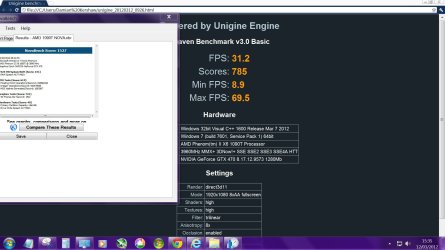
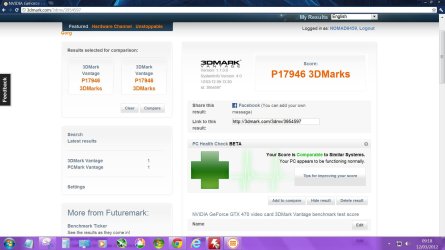
Some Benchmarks for you:

3D Mark Vantage
Unigine Heaven
Novatech
 

Attachments

  • 3DMARK VANTAGE.JPG
    3DMARK VANTAGE.JPG
    143.8 KB · Views: 36
  • Capture.JPG
    Capture.JPG
    150.2 KB · Views: 37
Last edited by a moderator:

My Computer My Computer

At a glance

Windows 7 64 bitAMD hexa core AMD Phenom II X6 1090T BE proce...8gb 2 x 4gb Crucial Tactical Tracers Elite DD...MSI NVIDIA GTX660OC 2048MB AT 1215MHZ
Computer type
PC/Desktop
Computer Manufacturer/Model Number
Nomad Creative Solutions (Home build)
OS
Windows 7 64 bit
CPU
AMD hexa core AMD Phenom II X6 1090T BE processor 3.2ghz
Motherboard
ASUS M4N98TD EVO with sli NVIDIA 980a chipset
Memory
8gb 2 x 4gb Crucial Tactical Tracers Elite DDR3 1600mhz
Graphics Card(s)
MSI NVIDIA GTX660OC 2048MB AT 1215MHZ
Sound Card
Onboard VIA HD audio 1708S
Monitor(s) Displays
samsung 40 inch LED monitor
Screen Resolution
1920 X 1080 P
Hard Drives
1 TB Samsung f3 spinpoint
1 TB SATA WDC green
500GB SATA Seagate
250 GB IDE Samsung
PSU
800w PSU
Case
Coolermaster CM690 II Advanced
Cooling
1x140mm In, 2x120mm In, 2x140mm Out, 1x120mm Out
Keyboard
WIRELESS KEYBOARD/TOUCH PAD
Internet Speed
10.6MBPS
Other Info
WINDOWS 7 HOME PREMIUM 64 BIT SP1

Tuniq Tower 120 Extreme CPU cooler
Mark I have 1866 RAM running at 1904 stable in memtest. Have you raised your Bus Speed? It shoud be about 234 and your RAM will be ~1866. You may have to lower your multi though to keep the CPU within reason. This is on the ASRock 990FX board, not the one in my specs.

Thanks for the tip but honestly, I've tried everything. I think it's a poorly binned chip. For example, I thought 236x17 (4012GHz) would boost my RAM but it wouldn't even POST.

I'm gonna throw an FX-8150 in it soon to see how things go.
 

My Computer My Computer

At a glance

Windows 7 Ultimate (x64) SP1Intel 3770k 4.6GHz8GB (2x 4GB) Crucial BallistixSapphire 7950 (1060/1600)
Computer Manufacturer/Model Number
tw33k
OS
Windows 7 Ultimate (x64) SP1
CPU
Intel 3770k 4.6GHz
Motherboard
ASUS Maximus V Formula
Memory
8GB (2x 4GB) Crucial Ballistix
Graphics Card(s)
Sapphire 7950 (1060/1600)
Sound Card
On Board Realtek HD Audio
Monitor(s) Displays
27" Acer B273HU (via HDMI)
Screen Resolution
2048 x 1152
Hard Drives
Crucial M4 128GB
2TB WD Black
1TB Samsung F3 SATA
1TB WD Elite External
2TB WD USB 3.0
PSU
Corsair AX750 Gold
Case
Corsair Obsidian 800DW
Cooling
Corsair H100 (2x AP-121/2x UK-3000 push/pull)
Keyboard
Microsoft Wireless 5000
Mouse
Microsoft Wireless 5000
Internet Speed
5mb/s
Other Info
Logitech z-2300 2.1 speakers
Lamptron FC-5 v2
Thanks for the tip but honestly, I've tried everything. I think it's a poorly binned chip. For example, I thought 236x17 (4012GHz) would boost my RAM but it wouldn't even POST.

I'm gonna throw an FX-8150 in it soon to see how things go.
sounds like a good idea. I may consider something in the Bulldozer line too. I have RMA'd my board again, third. They said they'd have a tech check it out. I asked if that was a new procedure. :roflmao:

Hey congrats on the medal! I hadn't noticed, or forgot I noticed. :o
 

My Computer My Computer

At a glance

Windows 7 Ultimate X64 SP1Intel i5-2550K, Differing ~4.4-4.8GHz No buil...16GB G.Skill Sniper 1866MHz @ 2133MHz 2x8GBASUS GTX650TIB-DC2OC-2GD5, (650TI Boost)
Computer type
PC/Desktop
Computer Manufacturer/Model Number
Home Built Desktop By DataTech
OS
Windows 7 Ultimate X64 SP1
CPU
Intel i5-2550K, Differing ~4.4-4.8GHz No built in GPU
Motherboard
ASUS P8Z68-V PRO/GEN3
Memory
16GB G.Skill Sniper 1866MHz @ 2133MHz 2x8GB
Graphics Card(s)
ASUS GTX650TIB-DC2OC-2GD5, (650TI Boost)
Sound Card
Onboard Realtek 5-1
Monitor(s) Displays
Samsung P2570HD
Screen Resolution
1920x1080
Hard Drives
Samsung 840 Pro 256GB SSD for OS, 500GB Seagate Constellation (Enterprise drive) for Data
PSU
Corsair HX650W
Case
Inwin Dragon Rider
Cooling
Hyper 212 EVO w/two Noctua fans, push-pull, @1300 RPM
Keyboard
E-Z Eyes, bright yellow keys with large characters
Mouse
steelseries SENSEI Laser Pro Gaming
Internet Speed
48-51Mbs Mbs down, 11 Mbs up Xfinity Cable
Antivirus
Norton Internet Security 2013
Browser
IE 10, Opera, Pale Moon if needed
Other Info
4 case fans, LG BluRay-RE, ASUS DVD-RW, Mr. Fusion power supply, 1.21 gigawatts.
Aren't the bulldozers benching quite low for some reason, even the "8" core ones?

I am happy with my X6, it can handle anything at the minute and seen as games are still only dual core or four core at best then I shall wait.

I would be tempted by an Intel next time with the 2700k as this board is getting old and a new board is needed anyways, may as well go Intel, although I don't like all the extra bits of drivers that Intel provide.

With the 2600 and 2700 having integrated graphics, how do they get on with a gtx 470?

Seems a waste to me to have Intel HD graphics built in, I am not a fan.
 

My Computer My Computer

At a glance

Windows 7 64 bitAMD hexa core AMD Phenom II X6 1090T BE proce...8gb 2 x 4gb Crucial Tactical Tracers Elite DD...MSI NVIDIA GTX660OC 2048MB AT 1215MHZ
Computer type
PC/Desktop
Computer Manufacturer/Model Number
Nomad Creative Solutions (Home build)
OS
Windows 7 64 bit
CPU
AMD hexa core AMD Phenom II X6 1090T BE processor 3.2ghz
Motherboard
ASUS M4N98TD EVO with sli NVIDIA 980a chipset
Memory
8gb 2 x 4gb Crucial Tactical Tracers Elite DDR3 1600mhz
Graphics Card(s)
MSI NVIDIA GTX660OC 2048MB AT 1215MHZ
Sound Card
Onboard VIA HD audio 1708S
Monitor(s) Displays
samsung 40 inch LED monitor
Screen Resolution
1920 X 1080 P
Hard Drives
1 TB Samsung f3 spinpoint
1 TB SATA WDC green
500GB SATA Seagate
250 GB IDE Samsung
PSU
800w PSU
Case
Coolermaster CM690 II Advanced
Cooling
1x140mm In, 2x120mm In, 2x140mm Out, 1x120mm Out
Keyboard
WIRELESS KEYBOARD/TOUCH PAD
Internet Speed
10.6MBPS
Other Info
WINDOWS 7 HOME PREMIUM 64 BIT SP1

Tuniq Tower 120 Extreme CPU cooler
sounds like a good idea. I may consider something in the Bulldozer line too. I have RMA'd my board again, third. They said they'd have a tech check it out. I asked if that was a new procedure. :roflmao:

Hey congrats on the medal! I hadn't noticed, or forgot I noticed. :o

Good luck with new board and thanks

Aren't the bulldozers benching quite low for some reason, even the "8" core ones?

I am happy with my X6, it can handle anything at the minute and seen as games are still only dual core or four core at best then I shall wait.

I would be tempted by an Intel next time with the 2700k as this board is getting old and a new board is needed anyways, may as well go Intel, although I don't like all the extra bits of drivers that Intel provide.

With the 2600 and 2700 having integrated graphics, how do they get on with a gtx 470?

Seems a waste to me to have Intel HD graphics built in, I am not a fan.

On release Bulldozer had a thread scheduling problem but there is a Windows 7 patch available that fixes the problem. Still, Bulldozer is not what we hoped. I planned to skip it altogether and wait for Piledriver but I really need to know if it's my chip holding things back and am tired of waiting.

I have an Intel build ready to go but have not pulled the trigger. I just can't bring myself to do it. I know performance wise the i7 3930K is miles ahead of AMD, but I just can't bring myself to buy Intel. Having said that, if Piledriver doesn't impress I will make the switch for sure
 

My Computer My Computer

At a glance

Windows 7 Ultimate (x64) SP1Intel 3770k 4.6GHz8GB (2x 4GB) Crucial BallistixSapphire 7950 (1060/1600)
Computer Manufacturer/Model Number
tw33k
OS
Windows 7 Ultimate (x64) SP1
CPU
Intel 3770k 4.6GHz
Motherboard
ASUS Maximus V Formula
Memory
8GB (2x 4GB) Crucial Ballistix
Graphics Card(s)
Sapphire 7950 (1060/1600)
Sound Card
On Board Realtek HD Audio
Monitor(s) Displays
27" Acer B273HU (via HDMI)
Screen Resolution
2048 x 1152
Hard Drives
Crucial M4 128GB
2TB WD Black
1TB Samsung F3 SATA
1TB WD Elite External
2TB WD USB 3.0
PSU
Corsair AX750 Gold
Case
Corsair Obsidian 800DW
Cooling
Corsair H100 (2x AP-121/2x UK-3000 push/pull)
Keyboard
Microsoft Wireless 5000
Mouse
Microsoft Wireless 5000
Internet Speed
5mb/s
Other Info
Logitech z-2300 2.1 speakers
Lamptron FC-5 v2
AMD may, I think, hold the overclock record at 8.xxGHz, but Intel has the balls to the walls bleeding eyeball performance. I'm an AMD man too, but...
 

My Computer My Computer

At a glance

Windows 7 Ultimate X64 SP1Intel i5-2550K, Differing ~4.4-4.8GHz No buil...16GB G.Skill Sniper 1866MHz @ 2133MHz 2x8GBASUS GTX650TIB-DC2OC-2GD5, (650TI Boost)
Computer type
PC/Desktop
Computer Manufacturer/Model Number
Home Built Desktop By DataTech
OS
Windows 7 Ultimate X64 SP1
CPU
Intel i5-2550K, Differing ~4.4-4.8GHz No built in GPU
Motherboard
ASUS P8Z68-V PRO/GEN3
Memory
16GB G.Skill Sniper 1866MHz @ 2133MHz 2x8GB
Graphics Card(s)
ASUS GTX650TIB-DC2OC-2GD5, (650TI Boost)
Sound Card
Onboard Realtek 5-1
Monitor(s) Displays
Samsung P2570HD
Screen Resolution
1920x1080
Hard Drives
Samsung 840 Pro 256GB SSD for OS, 500GB Seagate Constellation (Enterprise drive) for Data
PSU
Corsair HX650W
Case
Inwin Dragon Rider
Cooling
Hyper 212 EVO w/two Noctua fans, push-pull, @1300 RPM
Keyboard
E-Z Eyes, bright yellow keys with large characters
Mouse
steelseries SENSEI Laser Pro Gaming
Internet Speed
48-51Mbs Mbs down, 11 Mbs up Xfinity Cable
Antivirus
Norton Internet Security 2013
Browser
IE 10, Opera, Pale Moon if needed
Other Info
4 case fans, LG BluRay-RE, ASUS DVD-RW, Mr. Fusion power supply, 1.21 gigawatts.
I just pulled the trigger on an 8150. I'm seeing good results with this chip around 4.5-4.7GHz. They seem to need a lot of power tho but so does my 1090T and I think my cooling is good enough to be able to see results.
 

My Computer My Computer

At a glance

Windows 7 Ultimate (x64) SP1Intel 3770k 4.6GHz8GB (2x 4GB) Crucial BallistixSapphire 7950 (1060/1600)
Computer Manufacturer/Model Number
tw33k
OS
Windows 7 Ultimate (x64) SP1
CPU
Intel 3770k 4.6GHz
Motherboard
ASUS Maximus V Formula
Memory
8GB (2x 4GB) Crucial Ballistix
Graphics Card(s)
Sapphire 7950 (1060/1600)
Sound Card
On Board Realtek HD Audio
Monitor(s) Displays
27" Acer B273HU (via HDMI)
Screen Resolution
2048 x 1152
Hard Drives
Crucial M4 128GB
2TB WD Black
1TB Samsung F3 SATA
1TB WD Elite External
2TB WD USB 3.0
PSU
Corsair AX750 Gold
Case
Corsair Obsidian 800DW
Cooling
Corsair H100 (2x AP-121/2x UK-3000 push/pull)
Keyboard
Microsoft Wireless 5000
Mouse
Microsoft Wireless 5000
Internet Speed
5mb/s
Other Info
Logitech z-2300 2.1 speakers
Lamptron FC-5 v2
I did on a FX-6100 and now waiting for the board to get back from its 3rd RMA. ASRock is not very helpful nor cooperative.
Anyway I figured a AM3+ CPU would at least work for me. :huh:
 

My Computer My Computer

At a glance

Windows 7 Ultimate X64 SP1Intel i5-2550K, Differing ~4.4-4.8GHz No buil...16GB G.Skill Sniper 1866MHz @ 2133MHz 2x8GBASUS GTX650TIB-DC2OC-2GD5, (650TI Boost)
Computer type
PC/Desktop
Computer Manufacturer/Model Number
Home Built Desktop By DataTech
OS
Windows 7 Ultimate X64 SP1
CPU
Intel i5-2550K, Differing ~4.4-4.8GHz No built in GPU
Motherboard
ASUS P8Z68-V PRO/GEN3
Memory
16GB G.Skill Sniper 1866MHz @ 2133MHz 2x8GB
Graphics Card(s)
ASUS GTX650TIB-DC2OC-2GD5, (650TI Boost)
Sound Card
Onboard Realtek 5-1
Monitor(s) Displays
Samsung P2570HD
Screen Resolution
1920x1080
Hard Drives
Samsung 840 Pro 256GB SSD for OS, 500GB Seagate Constellation (Enterprise drive) for Data
PSU
Corsair HX650W
Case
Inwin Dragon Rider
Cooling
Hyper 212 EVO w/two Noctua fans, push-pull, @1300 RPM
Keyboard
E-Z Eyes, bright yellow keys with large characters
Mouse
steelseries SENSEI Laser Pro Gaming
Internet Speed
48-51Mbs Mbs down, 11 Mbs up Xfinity Cable
Antivirus
Norton Internet Security 2013
Browser
IE 10, Opera, Pale Moon if needed
Other Info
4 case fans, LG BluRay-RE, ASUS DVD-RW, Mr. Fusion power supply, 1.21 gigawatts.
Well, I am happy with my AMD 1090T X6 so I have upgraded my Motherboard slightly, well I had to, to be honest cause my chipset died when I tried to change the heatsink paste!! Doh! Not doing that again.

Got myself an M4N98TD Evo, I quite liked my old board and OK its not going to overclock as well as the newer boards, but I like native SLI and wanted DDR3 memory, besides which I couldn't afford a Sabertooth 990FX or a Crosshair which are the only other boards I was interested in.

Plus the board I have got allows me to still use a PATA drive which has all my music and pictures stored on it.

I haven't fired it up yet, I am about to get some RAM, I am gonna get 2x4GB which is much more available in DDR3, hopefully using only two sticks but not lowering the total amount of memory from what I had will help my overclock.

I am torn between the 1600 DDR3 Crucial Balistix tactical tracers CL8 and the Corsair vengeance 1600 DDR3 Cl8, the Crucial is cheaper and have never heard anyone complain about Crucial memory before??

I have decided to go with the Crucial RAM, but from doing some reading, I have a couple of questions that maybe someone here can help with:

My old motherboard and this new motherboard both use the same Nvidia 15.56 Chipset Driver package, is it likely that I will be able to boot into my old Windows 7 install which is still on my HDD?

I have heard that Windows 7 can see a new motherboard as a different computer, my Windows 7 was an OEM copy that came with the original computer, will I need to reactivate and will I be able to??

Do you think I will be able to Overclock any higher with this board given that it has 8 pin CPU power where the old board had only 4 pin CPU power?
 
Last edited by a moderator:

My Computer My Computer

At a glance

Windows 7 64 bitAMD hexa core AMD Phenom II X6 1090T BE proce...8gb 2 x 4gb Crucial Tactical Tracers Elite DD...MSI NVIDIA GTX660OC 2048MB AT 1215MHZ
Computer type
PC/Desktop
Computer Manufacturer/Model Number
Nomad Creative Solutions (Home build)
OS
Windows 7 64 bit
CPU
AMD hexa core AMD Phenom II X6 1090T BE processor 3.2ghz
Motherboard
ASUS M4N98TD EVO with sli NVIDIA 980a chipset
Memory
8gb 2 x 4gb Crucial Tactical Tracers Elite DDR3 1600mhz
Graphics Card(s)
MSI NVIDIA GTX660OC 2048MB AT 1215MHZ
Sound Card
Onboard VIA HD audio 1708S
Monitor(s) Displays
samsung 40 inch LED monitor
Screen Resolution
1920 X 1080 P
Hard Drives
1 TB Samsung f3 spinpoint
1 TB SATA WDC green
500GB SATA Seagate
250 GB IDE Samsung
PSU
800w PSU
Case
Coolermaster CM690 II Advanced
Cooling
1x140mm In, 2x120mm In, 2x140mm Out, 1x120mm Out
Keyboard
WIRELESS KEYBOARD/TOUCH PAD
Internet Speed
10.6MBPS
Other Info
WINDOWS 7 HOME PREMIUM 64 BIT SP1

Tuniq Tower 120 Extreme CPU cooler
I have decided to go with the Crucial RAM, but from doing some reading, I have a couple of questions that maybe someone here can help with:

My old motherboard and this new motherboard both use the same Nvidia 15.56 Chipset Driver package, is it likely that I will be able to boot into my old Windows 7 install which is still on my HDD?Maybe, but see below. Chipsets can be different and use the same drivers.

I have heard that Windows 7 can see a new motherboard as a different computer, my Windows 7 was an OEM copy that came with the original computer, will I need to reactivate and will I be able to??If it is a OEM, no, they are forever linked to the first computer activated on. You will need to buy a new key.

Do you think I will be able to Overclock any higher with this board given that it has 8 pin CPU power where the old board had only 4 pin CPU power?Possibly, but you will need to experiment.
You may give GSkill RAM a look if it is available to you. I have it in 3 machines and am very happy with it. The new Sniper and Ares line do very well with overclocking.
 

My Computer My Computer

At a glance

Windows 7 Ultimate X64 SP1Intel i5-2550K, Differing ~4.4-4.8GHz No buil...16GB G.Skill Sniper 1866MHz @ 2133MHz 2x8GBASUS GTX650TIB-DC2OC-2GD5, (650TI Boost)
Computer type
PC/Desktop
Computer Manufacturer/Model Number
Home Built Desktop By DataTech
OS
Windows 7 Ultimate X64 SP1
CPU
Intel i5-2550K, Differing ~4.4-4.8GHz No built in GPU
Motherboard
ASUS P8Z68-V PRO/GEN3
Memory
16GB G.Skill Sniper 1866MHz @ 2133MHz 2x8GB
Graphics Card(s)
ASUS GTX650TIB-DC2OC-2GD5, (650TI Boost)
Sound Card
Onboard Realtek 5-1
Monitor(s) Displays
Samsung P2570HD
Screen Resolution
1920x1080
Hard Drives
Samsung 840 Pro 256GB SSD for OS, 500GB Seagate Constellation (Enterprise drive) for Data
PSU
Corsair HX650W
Case
Inwin Dragon Rider
Cooling
Hyper 212 EVO w/two Noctua fans, push-pull, @1300 RPM
Keyboard
E-Z Eyes, bright yellow keys with large characters
Mouse
steelseries SENSEI Laser Pro Gaming
Internet Speed
48-51Mbs Mbs down, 11 Mbs up Xfinity Cable
Antivirus
Norton Internet Security 2013
Browser
IE 10, Opera, Pale Moon if needed
Other Info
4 case fans, LG BluRay-RE, ASUS DVD-RW, Mr. Fusion power supply, 1.21 gigawatts.
My 8120 hits 4.5 Ghz stable gaming and all but on the WEI it BSOD :mad:
So im running 24/7 stable 4.4 Ghz from a 3.1 Ghz not bad at all 1.3 Ghz gain and gaming is off the chain

Im still looking to get around it though my V-core only goes to 1.49 so i can no longer go up and i brought it to a 1.41 v-core actually i dropped it lower just to see and all is well so i dropped the juice but can't keep a stable 4.5

Even with a new Psu i couldn't get it to stick when doing the WEI so i'll call that a day i been told though on a average i can hit 4.8 to 5 Ghz on these chips

Also depends on serial number too im afraid and i got the Bad serial which kinda sucks the lower power consumption 95w version vs the 125 are better for some reason

@TWEEK glad you got good use of the 8150 the extra 50 bucks to me wasn't worth the extra 300 mhz you are achieving
But in turn i hope you can get it to roll higher as alot of people have had good results with Fatality Boards ;)

Anyway if someone figures out how i can keep my system stable at 4.5 let me know right now im at a wall Also I disabled all turbo core settings and didn't disable any cores they all run at 4.4 and 4.5
 

My Computer My Computer

At a glance

Windows 10 Home Premium 64bit sp1Intel I7-6700K @ 4.6 Ghz 1.344 volts everyday OC32GB G-Skill TridentZ 3200mhz 16-18-18-38 DDR4Sli Gigabyte Windforce GTX 980 G1
Computer type
PC/Desktop
Computer Manufacturer/Model Number
CoreI7-6700K MrFingerIII Special Builds
OS
Windows 10 Home Premium 64bit sp1
CPU
Intel I7-6700K @ 4.6 Ghz 1.344 volts everyday OC
Motherboard
Asrock Fatality K6 Z170 Socket 1151
Memory
32GB G-Skill TridentZ 3200mhz 16-18-18-38 DDR4
Graphics Card(s)
Sli Gigabyte Windforce GTX 980 G1
Sound Card
AC97 Creative Rage Tactic 3D Headphones Bluetooth
Monitor(s) Displays
27" Asus ROG Swift PG278Q G-Sync 48" Vizio Smart HD TV
Screen Resolution
2560x1440p 27"- 48" Currently Gaming at 2560x1440p Res 2K
Hard Drives
250GB Samsung Evo840SSD Seagate baracuda 500 GB WD Mybook 500Gb 1TB Seagate Barracuda
PSU
HX1050w Corsair Silver 80plus certified crosfire/sli
Case
Enthod Pro Full Tower
Cooling
Corsair H110i GT 280 mm High Performance WaterBlock
Keyboard
Logitech wireless keyboard
Mouse
Logitech wireless mouse
Internet Speed
Cox Cable 100+ mb
Antivirus
WebRoot Spysweeper with Antivirus
Browser
IE-10, Chrome, Opera
Other Info
My Other Rig is a AMD FX8320E @4.6Ghz 16GB Ballistic Sport Ram
Mobo Asrock Fatality 990FX 120GB OCZ SSD 1TB Seagate Barracuda Corsair H75 Cooling PSU Corsair CX750
GPU GTX Gigabyte 970G1
I had read that if you ring Windows and explain that the Motherboard has died that they usually will reactivate your key, I can't afford to buy windows again after the expense of a new motherboard as well, Motherboards die, it happens, they must have some experience with this??

Had G Skill RAM with the DDR2 and couldn't get it stable where as the OCZ reaper was totally stable at 1072mhz, couldn't get the G Skill stable at even 1000Mhz!

It was an OEM but I have the Windows 7 Install disc, I paid extra to have it pre-installed but they also sent me the disc, its OEM though not retail.
 

My Computer My Computer

At a glance

Windows 7 64 bitAMD hexa core AMD Phenom II X6 1090T BE proce...8gb 2 x 4gb Crucial Tactical Tracers Elite DD...MSI NVIDIA GTX660OC 2048MB AT 1215MHZ
Computer type
PC/Desktop
Computer Manufacturer/Model Number
Nomad Creative Solutions (Home build)
OS
Windows 7 64 bit
CPU
AMD hexa core AMD Phenom II X6 1090T BE processor 3.2ghz
Motherboard
ASUS M4N98TD EVO with sli NVIDIA 980a chipset
Memory
8gb 2 x 4gb Crucial Tactical Tracers Elite DDR3 1600mhz
Graphics Card(s)
MSI NVIDIA GTX660OC 2048MB AT 1215MHZ
Sound Card
Onboard VIA HD audio 1708S
Monitor(s) Displays
samsung 40 inch LED monitor
Screen Resolution
1920 X 1080 P
Hard Drives
1 TB Samsung f3 spinpoint
1 TB SATA WDC green
500GB SATA Seagate
250 GB IDE Samsung
PSU
800w PSU
Case
Coolermaster CM690 II Advanced
Cooling
1x140mm In, 2x120mm In, 2x140mm Out, 1x120mm Out
Keyboard
WIRELESS KEYBOARD/TOUCH PAD
Internet Speed
10.6MBPS
Other Info
WINDOWS 7 HOME PREMIUM 64 BIT SP1

Tuniq Tower 120 Extreme CPU cooler
Back
Top