fluidmotion
New member
how do u analyze disk or defrag disk from a command line?
My Computer
- Computer Manufacturer/Model Number
- MP Mini Netbook 110
- OS
- Win7 Starter 32 bits



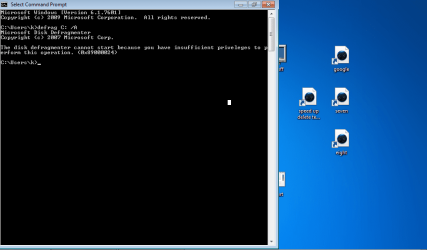
To defrag from command line:-
At the command line type in defrag followed by the parameters you wish to add on it
Parameters:
Value Description
/A Perform analysis on the specified volumes.
/C Perform the operation on all volumes.
/E Perform the operation on all volumes except those specified.
/H Run the operation at normal priority (default is low).
/M Run the operation on each volume in parallel in the background.
/T Track an operation already in progress on the specified volume.
/U Print the progress of the operation on the screen.
/V Print verbose output containing the fragmentation statistics.
/X Perform free space consolidation on the specified volumes.
So for example if you wish to analyze and defrag C: you'd type in:-
defrag C: /A
Hope that helps!

Hi,
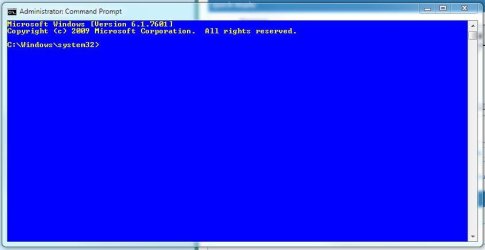
You need to run the commands from an elevated command prompt:
1. Click Start Orb
2. In search box, type cmd
3. Right-click on cmd.exe, and choose 'Run as Administrator'
See image below - note the prompt
Regards,
Golden