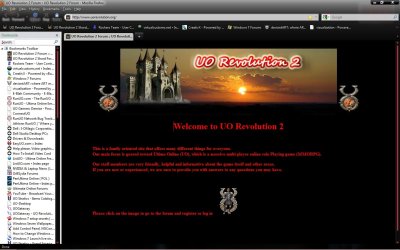
Annoying line that blinks

Erica

New member
Local time
9:11 PM
Messages
6
Location
Laramie, Wyoming
Question not sure why does any body know why this shows on any website i go on see the line blinking on picture where it says Welcome does it in every section and on any website didnt have this before and my other computers dont do that thanks.
 

Attachments

  • Untitled.jpg
    Untitled.jpg
    134 KB · Views: 107

My Computer

OS
Windows Se7en
I see that you have an FF theme active. Try closing down all FF windows, relaunching FF in safe mode, and then navigating back to that website to see if this anomaly still appears. This will tell you if the problem is related to your theme or not.

You should be able to launch FF in safe mode by clicking on the START orb in Win7 and simply typing "Firefox" at the search box on the start menu, then choosing the "Mozilla Firefox (Safe Mode)" icon that appears in the results.

You could also try creating a new profile as a test and then launching FF using this clean profile. Testing a new profile rules out problems introduced from a FF Add-On. Here are Mozilla's instructions for launching the FF profile manager and creating and using a new profile: Managing profiles

edit: Also test this issue by launching MS IE and going to the website.
 

My Computer

Computer Manufacturer/Model Number
Dell Vostro 420
OS
Windows 7 Pro x64
CPU
3.00 GHz Intel Core2 Quad Q9650
Memory
4 GB
Graphics Card(s)
ATI Radeon HD 3400 Series
Monitor(s) Displays
DELL 2405FPW
Screen Resolution
1920x1200
Hard Drives
System: 80GB WDC WD800JD-22MSA1
Data: 500GB Hitachi HDP725050GLA360
Internet Speed
Verizon FiOS 20/5 mbps
Other Info
Computing is primarily business use with off-time troubleshooting practice: Remote desktop, scanning and producing invoices, some minor graphics work.
With the sincerest of respect, what worked? There were three different suggestions there. :)
 

My Computer

Computer Manufacturer/Model Number
Dell Vostro 420
OS
Windows 7 Pro x64
CPU
3.00 GHz Intel Core2 Quad Q9650
Memory
4 GB
Graphics Card(s)
ATI Radeon HD 3400 Series
Monitor(s) Displays
DELL 2405FPW
Screen Resolution
1920x1200
Hard Drives
System: 80GB WDC WD800JD-22MSA1
Data: 500GB Hitachi HDP725050GLA360
Internet Speed
Verizon FiOS 20/5 mbps
Other Info
Computing is primarily business use with off-time troubleshooting practice: Remote desktop, scanning and producing invoices, some minor graphics work.
With the sincerest of respect, what worked? There were three different suggestions there. :)
What i did was went to safe mode and a gump open it for turning addon and plugs to be turn it off i selected all of them it turn it all off and went back into original firefox default and all was gone i turn it back on addon and plugs and everything is all well.
 

My Computer

OS
Windows Se7en
Back
Top
