annoying sight bar in firefox 3.6

Staple Head

Banned
Local time
3:23 PM
Messages
113
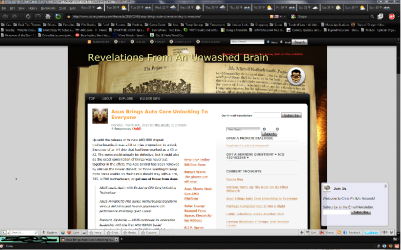
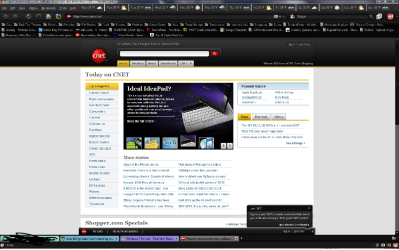
whenever i go to lockergnome, cnet, etc........... i get an annoying popup bar on the bottom my browser window. i would like to know if there is any way to keep from getting this.
 

Attachments

  • lockergnome.png
    lockergnome.png
    168.2 KB · Views: 36
  • cnet.png
    cnet.png
    84.5 KB · Views: 21

My Computer My Computer

At a glance

Windows 7
OS
Windows 7
not a huge amount you can do really... unless you install an Ad Blocking Addon
 

My Computer My Computer

At a glance

Windows 10 Pro x64Intel Core i5 7400 @ 3.00GHz8GB 2133Mhz DDR4 (OEM supplied)Gygabyte Windforce GTX 1050Ti (Factory Overcl...
Computer type
PC/Desktop
Computer Manufacturer/Model Number
Medion Erazer (note to self: insert model number) - with custom additions
OS
Windows 10 Pro x64
CPU
Intel Core i5 7400 @ 3.00GHz
Motherboard
OEM supllied with PC
Memory
8GB 2133Mhz DDR4 (OEM supplied)
Graphics Card(s)
Gygabyte Windforce GTX 1050Ti (Factory Overclocked)
Sound Card
Realtek
Monitor(s) Displays
Acer Al1980 + HKC
Screen Resolution
1360*768(HKC) / 1280*1024(Acer)
Hard Drives
1TB Toshiba
1TB WD Caviar Green
120GB Samsung Evo 840
PSU
OEM supplied (no power rating on case)
Case
OEM Supplied
Cooling
Stock
Keyboard
Logitech Wireless
Mouse
Logitect Wireless
Internet Speed
40Mb/s Down 10Mb/s Up
Antivirus
Defender
Browser
Firefox
i have adblocker plus. i am quite sure that there is a way to disable it in about:config, however it is one tweak that i am unfamiliar with.
 

My Computer My Computer

At a glance

Windows 7
OS
Windows 7
Hi Staple Head.
Check Userstyles.org for a site style that can disable it.
 

My Computer My Computer

At a glance

Windows 7 Ultimate (32-bit)Intel Mobile Core 2 Duo T5500 @ 1.66 GHz2.0GB Dual Channel DDR2 @ 266 MHz 4-4-4-12Mobile Intel 945 Express Chipset Family
Computer Manufacturer/Model Number
Toshiba Satellite A135S4487
OS
Windows 7 Ultimate (32-bit)
CPU
Intel Mobile Core 2 Duo T5500 @ 1.66 GHz
Motherboard
Intel i945GM Chipset
Memory
2.0GB Dual Channel DDR2 @ 266 MHz 4-4-4-12
Graphics Card(s)
Mobile Intel 945 Express Chipset Family
Sound Card
Realtek High Definition Audio
Monitor(s) Displays
Generic PnP Monitor, Samsung 46" LCD
Screen Resolution
1280 x 800, 1920 x 1080
Hard Drives
100GB Hitachi ATA Device (IDE)
120GB Western Digital USB
250GB External USB
Keyboard
Microsoft Wireless Comfort Keyboard 5000
Mouse
Microsoft Wireless Mouse 5000
Internet Speed
DSL
i would rather fix it through about:config. those bars are part of the browser not the site i went to. the info on them and how they are called up have to do with the site, but just by looking at the you can tell they are part of the browser. so they can be disabled through the browser.
 

My Computer My Computer

At a glance

Windows 7
OS
Windows 7
i would rather fix it through about:config. those bars are part of the browser not the site i went to. the info on them and how they are called up have to do with the site, but just by looking at the you can tell they are part of the browser. so they can be disabled through the browser.

No they're not, they are part of the site. You want to get rid of it quick and easy, right click on it and select "Adblock Plus: Block Image", refresh the page and it will be gone.
 

My Computer My Computer

At a glance

Win 7 Ultimate x64FX-8350 @ 4.6 GHz so farADATA XPG V1 Series Black 8GB DDR3 1600Sapphire R9 270x Dual-X
Computer type
PC/Desktop
Computer Manufacturer/Model Number
Me
OS
Win 7 Ultimate x64
CPU
FX-8350 @ 4.6 GHz so far
Motherboard
Asus M5A97 EVO
Memory
ADATA XPG V1 Series Black 8GB DDR3 1600
Graphics Card(s)
Sapphire R9 270x Dual-X
Sound Card
Xonar DGX w/ Corsair Vengence 1300
Monitor(s) Displays
Acer S232HL Abid
Screen Resolution
1920x1080
Hard Drives
120 GB OCZ Vertex 3
500 GB Seagate 7200.12
PSU
Antec Earthwatts 650W Green
Case
Antec Three Hundred
Cooling
Cooler Master 212 EVO
Keyboard
Logitech G510
Mouse
Logitech G500s
Internet Speed
35000/3000
o.k. that worked for cnet. lockergnome it got rid for the login box after i right clicked and added filter the second time, however all it did with the bar on the bottom was to make it translucent. i tried to get rid of that by using noscript but then i end up with the noscript bar in its place. at lease you were able to help me fix part of the problem. thanks

edit: o.k. problem completely solved. i had to go back into adblocker plus and apply two more filters. looks like this worked a charm. thanks again.
 

My Computer My Computer

At a glance

Windows 7
OS
Windows 7
Back
Top