Anti-virus

jessejw

New member
Member
VIP
Local time
2:55 PM
Messages
157
Location
New York
I think I might have a virus, is there any freeware programs I can use to scan.


thanks!
 

My Computer

Computer Manufacturer/Model Number
Lenovo
OS
Windows 7 Home Premium 32bit
CPU
Intel(R) Core(TM)2 Quad CPU
Memory
3GB DDR2
Graphics Card(s)
Geforce 9800GTX+
Monitor(s) Displays
Dell 22"
Screen Resolution
1440x900
Hard Drives
1TB, 120GB External
Mouse
Razer Death Adder

My Computer

Computer Manufacturer/Model Number
Vostro
OS
Windows 7 Ultimate (SP1)
CPU
AMD Sempron 3600+
Graphics Card(s)
ATI Radeon Xpress 1150
Screen Resolution
1200 x 800
Hard Drives
WD Scorpio Blue 500 GB
Microsoft Security Essentials.
Avast
AVG
Avira
 

My Computer

Computer type
PC/Desktop
Computer Manufacturer/Model Number
Custom Build
OS
Windows 7 Home Premium 64 bit
CPU
Intel Core i7-4790
Motherboard
GA-Z87X-D3H
Memory
G.SKILL 8GB (2 x 4GB) DDR3 F3-10666CL9D-8GBNT
Graphics Card(s)
AMD Radeon R7 250
Sound Card
Realtek ALC892
Monitor(s) Displays
Samsung UN32EH5000, Dell 1703FPT
Screen Resolution
1920 x 1080, 1280 x 1024
Hard Drives
WD5003AZEX
WD10EZEX
Samsung HD103SJ
Samsung 128 GB 840 PRO
PSU
SeaSonic M12II SS-500GM
Case
Fractal Design Define R4
Cooling
Zalman CNPS9900ALED
Keyboard
Logitech K800
Mouse
Logitech M705
Internet Speed
16 Mbps
Antivirus
Avast
Browser
Firefox
Other Info
Bose Companion 2 Multimedia Speakers

My Computer

Computer type
PC/Desktop
Computer Manufacturer/Model Number
Virtual Machine
OS
Windows 7 Professional 32-bit SP1
CPU
AMD A4/A6
Motherboard
Intel Corporation 440BX Desktop Reference Platform
Memory
3.00GB EDO
Graphics Card(s)
VMware SVGA 3D
Sound Card
High Definition Audio Device
Monitor(s) Displays
Generic Non-PnP Monitor on VMware SVGA 3D
Screen Resolution
1440x900
Hard Drives
1 x 60GB VMware Virtual SATA Hard Drive ATA Device
Antivirus
Kaspersky Total Security
There is Malwarebytes, and Microsoft Security Essentials. I would start with Malwarebytes though

Microsoft Security Essentials.
Avast
AVG
Avira

I think I might have a virus, is there any freeware programs I can use to scan.


thanks!

Avast is a popular choice. Some also like to use Microsoft Security Essentials

Thanks everyone I just installed all of them and I am running a scan. I had a blue screen of death come up so I thought something might be wrong it was right after I installed something so I deleted it and I did not type any passwords or anything in I'm going to change my info after I scan and remove whatever is there.
 

My Computer

Computer Manufacturer/Model Number
Lenovo
OS
Windows 7 Home Premium 32bit
CPU
Intel(R) Core(TM)2 Quad CPU
Memory
3GB DDR2
Graphics Card(s)
Geforce 9800GTX+
Monitor(s) Displays
Dell 22"
Screen Resolution
1440x900
Hard Drives
1TB, 120GB External
Mouse
Razer Death Adder
A BSOD could be a driver issue too. Post the Malwarebytes findings when you're done
 

My Computer

Computer Manufacturer/Model Number
Vostro
OS
Windows 7 Ultimate (SP1)
CPU
AMD Sempron 3600+
Graphics Card(s)
ATI Radeon Xpress 1150
Screen Resolution
1200 x 800
Hard Drives
WD Scorpio Blue 500 GB
You should only have one installed at a time.
They can conflict with each other and having four installed at the same time is a no-no.
 

My Computer

Computer type
PC/Desktop
Computer Manufacturer/Model Number
Custom Build
OS
Windows 7 Home Premium 64 bit
CPU
Intel Core i7-4790
Motherboard
GA-Z87X-D3H
Memory
G.SKILL 8GB (2 x 4GB) DDR3 F3-10666CL9D-8GBNT
Graphics Card(s)
AMD Radeon R7 250
Sound Card
Realtek ALC892
Monitor(s) Displays
Samsung UN32EH5000, Dell 1703FPT
Screen Resolution
1920 x 1080, 1280 x 1024
Hard Drives
WD5003AZEX
WD10EZEX
Samsung HD103SJ
Samsung 128 GB 840 PRO
PSU
SeaSonic M12II SS-500GM
Case
Fractal Design Define R4
Cooling
Zalman CNPS9900ALED
Keyboard
Logitech K800
Mouse
Logitech M705
Internet Speed
16 Mbps
Antivirus
Avast
Browser
Firefox
Other Info
Bose Companion 2 Multimedia Speakers
What do you mean by ''I installed all of them"? You shouldn't run multiple antivirus programs simultaneously which may result in conflicts, blue screens, slow downs.
However, malwarebytes can be used in congestion with other.
 

My Computer

Computer Manufacturer/Model Number
HCL
OS
Winbdows 7 ultimate x64 | Ubuntu 12.04 x64 LTS
CPU
Core 2 Duo e7400 @ 2.90GHz
Motherboard
Gigabyte G31M-ES2L
Memory
3GB DDR2
Graphics Card(s)
Asus Nvidia GTX 560Ti 1GB
Sound Card
On-board
Monitor(s) Displays
HCL eZeeBee 18.5" LCD
Screen Resolution
1366x768 @ 60Hz
Hard Drives
Western Digital 320GB
PSU
Corsair CX500 V2 500W
Cooling
Stock
Keyboard
Stock
Mouse
Stock
Internet Speed
15-25kBps D/L | 10kBps U/L | Hey Don't laugh
A BSOD could be a driver issue too. Post the Malwarebytes findings when you're done
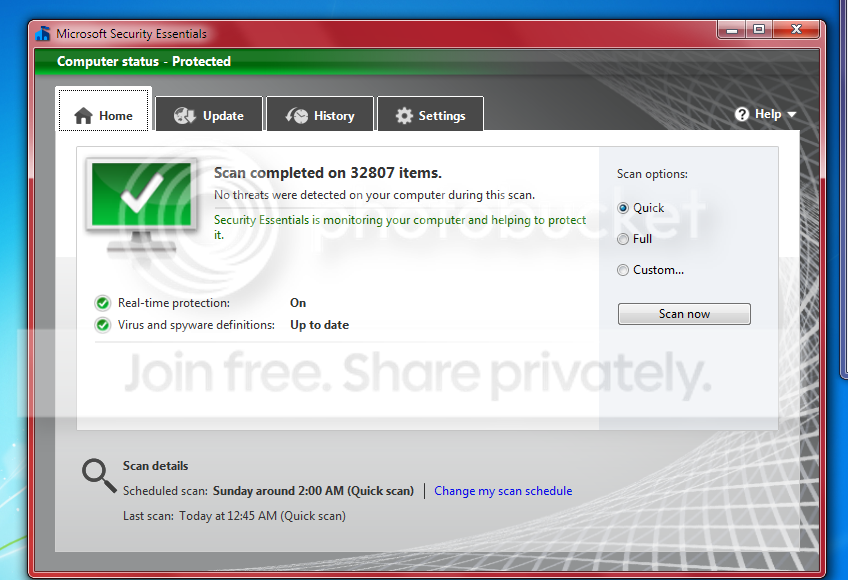
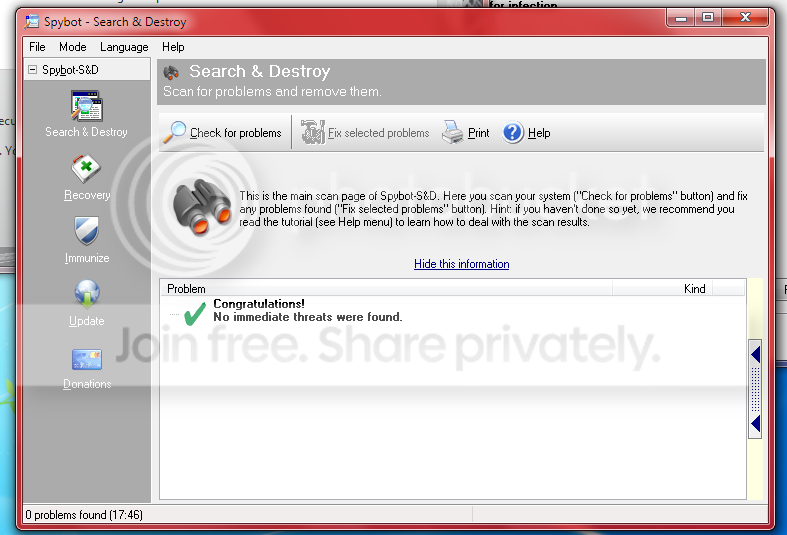
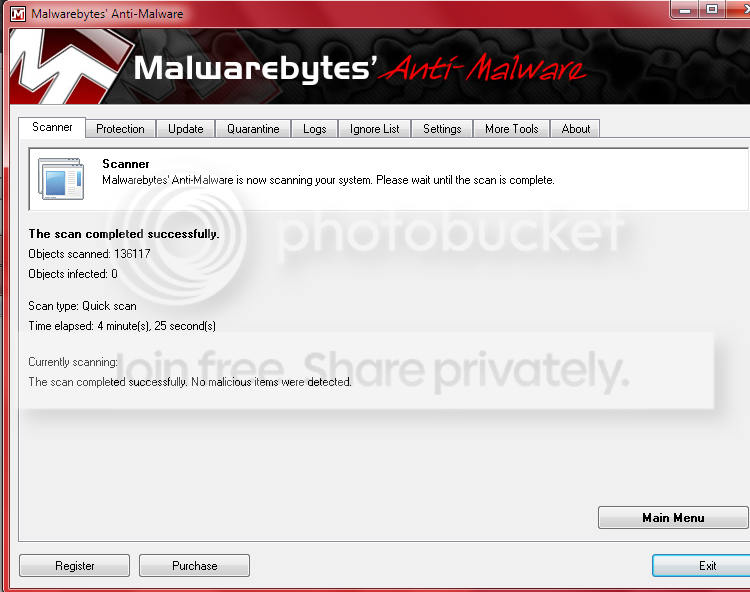
12.png

1.png

2.png


You should only have one installed at a time.
They can conflict with each other and having four installed at the same time is a no-no.
Ok, what is the best one to have?

What do you mean by ''I installed all of them"? You shouldn't run multiple antivirus programs simultaneously which may result in conflicts, blue screens, slow downs.
However, malwarebytes can be used in congestion with other.
Ok, what is the best one to have?
 

My Computer

Computer Manufacturer/Model Number
Lenovo
OS
Windows 7 Home Premium 32bit
CPU
Intel(R) Core(TM)2 Quad CPU
Memory
3GB DDR2
Graphics Card(s)
Geforce 9800GTX+
Monitor(s) Displays
Dell 22"
Screen Resolution
1440x900
Hard Drives
1TB, 120GB External
Mouse
Razer Death Adder
I was skeptical about using a Microsoft product for protection, but it does a good job.
Many people have mentioned Malwarebytes.

Basically pick one and test it out for awhile. :D
 

My Computer

Computer type
PC/Desktop
Computer Manufacturer/Model Number
Custom Build
OS
Windows 7 Home Premium 64 bit
CPU
Intel Core i7-4790
Motherboard
GA-Z87X-D3H
Memory
G.SKILL 8GB (2 x 4GB) DDR3 F3-10666CL9D-8GBNT
Graphics Card(s)
AMD Radeon R7 250
Sound Card
Realtek ALC892
Monitor(s) Displays
Samsung UN32EH5000, Dell 1703FPT
Screen Resolution
1920 x 1080, 1280 x 1024
Hard Drives
WD5003AZEX
WD10EZEX
Samsung HD103SJ
Samsung 128 GB 840 PRO
PSU
SeaSonic M12II SS-500GM
Case
Fractal Design Define R4
Cooling
Zalman CNPS9900ALED
Keyboard
Logitech K800
Mouse
Logitech M705
Internet Speed
16 Mbps
Antivirus
Avast
Browser
Firefox
Other Info
Bose Companion 2 Multimedia Speakers
I would just devote an hour or two and do a full scan with Malwarebytes
 

My Computer

Computer Manufacturer/Model Number
Vostro
OS
Windows 7 Ultimate (SP1)
CPU
AMD Sempron 3600+
Graphics Card(s)
ATI Radeon Xpress 1150
Screen Resolution
1200 x 800
Hard Drives
WD Scorpio Blue 500 GB
I'd choose Avira. But mostly, it depends on your level of computer knowledge. MSE (Microsoft security essentials) for average home users and their computing needs. If you do stuffs related to internet more, you should go for an internet security package. But the more heavy an antivirus, the more pop-ups you'll have to deal with.
 

My Computer

Computer Manufacturer/Model Number
HCL
OS
Winbdows 7 ultimate x64 | Ubuntu 12.04 x64 LTS
CPU
Core 2 Duo e7400 @ 2.90GHz
Motherboard
Gigabyte G31M-ES2L
Memory
3GB DDR2
Graphics Card(s)
Asus Nvidia GTX 560Ti 1GB
Sound Card
On-board
Monitor(s) Displays
HCL eZeeBee 18.5" LCD
Screen Resolution
1366x768 @ 60Hz
Hard Drives
Western Digital 320GB
PSU
Corsair CX500 V2 500W
Cooling
Stock
Keyboard
Stock
Mouse
Stock
Internet Speed
15-25kBps D/L | 10kBps U/L | Hey Don't laugh
I'd choose Avira. But mostly, it depends on your level of computer knowledge. MSE (Microsoft security essentials) for average home users and their computing needs. If you do stuffs related to internet more, you should go for an internet security package. But the more heavy an antivirus, the more pop-ups you'll have to deal with.

agree with EzioAuditore.!
 

My Computer

Computer Manufacturer/Model Number
Custom Built (by me)
OS
Windows 8 CP x64
CPU
Intel(R) Core(TM) i7 CPU 920 @ 2.97GHz
Motherboard
DX58SO
Memory
Corsair 6GB DDR3 (1333Mhz)
Graphics Card(s)
Nvidia GeForce 9800GT (1GB)
Sound Card
Creative Sound Blaster Audigy Value (24bit internal)
Monitor(s) Displays
22" Samsung SyncMaster B2230 (1920*1080)
Screen Resolution
1920*1080
Hard Drives
Seagate Barracuda 500gb
PSU
i ball 450W
Case
i ball (Work Horse)
Keyboard
Microsoft Wireless Keyboard 700 v2.0
Mouse
Microsoft Wireless Mouse 700 v2.0
Internet Speed
1MB
Thanks for all the good information I am going to get rid of MSE and use malwarebytes.
 

My Computer

Computer Manufacturer/Model Number
Lenovo
OS
Windows 7 Home Premium 32bit
CPU
Intel(R) Core(TM)2 Quad CPU
Memory
3GB DDR2
Graphics Card(s)
Geforce 9800GTX+
Monitor(s) Displays
Dell 22"
Screen Resolution
1440x900
Hard Drives
1TB, 120GB External
Mouse
Razer Death Adder
Thanks for all the good information I am going to get rid of MSE and use malwarebytes.

You mean just Malwarebytes? You need to have atleast 1 anti-virus program running for optimum security.
 

My Computer

Computer Manufacturer/Model Number
HCL
OS
Winbdows 7 ultimate x64 | Ubuntu 12.04 x64 LTS
CPU
Core 2 Duo e7400 @ 2.90GHz
Motherboard
Gigabyte G31M-ES2L
Memory
3GB DDR2
Graphics Card(s)
Asus Nvidia GTX 560Ti 1GB
Sound Card
On-board
Monitor(s) Displays
HCL eZeeBee 18.5" LCD
Screen Resolution
1366x768 @ 60Hz
Hard Drives
Western Digital 320GB
PSU
Corsair CX500 V2 500W
Cooling
Stock
Keyboard
Stock
Mouse
Stock
Internet Speed
15-25kBps D/L | 10kBps U/L | Hey Don't laugh
Thanks for all the good information I am going to get rid of MSE and use malwarebytes.

I would suggest keeping both, but getting rid of the others. Like Ezio said, you need to have a live anti-virus running to keep you safe. Malwarebytes (free) is not a live anti-virus.

Just my opinion with MSE though. Many others will prefer different.
 

My Computer

Computer Manufacturer/Model Number
Vostro
OS
Windows 7 Ultimate (SP1)
CPU
AMD Sempron 3600+
Graphics Card(s)
ATI Radeon Xpress 1150
Screen Resolution
1200 x 800
Hard Drives
WD Scorpio Blue 500 GB
A BSOD could be a driver issue too. Post the Malwarebytes findings when you're done
12.png

1.png

2.png


You should only have one installed at a time.
They can conflict with each other and having four installed at the same time is a no-no.
Ok, what is the best one to have?

What do you mean by ''I installed all of them"? You shouldn't run multiple antivirus programs simultaneously which may result in conflicts, blue screens, slow downs.
However, malwarebytes can be used in congestion with other.
Ok, what is the best one to have?


Let me correct their posts, you should only have one always-on, active, background monitoring antivirus installed, having Malwarebytes + Spybot + Security Essentials installed is fine, since only Security Essentials is the only one constantly on. The others will not conflict with them. The only thing that might cause conflicts (unlikely tho) is the Spybot TeaTimer (if i remember correctly).

That also happens to be my choice of A-V programs :) (Spybot + Malwarebytes + MSE)
 

My Computer

Computer Manufacturer/Model Number
Custom
OS
Windows 7 build 7600 64 bit
CPU
Phenom II X4 955 retail 3.2GHz
Motherboard
ASRock M3A790GXH/USB3 ATX AMD AMD3
Memory
4x GeiL 2GB Value PC3-10660 CL9 DC DDR3-1333, CL 9-9-9-28
Graphics Card(s)
PowerColor Radeon HD5850 PCS+ 1024MB, 256-bit GDDR5
Sound Card
Built in
Hard Drives
G.Skill Phoenix Pro 120GB SATA2 SSD Sandforce SF-120
Samsung Spinpoint 500GB SATA2 7200RPM
PSU
Tacens Radix III Smart 520W
Malwarebytes is an on demand scanner.

You have to open it and tell it to run a scan. So keep it. Update every time before running.

I run it every 7-14 days as a just in case. It has never found anything that my active AV's missed but worth doing in my opinion.

What you run as the active is up to you. Though it would be a good idea to run it by us even. There are some mediocre to bad ones.

Mike
 

My Computer

Computer Manufacturer/Model Number
Hopalong/ Godzilla
OS
Windows7 Pro 64bit SP-1; Windows XP Pro 32bit
CPU
Intel Core i7-870 Lynnfield 2.93GHz LGA 1156 95W Quad-Core
Motherboard
ASUS P7P55D-E PRO
Memory
8GB@1400MHz Crucial Ballistix DDR3-1600 4x2GB
Graphics Card(s)
ASUS ENGTX460 DirectCU/2DI/1GD5 1GB 256-bit GDDR5
Sound Card
VIA Onboard
Monitor(s) Displays
Asus VS248H-P 24"; Samsung SyncMaster 941BW 19"ws
Screen Resolution
1920x1080; 1440x900
Hard Drives
Samsung 830 120GB SSD
Intel 320 120GB SSD
Western Digital Caviar Black WD7501AALS 750GB 7200 RPM SATA 3.0Gb/s
Western Digital Caviar Black WD6401AALS 640GB 7200 RPM SATA 3.0Gb/s
PSU
COOLER MASTER Silent Pro RS850-AMBAJ3-US 850W Modular
Case
COOLER MASTER HAF 932 RC-932-KKN5-GP Black
Cooling
Scythe "Mugen-2 Rev.B" (2 ScytheKaze-Jyuni PWM fans)
Keyboard
Logitech K-320
Mouse
Kensington
Antivirus
Avast Inernet Suite
Browser
IE 9 ; Chrome
There is Malwarebytes, and Microsoft Security Essentials. I would start with Malwarebytes though

Microsoft Security Essentials.
Avast
AVG
Avira

I think I might have a virus, is there any freeware programs I can use to scan.


thanks!

Avast is a popular choice. Some also like to use Microsoft Security Essentials

Thanks everyone I just installed all of them and I am running a scan. I had a blue screen of death come up so I thought something might be wrong it was right after I installed something so I deleted it and I did not type any passwords or anything in I'm going to change my info after I scan and remove whatever is there.

This is just for future information. I always like to create a restore point before I install anything that way if an issue arise's or I'm not happy with the driver/program I can easily do a system resore.
Fabe
 

My Computer

Computer Manufacturer/Model Number
Self Built
OS
Windows 7 ultimate 64 bit / XP Home sp3
CPU
intel Core 2 Duo E8400 3.0ghz
Motherboard
Asus P5ND bios 1401
Memory
8 gigs 1066 OCZ Fata1ty
Graphics Card(s)
EVGA GTX 580 Call of Duty Black Ops Edition
Sound Card
Creative Soundblaster Audigy 2zs
Monitor(s) Displays
Asus 24in LCD's 2MS X2
Screen Resolution
1920x1080p @60Hz
Hard Drives
WD Caviar 500 Black/ WD Caviar 200 Blue
PSU
OCZ 700W GameXtreme
Case
NZXT Apollo
Cooling
Corsair H50 CPU/120mm x3 /60mm x2 /Corsair Dominator Ram
Keyboard
Logitech Bluetooth Wireless MX5000
Mouse
Logitech Bluetooth Wireless MX1000
Internet Speed
Download 19.83 Upload 0.97
Other Info
Logitech Z2300 Speakers/ Bose Noise Cancelling Headphones/Avermedia PCI-e Hybrid TV Bravo/Epson NX415 all in one/ 4 Port Powered USB Hub/ LG 10x Bluray Burner /TSST Corp DVDRW External
A BSOD could be a driver issue too. Post the Malwarebytes findings when you're done
12.png

1.png

2.png


Ok, what is the best one to have?

What do you mean by ''I installed all of them"? You shouldn't run multiple antivirus programs simultaneously which may result in conflicts, blue screens, slow downs.
However, malwarebytes can be used in congestion with other.
Ok, what is the best one to have?


Let me correct their posts, you should only have one always-on, active, background monitoring antivirus installed, having Malwarebytes + Spybot + Security Essentials installed is fine, since only Security Essentials is the only one constantly on. The others will not conflict with them. The only thing that might cause conflicts (unlikely tho) is the Spybot TeaTimer (if i remember correctly).

That also happens to be my choice of A-V programs :) (Spybot + Malwarebytes + MSE)

I have Avast on all the time and i use Search and Destroy, CCleaner, and Malwarebytes I took off MSE
 

My Computer

Computer Manufacturer/Model Number
Lenovo
OS
Windows 7 Home Premium 32bit
CPU
Intel(R) Core(TM)2 Quad CPU
Memory
3GB DDR2
Graphics Card(s)
Geforce 9800GTX+
Monitor(s) Displays
Dell 22"
Screen Resolution
1440x900
Hard Drives
1TB, 120GB External
Mouse
Razer Death Adder
Back
Top