Antivirus Software Conflicts Caused Win 7 Problems & Startup Repair

win7user1023

New member
Local time
11:33 AM
Messages
5
Antivirus Software Conflicts Caused Win 7 Problems & Startup Repair

Hello Everyone,

I have experienced the standard 'Startup Repair' dialog after foolishly allowing an antivirus program try to install while another was already resident on my Win 7 PC. I then had screens either freeze or become unresponsive. I then did a hard shutdown and attempted a re-boot but now I am getting into the 'Startup Repair' loop; nothing gets accomplished. I have to admit that I cannot see any previous Restore Point on my system. I am a legitimate Win 7 user and I believe I have the actual Product Key but I cannot locate the original disc. I found a website which mentioned that I might be able to download a Win 7 ISO if I am a legit user and I have my key, but I am worried that a re-install may destroy my existing files and programs already installed.

Can someone please advise? Many thanks
 

My Computer My Computer

OS
windows 7, 64 bit
Yes, a total reinstall will wipe your files/programs. Can you boot into safe mode? If so, you could try deleting the A/V from there and run a sfc/scannow to possibly repair any broken system files. You don't have a system image I take it?
 

My Computer My Computer

Computer type
Laptop
Computer Manufacturer/Model Number
MSI GE72VR Apache Pro-416
OS
Windows 10x64 Build 1709
CPU
Intel i7 7700HQ Kaby Lake
Motherboard
Micro-Star Intl. MS-179B (U3C1)
Memory
16 GB DDR4 @2400
Graphics Card(s)
Nvidia Geforce GTX 1060
Screen Resolution
1920x1080 120Hz
Hard Drives
256 GB Nvme M.2 SSD

1TB HDD@7200
Cooling
Cooler Blast 4
Keyboard
Steel Series
Antivirus
Bit Defender Free
Browser
Edge

My Computer My Computer

Computer type
PC/Desktop
Computer Manufacturer/Model Number
Custom assembled by me :}
OS
Win-7-Pro64bit 7-H-Prem-64bit
CPU
i7-5930K 2nd i9-9940x both water blocked VRM's too
Motherboard
ASUS SABERTOOTH X99 2nd ASUS x299 Apex
Memory
Trident-z 3200C14 2nd Trident-z 3600C16
Graphics Card(s)
EVGA 1080ti ftw3 2nd Titan Xp both water blocked
Sound Card
Built-in Realtek
Monitor(s) Displays
1-AOC G2460PG 24"G-Sync 144Hz/ 2nd 1-ASUS VG248QE 24" 144Hz
Screen Resolution
1920 x 1080 144Hz
Hard Drives
2-Samsung M.2 Evo & Evo Plus
2-Samsung 850 EVO 500GB SSD's/ 3-2.5 W.D. Black 1tb-&3-1tb/3-3.5 WD Black 1tb hdd's
PSU
EVGA SuperNOVA 1000-P2 2nd 1200-P2
Case
2-Corsair Obsidian Series 450D Black ATX Mid Tower
Cooling
Custom water loops
Keyboard
Logitech G710+/ 2nd Logitech G910
Mouse
2-RedDragon M901 Perdition 16400 dpi Gaming mouse = wired
Internet Speed
Comcast Ping 19ms 89.31mbps download speed 6.12mbps upload
Antivirus
Malwarebytes Pro/ Superantispyware Pro
Browser
FireFox & Pale moon
Other Info
2nd ASUS X299 Apex/Intel i9-9940x with Custom water loop/7H-Prem-x64/Corsair 450D case/Ram Trident-z 3600C16 4x8gb / Samsung970Evo plus 500gb SSD/Dual ssd EZ swap evo/PSU EVGA SuperNova 1200w-P2 80+Platinum/GPU Titan Xp /8-ML-140 on push-pull on 2-280GTX rads
indianacarnie and ThrashZone,

Thank you both for your replies. No, I do not have a system image. Booting in Safe Mode was the first thing I thought of, but I can't seem to initiate it. Start Repair says it is attempting to repair but finally says it cannot repair the computer automatically. I then get a dialog which offers either a Send or Don't Send option. Clicking on 'Don't Send' will allow me some other options, but none of them resolve my situation. I can pull up the System Recovery Options dialog which includes about 5 options, including System Restore, but unfortunately I don't have a Restore Point. There is a Command Prompt option. Could I somehow issue a command to boot in Safe Mode from the Command Prompt?

I was using Avast when the Mcafee install unexpectedly initiated.

Anyone have any other ideas? Thx again to both of you!
 

My Computer My Computer

OS
windows 7, 64 bit
Hi,
First I would remove the battery if this is a laptop or unplug it if a desktop
Then hold down the power button for at least 45 seconds to power drain the system.
You can let it sit for a little longer like that or over night if no joy

Then power up and continuously tapping the the delete key or F12 or possibly even F10 key until you get to a black screen with white text
Then select safe mode with networking.
Use the uninstaller for which ever you want to get rid of after using windows uninstall a program.
 

My Computer My Computer

Computer type
PC/Desktop
Computer Manufacturer/Model Number
Custom assembled by me :}
OS
Win-7-Pro64bit 7-H-Prem-64bit
CPU
i7-5930K 2nd i9-9940x both water blocked VRM's too
Motherboard
ASUS SABERTOOTH X99 2nd ASUS x299 Apex
Memory
Trident-z 3200C14 2nd Trident-z 3600C16
Graphics Card(s)
EVGA 1080ti ftw3 2nd Titan Xp both water blocked
Sound Card
Built-in Realtek
Monitor(s) Displays
1-AOC G2460PG 24"G-Sync 144Hz/ 2nd 1-ASUS VG248QE 24" 144Hz
Screen Resolution
1920 x 1080 144Hz
Hard Drives
2-Samsung M.2 Evo & Evo Plus
2-Samsung 850 EVO 500GB SSD's/ 3-2.5 W.D. Black 1tb-&3-1tb/3-3.5 WD Black 1tb hdd's
PSU
EVGA SuperNOVA 1000-P2 2nd 1200-P2
Case
2-Corsair Obsidian Series 450D Black ATX Mid Tower
Cooling
Custom water loops
Keyboard
Logitech G710+/ 2nd Logitech G910
Mouse
2-RedDragon M901 Perdition 16400 dpi Gaming mouse = wired
Internet Speed
Comcast Ping 19ms 89.31mbps download speed 6.12mbps upload
Antivirus
Malwarebytes Pro/ Superantispyware Pro
Browser
FireFox & Pale moon
Other Info
2nd ASUS X299 Apex/Intel i9-9940x with Custom water loop/7H-Prem-x64/Corsair 450D case/Ram Trident-z 3600C16 4x8gb / Samsung970Evo plus 500gb SSD/Dual ssd EZ swap evo/PSU EVGA SuperNova 1200w-P2 80+Platinum/GPU Titan Xp /8-ML-140 on push-pull on 2-280GTX rads
You can copy and paste your files by booting to any version of Linux.

Don`t install it, just run it.

Zorin is my favorite, you just download the iso file, then burn to cd or dvd if it won`t fit on a cd, or a usb stick is even easier. Boot from it, when you have it up and running you can explore your hard drive.

Zorin OS - Home

Free ISO Burner

https://rufus.akeo.ie/

Once you have all your data and want to reinstall windows, download your version of windows from here and burn to dvd at no more then x4 speed, of course you`ll need a working PC with a dvd burner and a blank dvd.

Download Windows 7 ISOs, Legally and for Free | PCsteps.com

Free ISO Burner

I find it hard to believe that if you had System Restore on, why do you then have no Restore Points.

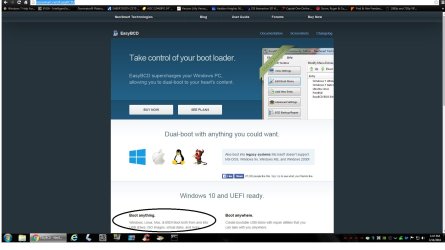
You can also try to repair the bootloader with EasyBCD, it has to be installed on a usb stick or cd, just as Linux does.

EasyBCD - NeoSmart Technologies
 

Attachments

  • Untitled.jpg
    Untitled.jpg
    121.9 KB · Views: 1

My Computer My Computer

Computer type
PC/Desktop
Computer Manufacturer/Model Number
Skylake Special #666
OS
Windows 10 Pro x64
CPU
Intel Core i7 6700K
Motherboard
Asus Sabertooth Z170 Mark 1
Memory
GSkill TridentZ RGB 16GB 3600 16-16-16-36
Graphics Card(s)
EVGA GTX 980 Ti SC x2
Sound Card
Realtek High Definition
Monitor(s) Displays
AOC G2460PG
Screen Resolution
1920 x 1080 144Hz
Hard Drives
Samsung 860 Pro 256GB, Seagate Barracuda 4TB x2
PSU
EVGA 1000 P2, EVGA White Custom Braided Cables
Case
Corsair Vengeance C70 Gunmetal Black
Cooling
Corsair H100i v2, Corsair ML120 x2, Thermal Grizzly Kryonaut
Keyboard
Logitech G910 Orion Spectrum
Mouse
Logitech G700s
Internet Speed
Verizon Fios Quantum Gateway 75/75
Antivirus
Windows Defender, Malwarebytes Free 3.8.3
Browser
Chrome
Other Info
Corsair SP120 x4, LG Blu-ray Drive, Durabrand HT-395 100 Watt Dolby Digital Amp, Corsair H2100 Wireless 7.1 Headset
ThrashZone and AddRAM, thank you both for your replies.

ThrashZone, I did a power drain and then I tried booting by continuously tapping the F12, F10, F8, F2, and Del keys. No luck. The system always wants to go into the Start Repair process, which ends up being a dead-end, unless there is some kind of way of initiating a re-boot from the Command Prompt with a 'Safe Mode' option. Is there?

AddRAM, yes, I agree, I am extremely surprised that my system did not have a Restore Point. I did not actually say that I had 'System Restore' on, simply that Start Repair could not find any Restore Points. Could it be that when I experienced the conflict caused by the A/V programs and then tried to uninstall Avast that I may have lost any previously existing Restore Points?

In any case, your idea about creating a Linux ISO, doing the appropriate backup, then a Win 7 ISO seems very interesting. I am also very interested in the EasyBCD suggestion. By the way, do you have some idea of the sizes of these 3 files before I attempt the relevant download / burns. I do have one PC which might allow me to burn CD's. My largest Flash Drive is a 32 GB. I also have a USB-connect portable hard drive.

Many thanks again to both of you!
 

My Computer My Computer

OS
windows 7, 64 bit
Back
Top