Usually Alt+Tab gives you the generic windows task switcher that shows all the icons of the various apps you have open.
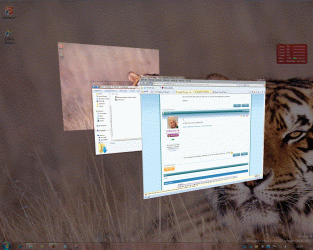
But the pen tablet used an app switcher that did this..
http://dl.getdropbox.com/u/49679/win7application.png
Its a screenshot of every open window you have open and you can cycle through them til you get to the one you want.
Any idea what the shortcut keys are to access this application switcher?
Cheers..
My Computer
- OS
- win 7