welshpaul
New member
Hi folks, first post here!
I have had Windows 7 Pro x64 installed for a while and have recently tried reinstalling XP Pro on a seperate hard drive to dual-boot in order to test out some older software/hardware compatibility.
Windows 7 boots up just fine but when I try to select Windows XP, I get the error ARC error "Too many configuration entries".
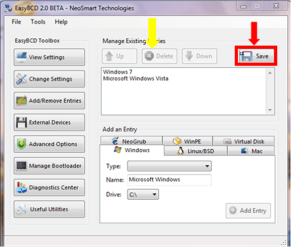
I have used EasyBCD to add the Windows XP entry to the boot menu and my boot.ini file is listed below (oddly, Windows 7 is still my default OS at startup but it is not mentioned in it!):
[boot loader]
timeout=15
default=multi(0)disk(0)rdisk(1)partition(2)\WINDOWS
[operating systems]
multi(0)disk(0)rdisk(1)partition(2)\WINDOWS="Windows XP on G:\" /fastdetect
I have specifically installed them on two physically seperate drives: is this the problem? I did try to to install them on different partitions on the same drive in the past but this caused other problems to Windows 7's startup.
I have had Windows 7 Pro x64 installed for a while and have recently tried reinstalling XP Pro on a seperate hard drive to dual-boot in order to test out some older software/hardware compatibility.
Windows 7 boots up just fine but when I try to select Windows XP, I get the error ARC error "Too many configuration entries".
I have used EasyBCD to add the Windows XP entry to the boot menu and my boot.ini file is listed below (oddly, Windows 7 is still my default OS at startup but it is not mentioned in it!):
[boot loader]
timeout=15
default=multi(0)disk(0)rdisk(1)partition(2)\WINDOWS
[operating systems]
multi(0)disk(0)rdisk(1)partition(2)\WINDOWS="Windows XP on G:\" /fastdetect
I have specifically installed them on two physically seperate drives: is this the problem? I did try to to install them on different partitions on the same drive in the past but this caused other problems to Windows 7's startup.
Last edited:
My Computer
- OS
- Windows 7 Professional x64