I have tried to clean install windows 7 64x on my new desktop and it goes too slow for me to think it is healthy. After about 15 minutes it gives me an error code 0x8007045D.
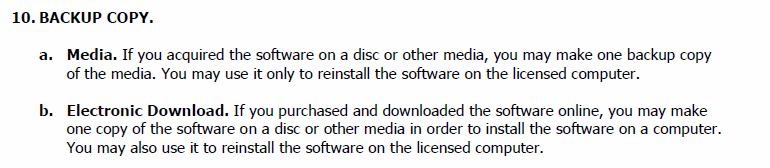
What I want to know is how to make a diagnosis. IDK if I'm having an issue with the optical drive or hard drive. Also, I purchased my copy of windows and was wondering if there is a LEGIT way of ripping it to an iso for backup. PowerISO doesn't seem to want to. I am also interested in that because I know a person who had my problem and he said he had to burn his copy to a different disc to get it to work. My only issue with that is it's a brand new copy of windows and looks almost flawless.
What I want to know is how to make a diagnosis. IDK if I'm having an issue with the optical drive or hard drive. Also, I purchased my copy of windows and was wondering if there is a LEGIT way of ripping it to an iso for backup. PowerISO doesn't seem to want to. I am also interested in that because I know a person who had my problem and he said he had to burn his copy to a different disc to get it to work. My only issue with that is it's a brand new copy of windows and looks almost flawless.
My Computer
At a glance
Windows 7 Ultimate 64 Bit OEMAMD Phenom IIx4 965 Black EditionG.Skill 8GB DDR3 Dual Channel 4x2GB SticksSapphire Vapor X Radeon HD 5770
- Computer Manufacturer/Model Number
- Homebuilt
- OS
- Windows 7 Ultimate 64 Bit OEM
- CPU
- AMD Phenom IIx4 965 Black Edition
- Motherboard
- Gigabyte GA-790XT-USB3
- Memory
- G.Skill 8GB DDR3 Dual Channel 4x2GB Sticks
- Graphics Card(s)
- Sapphire Vapor X Radeon HD 5770
- Sound Card
- Onboard
- Monitor(s) Displays
- Dell 19 Inch Flat Panel LCD
- Screen Resolution
- 1440x900
- Hard Drives
- WD Caviar Black 750GB
- PSU
- Corsair 650W Modular PSU
- Case
- Antec 900 Mid Tower
- Cooling
- Stock
- Keyboard
- Saitek Eclipse III
- Mouse
- Microsoft Sidewinder
- Internet Speed
- LOL
- Other Info
- Brand new build. Still trying to work all the bugs out of it. I have never built a computer before.