Aspire 7560-sb416

acuratlsdit

New member
Local time
8:54 AM
Messages
8
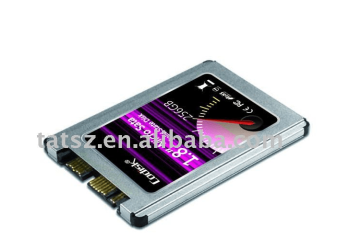
I have a laptop model that is in the title. I just got a SSD and this laptop supports a secondary hard drive. I would like to install the SSD in this laptop but for some reason the hard drive cover won't allow the second hard drive to be installed because there is plastic in place of the 2nd hard drive.

Has anyone with this similar computer ever been successful installing a secondary hard drive in this laptop?
 

My Computer My Computer

OS
Windows 7 x64 Ultimate
It is always good to have your laptops Service Manual on hand. Manufacturers do not usually issue one with a new purchase, but there is always a Service Manual.

You can find yours here:
Acer Aspire 7560 Manual
It is in PDF format, so save a copy to your computer.

The step by step starts is section 3-14.
You should be able to figure out how to remove the HDD "Dummy Card" by looking at the removal instructions.
 

My Computer My Computer

Computer type
PC/Desktop
Computer Manufacturer/Model Number
Home Built - Jan 2013
OS
Windows 7 64 Bit Home Premium SP1
CPU
i7-3820
Motherboard
Asus P9X79-PRO - Bios 4608
Memory
GSkill F3-14900CL9Q - 16GB
Graphics Card(s)
EVGA GeForce GTX660 - Driver 352.86
Sound Card
On board Realtek ALC898
Monitor(s) Displays
Acer S271HL
Screen Resolution
1920 x 1080
Hard Drives
#1- Samsung 840 Pro Series
#2- Western Digital WD1002FAEX Sata3 Black
#3- Western Digital WD1002FAEX Sata3 Black
PSU
Corsair CMPSU-850TX-V2 - 850 watt (by Seasonic)
Case
Corsair Obsidian 550D
Cooling
Standard 3 120mm case fans, Cooler Master Hyper 212 EVO
Keyboard
MS KC-0405
Mouse
Intellimouse 5-button
Internet Speed
56 Mbits/Sec (on a good day)
Antivirus
Avast & Malwarebytes
Browser
Firefox
Other Info
Asus DVD - DRW-24B1ST 24X
Actually I figured out how to remove the cover. The issue that I am having is that it only came with one (1) 500 gig5400 hard drive. there is another slot for an additional hard drive. The only issue that I am having is that the cover has extra plastic that is embedded into the hard drive cover that is not allowing me to fit the second hard drive. The only thing that I can think of is shaving the plastic off until it fits, but there has to be a different way.

by the way, thank you for the service manual. I really appreciate you taking the time to look it up for me.
 
Last edited:

My Computer My Computer

OS
Windows 7 x64 Ultimate
Can you take some clear, detailed photos of the condition and post them here?

Is the problematic plastic something that looks like it belongs there or does it look like it is some excess slag left over from the plastic extrusion process?
 

My Computer My Computer

Computer type
PC/Desktop
Computer Manufacturer/Model Number
Home Built - Jan 2013
OS
Windows 7 64 Bit Home Premium SP1
CPU
i7-3820
Motherboard
Asus P9X79-PRO - Bios 4608
Memory
GSkill F3-14900CL9Q - 16GB
Graphics Card(s)
EVGA GeForce GTX660 - Driver 352.86
Sound Card
On board Realtek ALC898
Monitor(s) Displays
Acer S271HL
Screen Resolution
1920 x 1080
Hard Drives
#1- Samsung 840 Pro Series
#2- Western Digital WD1002FAEX Sata3 Black
#3- Western Digital WD1002FAEX Sata3 Black
PSU
Corsair CMPSU-850TX-V2 - 850 watt (by Seasonic)
Case
Corsair Obsidian 550D
Cooling
Standard 3 120mm case fans, Cooler Master Hyper 212 EVO
Keyboard
MS KC-0405
Mouse
Intellimouse 5-button
Internet Speed
56 Mbits/Sec (on a good day)
Antivirus
Avast & Malwarebytes
Browser
Firefox
Other Info
Asus DVD - DRW-24B1ST 24X
So it looks like I've gotten in on the thread a bit late.

I am having the same problem with my friends Acer. Its the exact same model and everything. The kicker is in Acers manual for this laptop and on the phone with their representatives, we have each talked to several different people to verify that we got the correct information, everything and everyone says that the laptops second bay will accept a 2.5x9.5mm HDD or SSD. The issue is that there is no way in hell that it would do that because the removable cover on the bottom is still open a little on one corner with a 2.5x7mm SSD in it. I also have a Seagate Momentus Thin that's 7mm and it also cause the bottom cover to hang open a little. I was hoping that maybe a different drives form would fit better but its a no go. Now this is after I have used a dremel to shave the extra plastic off of the removable cover and the black plastic that would be under the drive. If I hadnt done that then there is no way that anything other than a piece of paper would fit. The only other thing I know to do is to take the SSD apart and just use it without the cover but then that would void Crucials warranty on it. So I am hoping someone will have a brilliant idea for me so i can fix it.
 

My Computer My Computer

OS
Windows 7 Ultimate x64
Can you take some clear, detailed photos of the condition and post them here?
 

My Computer My Computer

Computer type
PC/Desktop
Computer Manufacturer/Model Number
Home Built - Jan 2013
OS
Windows 7 64 Bit Home Premium SP1
CPU
i7-3820
Motherboard
Asus P9X79-PRO - Bios 4608
Memory
GSkill F3-14900CL9Q - 16GB
Graphics Card(s)
EVGA GeForce GTX660 - Driver 352.86
Sound Card
On board Realtek ALC898
Monitor(s) Displays
Acer S271HL
Screen Resolution
1920 x 1080
Hard Drives
#1- Samsung 840 Pro Series
#2- Western Digital WD1002FAEX Sata3 Black
#3- Western Digital WD1002FAEX Sata3 Black
PSU
Corsair CMPSU-850TX-V2 - 850 watt (by Seasonic)
Case
Corsair Obsidian 550D
Cooling
Standard 3 120mm case fans, Cooler Master Hyper 212 EVO
Keyboard
MS KC-0405
Mouse
Intellimouse 5-button
Internet Speed
56 Mbits/Sec (on a good day)
Antivirus
Avast & Malwarebytes
Browser
Firefox
Other Info
Asus DVD - DRW-24B1ST 24X
Yes I can, I will try to get my friend to take them and send them to me and when he comes over I will take more if his aren't good enough to see everything in good detail. It may take a bit but I will post them as soon as possible
 

My Computer My Computer

OS
Windows 7 Ultimate x64
That'd be cool. Maybe one of us will see something different.
But it would not be the first time in product history that design and manufacturing did not mesh.
 

My Computer My Computer

Computer type
PC/Desktop
Computer Manufacturer/Model Number
Home Built - Jan 2013
OS
Windows 7 64 Bit Home Premium SP1
CPU
i7-3820
Motherboard
Asus P9X79-PRO - Bios 4608
Memory
GSkill F3-14900CL9Q - 16GB
Graphics Card(s)
EVGA GeForce GTX660 - Driver 352.86
Sound Card
On board Realtek ALC898
Monitor(s) Displays
Acer S271HL
Screen Resolution
1920 x 1080
Hard Drives
#1- Samsung 840 Pro Series
#2- Western Digital WD1002FAEX Sata3 Black
#3- Western Digital WD1002FAEX Sata3 Black
PSU
Corsair CMPSU-850TX-V2 - 850 watt (by Seasonic)
Case
Corsair Obsidian 550D
Cooling
Standard 3 120mm case fans, Cooler Master Hyper 212 EVO
Keyboard
MS KC-0405
Mouse
Intellimouse 5-button
Internet Speed
56 Mbits/Sec (on a good day)
Antivirus
Avast & Malwarebytes
Browser
Firefox
Other Info
Asus DVD - DRW-24B1ST 24X
Honestly I think it was purposeful on their part. They offered the same laptop but with a SSD in the second bay for about 300 dollars higher so it really seems that this is purposeful. I may be wrong though.
 

My Computer My Computer

OS
Windows 7 Ultimate x64

My Computer My Computer

Computer type
PC/Desktop
Computer Manufacturer/Model Number
Home Built - Jan 2013
OS
Windows 7 64 Bit Home Premium SP1
CPU
i7-3820
Motherboard
Asus P9X79-PRO - Bios 4608
Memory
GSkill F3-14900CL9Q - 16GB
Graphics Card(s)
EVGA GeForce GTX660 - Driver 352.86
Sound Card
On board Realtek ALC898
Monitor(s) Displays
Acer S271HL
Screen Resolution
1920 x 1080
Hard Drives
#1- Samsung 840 Pro Series
#2- Western Digital WD1002FAEX Sata3 Black
#3- Western Digital WD1002FAEX Sata3 Black
PSU
Corsair CMPSU-850TX-V2 - 850 watt (by Seasonic)
Case
Corsair Obsidian 550D
Cooling
Standard 3 120mm case fans, Cooler Master Hyper 212 EVO
Keyboard
MS KC-0405
Mouse
Intellimouse 5-button
Internet Speed
56 Mbits/Sec (on a good day)
Antivirus
Avast & Malwarebytes
Browser
Firefox
Other Info
Asus DVD - DRW-24B1ST 24X
Back
Top