
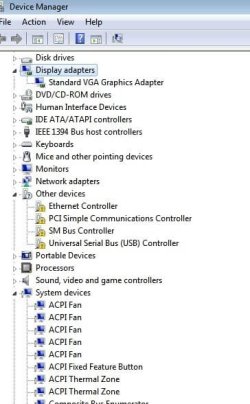
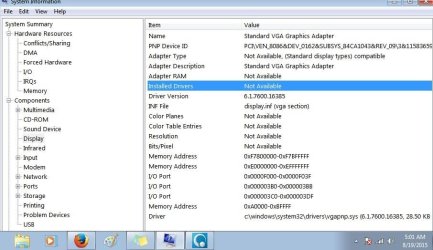
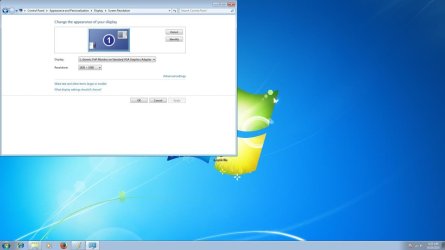
Did a fresh install of Windows 7 and now my Asus drivers and adapters are not showing. I have a Asus Essentio CM6870 desktop running a Asus VX238 monitor. I'm using a HDMI chord and all I have for the display adapters is a VGA PnP adapter. It appears all my Asus stuff is missing. Downloading drivers from Asus's website is not working. I don't see any downloads for display or graphic cards but vga stuff.I do not have a system restore or the drivers to my computer. I bought it new and the back up disks, I was not able to make.
Does anybody know how I can get my Asus drivers to work and the monitor to work in HDMI. I opened up my computer and am not sure what the graphics card is.
Thanks a lot ahead of time.
Verushka
Does anybody know how I can get my Asus drivers to work and the monitor to work in HDMI. I opened up my computer and am not sure what the graphics card is.
Thanks a lot ahead of time.
Verushka
Attachments
My Computer
- Computer type
- PC/Desktop
- Computer Manufacturer/Model Number
- Asus Essentio CM6870
- OS
- Windows 7 64 bit
- CPU
- 3.4 GHz
- Motherboard
- Intel
- Memory
- 16 Gigs
- Graphics Card(s)
- VGA
- Hard Drives
- 1.83 Terabyte
- Browser
- Mozilla or Internet Explorer


