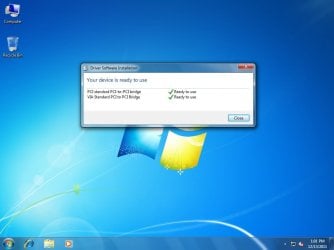
Go to Control Panel, then Programs and Features. In there you should find something like Realtek HD Audio Manager; select to Remove and it should remove the software and driver. When you re-boot, make certain you have the onboard sound disabled in the BIOS.
Are you going back then to get the sound card?
Are you going back then to get the sound card?
My Computer
At a glance
Windows 10 Pro 64 bitCore i7 6700K Skylake 4.0GHzCorsair Vengeance LPX DDR4 32GB 3000MHzAsus Radeon RX480 Strix 8GB
- Computer type
- PC/Desktop
- Computer Manufacturer/Model Number
- Wordsworth 5000
- OS
- Windows 10 Pro 64 bit
- CPU
- Core i7 6700K Skylake 4.0GHz
- Motherboard
- Asus Z170 Pro
- Memory
- Corsair Vengeance LPX DDR4 32GB 3000MHz
- Graphics Card(s)
- Asus Radeon RX480 Strix 8GB
- Sound Card
- Asus Xonar DSX
- Monitor(s) Displays
- HP 2709m
- Screen Resolution
- 1920x1080
- Hard Drives
- Intel 600p M.2 PCIe NVMe SSD 512GB; Intel 335 SSD 240GB ;Western Digital Caviar Black 1TB
- PSU
- Thermaltake Toughpower Grand Platinum 850W
- Case
- Lian Li PC-B70
- Cooling
- CPU-Noctua NH D15, GPU-Stock, Case-Noctua 2x140, 2x120
- Keyboard
- Microsoft Natural Ergo 4000
- Mouse
- Microsoft Wireless Optical 1000
- Internet Speed
- Cable
- Other Info
- HP bd 340,
HP bd 240,
Klipsch Promedia 5.1 THX