Hi there everyone,
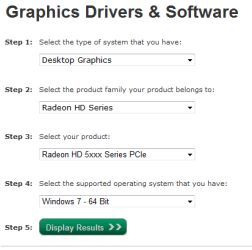
My brother has a machine running Win 7 64bit with dual 5870(I'm not positive, but am sure of the 5800 series) ATI cards. The machine was purchased a year ago or so from Dell and it's still running the drivers that came with the machine.
He once tried updating the drivers himself but ended up having to boot into safe mode to remove them and reinstall the "safe" OEM drivers. Catalyst is installed on his machine, but when he tries the update feature, it crashes. I told him I'd try to help him upgrade his drivers as it's keeping him from being able to play many recent game titles.
I have no experience with ATI drivers, and would like to ask if it's the same install method as nvidia, meaning do I simply open the device manager, remove the video cards from the list, restart and install the latest driver from ATI(latest individual drivers found here: ATI Radeon ) on restart? Am I safe to simply remove the catalyst software as well, or is that integrated into the driver software?
I'm sorry for the ignorant questions, but would really hate to cause him more problems than he already has.
thanks,
json
My brother has a machine running Win 7 64bit with dual 5870(I'm not positive, but am sure of the 5800 series) ATI cards. The machine was purchased a year ago or so from Dell and it's still running the drivers that came with the machine.
He once tried updating the drivers himself but ended up having to boot into safe mode to remove them and reinstall the "safe" OEM drivers. Catalyst is installed on his machine, but when he tries the update feature, it crashes. I told him I'd try to help him upgrade his drivers as it's keeping him from being able to play many recent game titles.
I have no experience with ATI drivers, and would like to ask if it's the same install method as nvidia, meaning do I simply open the device manager, remove the video cards from the list, restart and install the latest driver from ATI(latest individual drivers found here: ATI Radeon ) on restart? Am I safe to simply remove the catalyst software as well, or is that integrated into the driver software?
I'm sorry for the ignorant questions, but would really hate to cause him more problems than he already has.
thanks,
json
My Computer
- OS
- Multiple