LysolPionex
New member
- Local time
- 8:07 AM
- Messages
- 5
I have an unusual problem: my Audio Output Devices are all sorts of confused. I can't change the default device, nor disable/enable any devices, and no sound comes out.
My notification tray shows there are No speakers of headphones plugged in.

Sometimes it says No Audio Output Device Is Installed.
If I click on it, it tries to fix it, but ends up showing the Audio device is disabled (Not Fixed):

When I open up Playback Devices, it is not disabled.

There is nothing under the Levels tab anymore

I have all devices shown.
At this point, I cannot change the default device nor disable certain devices, even though the options are not greyed out & I can select them. Selecting the actions just does nothing.
I don't think it's a hardware issue, because the audio devices change when I plug in the HDMI cable. It still plays no audio over it, but it switches the default device to the HDMI device.

I still cannot enable/disable, nor set default devices. Selecting the actions just does nothing.
Here is my Device Manager content:

I've reinstalled the devices using the drivers from my device manufacturer. I've heard that the HDMI graphics cards can interfere with the audio devices, and to that end I have uninstalled & deleted the drivers for both graphics devices & both audio devices. I've also used Driver Sweeper to remove the graphics devices.
This, coupled with the odd behavior of not being able to enable/disable/set default devices makes me think it's not a driver issue, but rather something deeper in Windows itself.
I've checked the Windows Audio Service and the Windows Audio Endpoint Builder Service, and they are running and are under the correct accounts (from what I've researched).


I've heard there can be permissions issues here, but I'm not sure how to check that.
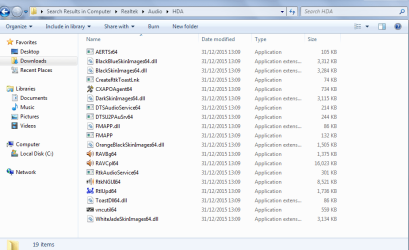
Here is some driver info for my graphics & audio hardware and the HD Audio Controller:


It really seems like this is something messed up at a much deeper level than the audio devices themselves.
I'm going to run a scandisk to see if there's anything messed up there.
Any other thoughts or suggestions are greatly appreciated!
My notification tray shows there are No speakers of headphones plugged in.
Sometimes it says No Audio Output Device Is Installed.
If I click on it, it tries to fix it, but ends up showing the Audio device is disabled (Not Fixed):
When I open up Playback Devices, it is not disabled.
There is nothing under the Levels tab anymore
I have all devices shown.
At this point, I cannot change the default device nor disable certain devices, even though the options are not greyed out & I can select them. Selecting the actions just does nothing.
I don't think it's a hardware issue, because the audio devices change when I plug in the HDMI cable. It still plays no audio over it, but it switches the default device to the HDMI device.
I still cannot enable/disable, nor set default devices. Selecting the actions just does nothing.
Here is my Device Manager content:
I've reinstalled the devices using the drivers from my device manufacturer. I've heard that the HDMI graphics cards can interfere with the audio devices, and to that end I have uninstalled & deleted the drivers for both graphics devices & both audio devices. I've also used Driver Sweeper to remove the graphics devices.
This, coupled with the odd behavior of not being able to enable/disable/set default devices makes me think it's not a driver issue, but rather something deeper in Windows itself.
I've checked the Windows Audio Service and the Windows Audio Endpoint Builder Service, and they are running and are under the correct accounts (from what I've researched).
I've heard there can be permissions issues here, but I'm not sure how to check that.
Here is some driver info for my graphics & audio hardware and the HD Audio Controller:
It really seems like this is something messed up at a much deeper level than the audio devices themselves.
I'm going to run a scandisk to see if there's anything messed up there.
Any other thoughts or suggestions are greatly appreciated!
My Computer
At a glance
Windows 7 Home Premium 64-bitIntel® Core™ i7-3615QM Processor8GB DDR3 (1600 MHz)NVIDIA® GeForce® GT 630 M
- Computer type
- Laptop
- Computer Manufacturer/Model Number
- Samsung Series 7 Chronos NP700Z5C-S01UB
- OS
- Windows 7 Home Premium 64-bit
- CPU
- Intel® Core™ i7-3615QM Processor
- Memory
- 8GB DDR3 (1600 MHz)
- Graphics Card(s)
- NVIDIA® GeForce® GT 630 M
- Hard Drives
- 1TB with ExpressCache™ Technology, 8GB
- Antivirus
- Microsoft Security Essentials
- Browser
- Chrome