When you look at any circuit board such as the main board itself noting the underside you will see the numerous solder points where leads for the various components are soldered to the traceways. They appear as small pinpoints of solder.
A cold solder point is where the sodering job failed or where the solder broke and the tip of the lead will move slightly upward through the small hole in the board itself. As the broken solder lightly touches the surface the electrical current we call the signal will arc. On a high voltage system you would see sparks when that happens.
Ever jump start an auto? When touching the grips to the terminal poles on the battery sparks may fly. On a low voltage audio circuit strange poping, humming, buzzing sounds would be the thing you would hear there.
Likewise when looking at where the contact leads go through the preformed hole on a main board from the rear jacks those will be small solder points too. When you mentioned pressing down and suddenly hearing sound the movement of a possibly broken solder point made contact likely as soon as you lifted your fingers away the audio lead sprung back enough.
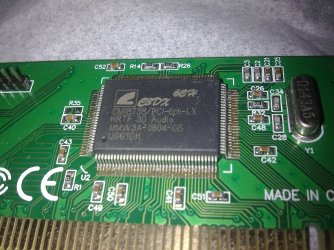
The odd sounds and low volume may have causeanother as well if the audio chip on the board has failed. Since the problem is effecting both XP and 7 you now have to consider it a hardware fault of some type. Due to the arcing if something was bumping against a ground source the audio chip may have been damaged from that or have simply been slightly defective to start with now revealing itself.
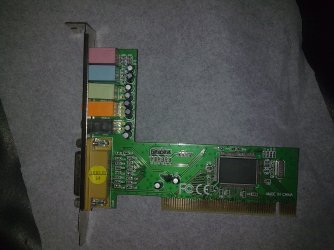
One reason for suggesting a separate sound card would be to see the onboard disabled and then find out if the audio is heard normally through the tv or speaker set in use. Since you patched directly to the tv you should then hear the normal output.
For examination of the leads on the board on the other hand that would require removing the board and a very close examination of the area where the contact points are grouped since it would take that to see only the slightest lift up of the short leads soldered there.
As you can see it does get quite involved in order to trace each possible cause. You could end up taking the board out entirely to perform a close examination only to learn it was the audio chip or problem with the audio jack itself needing replacement.
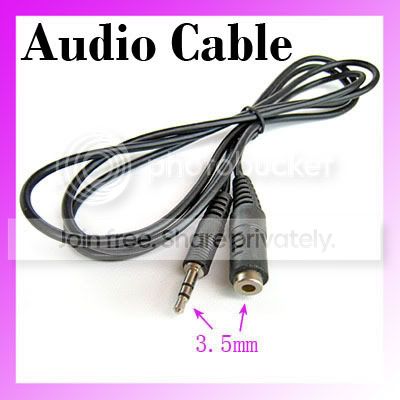
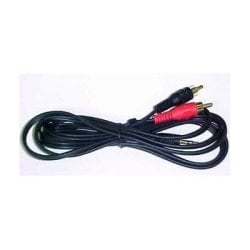
If you were formally trained in electronics I could advise scoping the board or performing a continuity test on each lead for tracing purposes. But you would need to remove the board entirely for continuity testing each solder point if the case blocks access to the underside of the board itself using a multimeter. A 1/8" miniplug would be plugged into each jack with a short length of wire with the ends exposed for keeping one tip from the meter held against each as you go along while touching the other lead lightly on each solder point until hearing a long beep sound from the meter.
You would however might need the schematic for the board to know which wire went to which solder point on the board since those are all covered over with the silver colored enclosures typically seen.
To keep this from becoming a separate course in length I would simply advise at this point going with a separate sound card assuming the problem is on the board. The X vanishing does show that 7 as well as XP was detecting the audio and loading the drivers as it should but the problem with something hardware related is preventing the normal audio you expect.
If you unplug the audio cord going to the tv and plug in a speaker set which suddenly works well then you would know the problem was external. Your description however tends to suggest a board or contact in the audio jack type of problem.
If a separate speaker set on the other hand hears normal sound when using the onboard then the output signal would be found incompatible with the input on the tv there. This would be the quick test to see if the problem is localized to the board that can be looked at before simply electing to go for a separate card.
A cold solder point is where the sodering job failed or where the solder broke and the tip of the lead will move slightly upward through the small hole in the board itself. As the broken solder lightly touches the surface the electrical current we call the signal will arc. On a high voltage system you would see sparks when that happens.
Ever jump start an auto? When touching the grips to the terminal poles on the battery sparks may fly. On a low voltage audio circuit strange poping, humming, buzzing sounds would be the thing you would hear there.
Likewise when looking at where the contact leads go through the preformed hole on a main board from the rear jacks those will be small solder points too. When you mentioned pressing down and suddenly hearing sound the movement of a possibly broken solder point made contact likely as soon as you lifted your fingers away the audio lead sprung back enough.
The odd sounds and low volume may have causeanother as well if the audio chip on the board has failed. Since the problem is effecting both XP and 7 you now have to consider it a hardware fault of some type. Due to the arcing if something was bumping against a ground source the audio chip may have been damaged from that or have simply been slightly defective to start with now revealing itself.
One reason for suggesting a separate sound card would be to see the onboard disabled and then find out if the audio is heard normally through the tv or speaker set in use. Since you patched directly to the tv you should then hear the normal output.
For examination of the leads on the board on the other hand that would require removing the board and a very close examination of the area where the contact points are grouped since it would take that to see only the slightest lift up of the short leads soldered there.
As you can see it does get quite involved in order to trace each possible cause. You could end up taking the board out entirely to perform a close examination only to learn it was the audio chip or problem with the audio jack itself needing replacement.
If you were formally trained in electronics I could advise scoping the board or performing a continuity test on each lead for tracing purposes. But you would need to remove the board entirely for continuity testing each solder point if the case blocks access to the underside of the board itself using a multimeter. A 1/8" miniplug would be plugged into each jack with a short length of wire with the ends exposed for keeping one tip from the meter held against each as you go along while touching the other lead lightly on each solder point until hearing a long beep sound from the meter.
You would however might need the schematic for the board to know which wire went to which solder point on the board since those are all covered over with the silver colored enclosures typically seen.
To keep this from becoming a separate course in length I would simply advise at this point going with a separate sound card assuming the problem is on the board. The X vanishing does show that 7 as well as XP was detecting the audio and loading the drivers as it should but the problem with something hardware related is preventing the normal audio you expect.
If you unplug the audio cord going to the tv and plug in a speaker set which suddenly works well then you would know the problem was external. Your description however tends to suggest a board or contact in the audio jack type of problem.
If a separate speaker set on the other hand hears normal sound when using the onboard then the output signal would be found incompatible with the input on the tv there. This would be the quick test to see if the problem is localized to the board that can be looked at before simply electing to go for a separate card.
My Computers
-
At a glance
W7 Ultimate x64/W10 Pro x64/W11 Pro Triple Bo...AMD Phenom II X4 975 Deneb 3.6ghz - 965 2nd r...Kingston Hyper X DDR3 1600 1.5v 16gb - Hyper ...MSI HD Radeon 5750 1gb - MSI HD Radeon 6450 o...- Computer type
- PC/Desktop
- Computer Manufacturer/Model Number
- Custom builds = 2
- OS
- W7 Ultimate x64/W10 Pro x64/W11 Pro Triple Boot - Main PC W7 Remote PC Micro ATX W7 Pro x64/W11 Pro
- CPU
- AMD Phenom II X4 975 Deneb 3.6ghz - 965 2nd remote pc
- Motherboard
- Gigabyte GA-790XTA-UD4-Gigabyte GA-880GM-D2H remote pc
- Memory
- Kingston Hyper X DDR3 1600 1.5v 16gb - Hyper X Fury 8gb 2nd
- Graphics Card(s)
- MSI HD Radeon 5750 1gb - MSI HD Radeon 6450 on mini tower
- Sound Card
- Creative Labs X-Fi Xtreme Audio P - Realtek onooard 2nd case
- Monitor(s) Displays
- ASUS VW199T-P 19" HP 2082a Main-HP 2082a 20" remote pc
- Screen Resolution
- Asus 1440x900 - HP 1600x900
- Hard Drives
- WD Black 1TB HD per OS W7, W10, and pending W11 presently on 500gb OS Drive - Pending Triple 1TB HDs for Spanned Storage/backup volume
Single 2TB external USB enclosure, single 1TB System 7 Host/Boot drive, Pending 8TB external HD for system image b
- PSU
- Corsair 750TX - primary / Corsair CX600 - second
- Case
- Antec 900-2 - SSD compatible / NZXT Vulcan mini tower
- Cooling
- Zalman CNPS9900A
- Keyboard
- AZIO L70 Backlit Letters Gaming - ONN Cordless/USB
- Mouse
- MSI DS200 Programmable, Logitech Cordless
- Internet Speed
- 30mbps upgrade - primary hard wired - mini tower usb WiFi
- Antivirus
- GFI VIPRE Internet Security 2014 on W7 2016 beta on W10,
- Browser
- Cyberfox, WaterFox 64bit FF variants, FireFox x64, Pale Moon
- Other Info
- Accomdata fan cooled usb 2.0 PIDE/Sata II, III external enclosure.
Sambient usb/eSata PATA/Sata II, III external enclosure.
-
At a glance
W7 Pro x64/W11 ProAMD Deneb 3.6ghz - 965Kingston Hyper X Fury 8gbMSI HD Radeon 6450 DVI Output- Computer type
- PC/Desktop
- System Manufacturer/Model Number
- CUSTOM ASSEMBLY
- OS
- W7 Pro x64/W11 Pro
- CPU
- AMD Deneb 3.6ghz - 965
- Motherboard
- Gigabyte GA-880GM-D2H remote pc
- Memory
- Kingston Hyper X Fury 8gb
- Graphics Card(s)
- MSI HD Radeon 6450 DVI Output
- Sound Card
- Realtek onooard Creative or Other separate PENDING
- Monitor(s) Displays
- VIZIO 32" LCD TV Separate LCD Pending
- Screen Resolution
- 1600x1080
- Hard Drives
- WD 500GB OS Host/Boot WD Green 1TB Storage/Backup
- PSU
- Corsair 600W - THERMALTAKE 600W spare case
- Case
- NZXT Vulcan mini tower
- Cooling
- Twin 120mm Top Fans - 240mm Side Cover
- Keyboard
- ONN Cordless/USB Logitech Cordless
- Mouse
- ONN USB/Cordless - Logitech Cordless
- Internet Speed
- DSL 5G
- Browser
- MS Edge, FireFox, WaterFox x64, FireFox Nightly
- Other Info
- OS Testing-Remote Access to Main TeamViewer