- Local time
- 5:58 PM
- Messages
- 204
This morning, when switching on my PC, it hung on a black screen with the cursor visible for about half a minute after the "Starting Windows" screen. After that, I was prompted to enter my password, but I've had the "users must enter password" box unticked for over three years. I restarted in safe mode and was automatically logged in. I couldn't find the "users must enter password" box, but this was just because I wasn't looking closely enough. I restarted again and entered my password (probably a bad idea), and everything seemed normal. I found the "users must enter password" box, saw that it was unticked, restarted in safe mode and saw that this was still the case. I restarted again and changed my password.
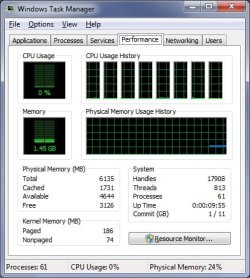
After that, I restarted again and it loaded fine. I changed my password but noticed some strange differences. Programs seemed to take a bit longer to open than usual (Avira, Firefox, etc.), num lock was enabled by itself, and there were close to seventy processes running (when Windows has finished starting up, there are usually about sixty processes). I decided to restart and see if that solved the problem, but now I get an error message telling my the username or password is incorrect.
This has got me very worried and I'd appreciate any help you can provide. Also, what is the safest way to back up my files, the way that's least likely to back up any potential infections?
Update: My dad suggested disabling then re-enabling the automatic login. When I re-enabled it, I was asked to enter my new password (this was before restarting). I restarted and it logged in without any issue. The self-enabling num lock seems to have stopped as well, but the system still seems a bit slower than usual, and I'm not sure if the number of process after startup is normal or not. He's suggested either wiping my PC and starting over or getting a new one (either pre-built or custom). Before I make a decision, I'll wait and see if there's anything you guys think I should do.
After that, I restarted again and it loaded fine. I changed my password but noticed some strange differences. Programs seemed to take a bit longer to open than usual (Avira, Firefox, etc.), num lock was enabled by itself, and there were close to seventy processes running (when Windows has finished starting up, there are usually about sixty processes). I decided to restart and see if that solved the problem, but now I get an error message telling my the username or password is incorrect.
This has got me very worried and I'd appreciate any help you can provide. Also, what is the safest way to back up my files, the way that's least likely to back up any potential infections?
Update: My dad suggested disabling then re-enabling the automatic login. When I re-enabled it, I was asked to enter my new password (this was before restarting). I restarted and it logged in without any issue. The self-enabling num lock seems to have stopped as well, but the system still seems a bit slower than usual, and I'm not sure if the number of process after startup is normal or not. He's suggested either wiping my PC and starting over or getting a new one (either pre-built or custom). Before I make a decision, I'll wait and see if there's anything you guys think I should do.
Last edited:
My Computer
- Computer type
- PC/Desktop
- Computer Manufacturer/Model Number
- Packard Bell ipower G5800
- OS
- Windows 7 Home Premium 64bit (Service Pack 1)
- CPU
- Intel Core i7
- Memory
- 6.00 GB
- Graphics Card(s)
- NVIDIA GeForce GTX 550 Ti
- Antivirus
- Avira Free Antivirus
- Browser
- Firefox