
Hi,
I wanted to know how to automatically cancel the user login screen when the user enters wrong password.
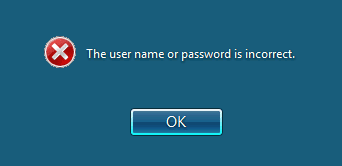
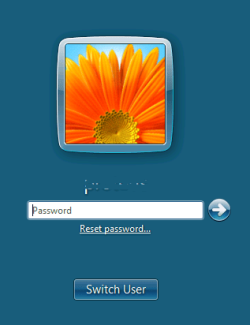
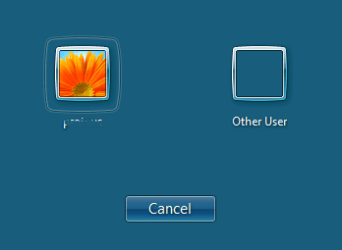
normally, when user enters wrong password he is shown a screen with "The user name or password is incorrect."(fig 1 attached). And when the user clicks on the OK button he is brought to next screen that shows user login,reset button and switch user button(fig 2 attached). When the switch user button is clicked another screen is shown(fig 3 attached). On the final screen a cancel button is shown which when clicked the user is finally logged out.
I want to implement the last cancel button instead of the first screen OK button(where the user name and password is incorrect is shown).
Can anybody help me how to implement this or atleast give idea of how i can just completely log out without showing the user switch, reset etc screens?
any help is appreciated.
thanks!!
I wanted to know how to automatically cancel the user login screen when the user enters wrong password.
normally, when user enters wrong password he is shown a screen with "The user name or password is incorrect."(fig 1 attached). And when the user clicks on the OK button he is brought to next screen that shows user login,reset button and switch user button(fig 2 attached). When the switch user button is clicked another screen is shown(fig 3 attached). On the final screen a cancel button is shown which when clicked the user is finally logged out.
I want to implement the last cancel button instead of the first screen OK button(where the user name and password is incorrect is shown).
Can anybody help me how to implement this or atleast give idea of how i can just completely log out without showing the user switch, reset etc screens?
any help is appreciated.
thanks!!
Attachments
My Computer
- Computer type
- PC/Desktop
- OS
- windows7
