
You are using an out of date browser. It may not display this or other websites correctly.
You should upgrade or use an alternative browser.
You should upgrade or use an alternative browser.
Backing up specific folders daily
- Thread starter kade119
- Start date

Hi kade119,
Are you backing up to an external hard disk or to a DVD?
If you are backing up to a hard disk I would use the windows file backup. If it is to a DVD it might be simpler just to copy the files occasionally.
Are you backing up to an external hard disk or to a DVD?
If you are backing up to a hard disk I would use the windows file backup. If it is to a DVD it might be simpler just to copy the files occasionally.
My Computer
- Computer type
- Laptop
- Computer Manufacturer/Model Number
- Hewlett-Packard/G62-107SA Notebook
- OS
- Microsoft Windows 7 Home Premium 64-bit Service Pack 1
- CPU
- Intel(R) Core(TM) i3 CPU M 330 @ 2.13GHz
- Motherboard
- Hewlett-Packard 1425
- Memory
- 8 GB DDR3
- Graphics Card(s)
- Intel(R) HD Graphics
- Sound Card
- Realtek High Definition Audio
- Monitor(s) Displays
- Builtin
- Screen Resolution
- 1366 x 768 x 32 bits (4294967296 colors) @ 60 Hz
- Hard Drives
- 250 GB SATA Hard Disk Drive 7200 rpm
2TB Seagate GoFlex USB 2 Drive
1TB Iomega Prestige USB 2 Drive
1.5TB Iomega Prestige USB 2 Drive (Samsung)
2TB WD MyBook Live NAS.
- Mouse
- Logitech Anywhere MX
- Internet Speed
- 152 Mbs download 10 Mbs upload
- Antivirus
- Norton 360
- Browser
- Chrome

Hi Kade,
There a couple of options to backup specific folders. AS Kado mentioned, Windows backup is the obvious choice.
There are also some good free 3rd party software options you might consider. I use 2:
GFI Backup Home Edition - requires a registration
Microsoft SyncToy
Regards,
Golden
There a couple of options to backup specific folders. AS Kado mentioned, Windows backup is the obvious choice.
There are also some good free 3rd party software options you might consider. I use 2:
GFI Backup Home Edition - requires a registration
Microsoft SyncToy
Regards,
Golden
My Computer
- Computer type
- PC/Desktop
- Computer Manufacturer/Model Number
- Golden Mk. I.4
- OS
- Windows 10 Pro x64 ; Xubuntu x64
- CPU
- Intel i7 860 @ 2.80 GHz O/C'ed to 4.0GHz
- Motherboard
- Gigabyte P55A-UD3R Rev.1. Award BIOS F13
- Memory
- 16GB Corsair Vengance DDR3 @ 661 MHz Dual Channel (9-9-9-24)
- Graphics Card(s)
- EVGA NVidia GTX 560 1024MB
- Sound Card
- Realtek Integrated
- Monitor(s) Displays
- Dual Samsung SyncMaster 2494HS
- Screen Resolution
- 1920*1080 and 1920*1080
- Hard Drives
- 1*Samsung 840 EVO 120GB SSD;
1*OCZ Vertex 2 60GB SSD;
2*Samsung F3 SpinPoint 1TB in RAID0;
1*Samsung F1 SpinPoint 1TB;
2*Western Digital 1TB External USB 3.0
1*Western Digital 500GB External USB 3.0
1*Seagate 500GB External USB 2.0
- PSU
- Thermaltake ToughPower QFan 750W
- Case
- Thermaltake Element S VK60001W2Z
- Cooling
- Corsair H60 Water Cooling, 2*230mm and 2*80mm case fans
- Keyboard
- Logitech G110
- Mouse
- Logitech MX518

You could always set up a bat/cmd to pack and copy certain folders with, say 7-zip. That combined with the task scheduler should do just nicely.
If you were looking for an alternate solution that is
-DG
If you were looking for an alternate solution that is
-DG
My Computer
- Computer Manufacturer/Model Number
- HP m8000n
- OS
- Windows 7 Ultimate x86
- CPU
- DualCore AMD Athlon 64 X2, 2600 MHz 5200+
- Motherboard
- Asus M2N68-LA (Narra)
- Memory
- Samsung 2GB DDR2
- Graphics Card(s)
- Onboard NVIDIA GeForce 6150SE nForce 430
- Sound Card
- Onboard nVIDIA nForce 6100-430 (MCP61P)
- Monitor(s) Displays
- Westinghouse 19" LED
- Screen Resolution
- 1280x1024
- Hard Drives
- SATA II Seagate Barracuda 500GB
USB II WD Elements 500GB
USB II WD My Book 1TB
USB II WD My Book 2TB
- PSU
- Stock (HP)
- Case
- Stock (HP)
- Cooling
- Stock
- Keyboard
- Logitech Classic KB 200
- Mouse
- Standard HP opticle USB mouse

Cobian backup is great for scheduled backing up of certain folders (we use it for backing our servers up) and it's free 
Cobian Backup
Cobian Backup
My Computer
- Computer type
- PC/Desktop
- OS
- Windows 11
Cobian backup is great for scheduled backing up of certain folders (we use it for backing our servers up) and it's free
Cobian Backup
Oh. I see its multi-threaded too.....looks very interesting, might just check it out more.
My Computer
- Computer type
- PC/Desktop
- Computer Manufacturer/Model Number
- Golden Mk. I.4
- OS
- Windows 10 Pro x64 ; Xubuntu x64
- CPU
- Intel i7 860 @ 2.80 GHz O/C'ed to 4.0GHz
- Motherboard
- Gigabyte P55A-UD3R Rev.1. Award BIOS F13
- Memory
- 16GB Corsair Vengance DDR3 @ 661 MHz Dual Channel (9-9-9-24)
- Graphics Card(s)
- EVGA NVidia GTX 560 1024MB
- Sound Card
- Realtek Integrated
- Monitor(s) Displays
- Dual Samsung SyncMaster 2494HS
- Screen Resolution
- 1920*1080 and 1920*1080
- Hard Drives
- 1*Samsung 840 EVO 120GB SSD;
1*OCZ Vertex 2 60GB SSD;
2*Samsung F3 SpinPoint 1TB in RAID0;
1*Samsung F1 SpinPoint 1TB;
2*Western Digital 1TB External USB 3.0
1*Western Digital 500GB External USB 3.0
1*Seagate 500GB External USB 2.0
- PSU
- Thermaltake ToughPower QFan 750W
- Case
- Thermaltake Element S VK60001W2Z
- Cooling
- Corsair H60 Water Cooling, 2*230mm and 2*80mm case fans
- Keyboard
- Logitech G110
- Mouse
- Logitech MX518

- Local time
- 2:06 AM
- Messages
- 12,011
I use Second Copy. It's been around over 10 years and is highly developed with very very few issues. Great interface, easily understood, highly configurable.
30 bucks with a 30 day free trial.
Others are Synchback, GFI Backup Home Edition, and Karen's Replicator.
30 bucks with a 30 day free trial.
Others are Synchback, GFI Backup Home Edition, and Karen's Replicator.
My Computer
- Computer type
- PC/Desktop
- Computer Manufacturer/Model Number
- Ignatz Special; 4 speed manual gearbox; factory air conditioning; one of one
- OS
- Windows 7 Home Premium SP1, 64-bit
- CPU
- Intel Skylake i5-6600K, not overclocked
- Motherboard
- AsRock Z170M Extreme 4, micro ATX
- Memory
- 8 GB HyperX DDR4-2666 (2 x 4 GB)
- Graphics Card(s)
- none; graphics are integrated on CPU
- Sound Card
- onboard: Realtek ALC1150; external: USB Behringer UF0-202
- Monitor(s) Displays
- Dell S2340M 23 inch IPS
- Screen Resolution
- 1600 x 900
- Hard Drives
- System: Crucial MX100 series SSD, 128 GB;
Data: Samsung Spinpoint 103SJ, 1 TB;
Backup: WD Caviar Green WD30EZRX-00D8PB0, 3 TB
- PSU
- Rosewill SilentNight 500 watt fanless, semi-modular
- Case
- Antec Solo II
- Cooling
- Noctua NH-U12S; Noctua F12 intake, Noctua S12A exhaust
- Keyboard
- Microsoft 200 6JH-00001 USB
- Mouse
- Dell or Microsoft optical wired; USB
- Antivirus
- Microsoft Security Essentials and Malwarebytes Premium
- Browser
- Pale Moon
- Other Info
- All fans PWM; speeds at idle: CPU circa 500 rpm; intake circa 600 rpm; exhaust circa 600 rpm; CPU temps 27 idle and 47 C load in a warm room (27 C/81 F) when running Intel Extreme Tuning Utility stress test.

I image my data partition with Macrium whenever there are any significant changes. But that would probably be an overkill for just a couple of folders - unless you want to put them into a seperate partition and use Macrium which you already have. Would not need to install another program.
To schedule Macrium images, right click on the XML Definition File and go to "Schedule". There you have a lot of options.
To schedule Macrium images, right click on the XML Definition File and go to "Schedule". There you have a lot of options.
My Computer
- Computer Manufacturer/Model Number
- HP, Dell, Gateway, Toshiba - 4 laptops and 2 desktops
- OS
- Vista, Windows7, Mint Mate, Zorin, Windows 8
- CPU
- from 1.6GHz Duo to i7
- Monitor(s) Displays
- 2x HP w2207
- Hard Drives
- 5x HDD, 7x SSD, 12x Externals
- Keyboard
- with trackball - no mices
- Mouse
- Trackball mice
- Internet Speed
- DSL 6000
I use Macrium Reflect FREE Edition - Information and download for imaging my entire hard disk and Free backup software - SyncBack Freeware - free data backup software Syncback for saving critical data files and syncing them to another computer.
Both programs work great and are free.
Both programs work great and are free.
My Computer
- Computer type
- PC/Desktop
- Computer Manufacturer/Model Number
- Dell Studio XPS 8100, Dell XPS 15 laptop
- OS
- Windows 10 Home, 64 bit
- CPU
- Intel Core i7 860 @ 2.8 GHz
- Motherboard
- Dell 0T568R (CPU1)
- Memory
- 8.0 GB Dual Channel DDR3 @ 664 MHz (9-9-9-24)
- Graphics Card(s)
- nVidia GeForce GTS 240
- Sound Card
- M-Audio Delta Audiophile 2496
- Monitor(s) Displays
- Dell 2407WFP
- Screen Resolution
- 1920x1200
- Hard Drives
- 977 GB Western Digital WDC WD1001FAES-75W7A0 (SCSI)
- Antivirus
- Windows Defender, MalwareBytes Anti-Malware, AdwCleaner
- Browser
- Firefox, occasionally IE and Edge
- Other Info
- Mozilla Firefox, Mozilla Thunderbird. Western Digital Passport 250 GB external HD, two Mushkin Enhanced Mulholland 32GB USB flash drives, AKG K240 Studio headphones, Asus AC-1900 dual band wireless router.
wow, great responses - after reviewing some of the software
I decided to use windows built-in backup and macrium
Windows does a backup of my entire system
and Macrium makes an image file of my system, also with Macrium i scheduled a daily backup of a few specific folders "clients" and a few others.
Thanks to everyone who posted.
I decided to use windows built-in backup and macrium
Windows does a backup of my entire system
and Macrium makes an image file of my system, also with Macrium i scheduled a daily backup of a few specific folders "clients" and a few others.
Thanks to everyone who posted.
My Computer
- OS
- win 7
My Computer
- Computer type
- PC/Desktop
- Computer Manufacturer/Model Number
- Dell Studio XPS 8100, Dell XPS 15 laptop
- OS
- Windows 10 Home, 64 bit
- CPU
- Intel Core i7 860 @ 2.8 GHz
- Motherboard
- Dell 0T568R (CPU1)
- Memory
- 8.0 GB Dual Channel DDR3 @ 664 MHz (9-9-9-24)
- Graphics Card(s)
- nVidia GeForce GTS 240
- Sound Card
- M-Audio Delta Audiophile 2496
- Monitor(s) Displays
- Dell 2407WFP
- Screen Resolution
- 1920x1200
- Hard Drives
- 977 GB Western Digital WDC WD1001FAES-75W7A0 (SCSI)
- Antivirus
- Windows Defender, MalwareBytes Anti-Malware, AdwCleaner
- Browser
- Firefox, occasionally IE and Edge
- Other Info
- Mozilla Firefox, Mozilla Thunderbird. Western Digital Passport 250 GB external HD, two Mushkin Enhanced Mulholland 32GB USB flash drives, AKG K240 Studio headphones, Asus AC-1900 dual band wireless router.
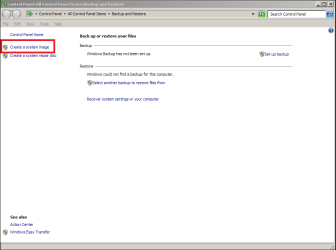
Did you ever use it - like making an image every 3 days (whilst keeping the previous images) and then also recover from it?Windows can also create an image of your entire hard disk.
My Computer
- Computer Manufacturer/Model Number
- HP, Dell, Gateway, Toshiba - 4 laptops and 2 desktops
- OS
- Vista, Windows7, Mint Mate, Zorin, Windows 8
- CPU
- from 1.6GHz Duo to i7
- Monitor(s) Displays
- 2x HP w2207
- Hard Drives
- 5x HDD, 7x SSD, 12x Externals
- Keyboard
- with trackball - no mices
- Mouse
- Trackball mice
- Internet Speed
- DSL 6000

If your willing to pay, then Acronis does a pretty good job of doing File backups. By default it will automatically back up your entire Documents folder, but you can change that easily.
My Computer
- Computer type
- PC/Desktop
- Computer Manufacturer/Model Number
- Medion Erazer (note to self: insert model number) - with custom additions
- OS
- Windows 10 Pro x64
- CPU
- Intel Core i5 7400 @ 3.00GHz
- Motherboard
- OEM supllied with PC
- Memory
- 8GB 2133Mhz DDR4 (OEM supplied)
- Graphics Card(s)
- Gygabyte Windforce GTX 1050Ti (Factory Overclocked)
- Sound Card
- Realtek
- Monitor(s) Displays
- Acer Al1980 + HKC
- Screen Resolution
- 1360*768(HKC) / 1280*1024(Acer)
- Hard Drives
- 1TB Toshiba
1TB WD Caviar Green
120GB Samsung Evo 840
- PSU
- OEM supplied (no power rating on case)
- Case
- OEM Supplied
- Cooling
- Stock
- Keyboard
- Logitech Wireless
- Mouse
- Logitect Wireless
- Internet Speed
- 40Mb/s Down 10Mb/s Up
- Antivirus
- Defender
- Browser
- Firefox
You are welcome kade. That is the same setup I use.
My Computer
- Computer type
- Laptop
- Computer Manufacturer/Model Number
- Hewlett-Packard/G62-107SA Notebook
- OS
- Microsoft Windows 7 Home Premium 64-bit Service Pack 1
- CPU
- Intel(R) Core(TM) i3 CPU M 330 @ 2.13GHz
- Motherboard
- Hewlett-Packard 1425
- Memory
- 8 GB DDR3
- Graphics Card(s)
- Intel(R) HD Graphics
- Sound Card
- Realtek High Definition Audio
- Monitor(s) Displays
- Builtin
- Screen Resolution
- 1366 x 768 x 32 bits (4294967296 colors) @ 60 Hz
- Hard Drives
- 250 GB SATA Hard Disk Drive 7200 rpm
2TB Seagate GoFlex USB 2 Drive
1TB Iomega Prestige USB 2 Drive
1.5TB Iomega Prestige USB 2 Drive (Samsung)
2TB WD MyBook Live NAS.
- Mouse
- Logitech Anywhere MX
- Internet Speed
- 152 Mbs download 10 Mbs upload
- Antivirus
- Norton 360
- Browser
- Chrome

avoiderrors
New member
- Local time
- 4:06 AM
- Messages
- 2
The purpose of and image backup is to restore the OS and programs you have installed in your computer. so if your computer crashes, you can restore you OS and programs all at once instead of one by one. so there is no need for a monthly Image back up. you only create 1 or 2 image backups a year, not monthly.
An image of your Operating System and programs only. Not you system
The reason for not creating an image of your entire sytem is because some people have too many or high resolution images or Videos and it can take a lot of CD's or DVD's.
it is not recommended to do a system image backup for files and folders or personal data. for that you can use Windows file back up or better yet, SyncToy. I personally use SyncToy for my personal folder Backups.
Just to be clear. Image backups are for OS and programs.
Windows file back ups and synctoy are for file and foldes.
if you have any questions feel free to post them and ill be more than glad to help you
An image of your Operating System and programs only. Not you system
The reason for not creating an image of your entire sytem is because some people have too many or high resolution images or Videos and it can take a lot of CD's or DVD's.
it is not recommended to do a system image backup for files and folders or personal data. for that you can use Windows file back up or better yet, SyncToy. I personally use SyncToy for my personal folder Backups.
Just to be clear. Image backups are for OS and programs.
Windows file back ups and synctoy are for file and foldes.
if you have any questions feel free to post them and ill be more than glad to help you
Last edited:
My Computer
- OS
- Windows 7 Ultimate x64
Hear, hear, somebody makes images to CDs. Who gave you that idea. Images are far too big for CDs or DVDs. You use a good TB external disk and then there is no problem. I always image my data partitions. That is the safest way and I can retrieve files back from weeks ago. If you use a sync program, those files may have disappeared long time ago.
And Windows file backup is another story - the day it works.
And Windows file backup is another story - the day it works.
My Computer
- Computer Manufacturer/Model Number
- HP, Dell, Gateway, Toshiba - 4 laptops and 2 desktops
- OS
- Vista, Windows7, Mint Mate, Zorin, Windows 8
- CPU
- from 1.6GHz Duo to i7
- Monitor(s) Displays
- 2x HP w2207
- Hard Drives
- 5x HDD, 7x SSD, 12x Externals
- Keyboard
- with trackball - no mices
- Mouse
- Trackball mice
- Internet Speed
- DSL 6000
Similar threads
- Replies
- 5
- Views
- 4K
