
Amit Windows7
New member
- Local time
- 1:11 AM
- Messages
- 8
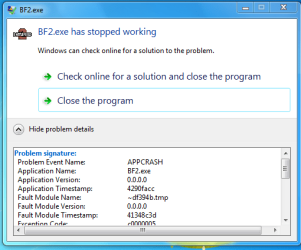
i recently installed BF2 in my win7 system and figured out that its not working...
this is the problem details.... please help.
"
Problem signature:
Problem Event Name: APPCRASH
Application Name: BF2.exe
Application Version: 0.0.0.0
Application Timestamp: 4290facc
Fault Module Name: ~df394b.tmp
Fault Module Version: 0.0.0.0
Fault Module Timestamp: 41348c3d
Exception Code: c0000005
Exception Offset: 000c486b
OS Version: 6.1.7600.2.0.0.256.1
Locale ID: 1033
Additional Information 1: 0a9e
Additional Information 2: 0a9e372d3b4ad19135b953a78882e789
Additional Information 3: 0a9e
Additional Information 4: 0a9e372d3b4ad19135b953a78882e789
Read our privacy statement online:
Windows 7 Privacy Statement - Microsoft Windows
If the online privacy statement is not available, please read our privacy statement offline:
C:\Windows\system32\en-US\erofflps.txt
"
this is the problem details.... please help.
"
Problem signature:
Problem Event Name: APPCRASH
Application Name: BF2.exe
Application Version: 0.0.0.0
Application Timestamp: 4290facc
Fault Module Name: ~df394b.tmp
Fault Module Version: 0.0.0.0
Fault Module Timestamp: 41348c3d
Exception Code: c0000005
Exception Offset: 000c486b
OS Version: 6.1.7600.2.0.0.256.1
Locale ID: 1033
Additional Information 1: 0a9e
Additional Information 2: 0a9e372d3b4ad19135b953a78882e789
Additional Information 3: 0a9e
Additional Information 4: 0a9e372d3b4ad19135b953a78882e789
Read our privacy statement online:
Windows 7 Privacy Statement - Microsoft Windows
If the online privacy statement is not available, please read our privacy statement offline:
C:\Windows\system32\en-US\erofflps.txt
"
Attachments
My Computer
- OS
- windows 7 Ultimate x32
- CPU
- intel core 2 @1.86GHz
- Motherboard
- intel
