Best Defragment Software

My Computer

Computer type
PC/Desktop
Computer Manufacturer/Model Number
Dell XPS 420
OS
Windows 10, Home Clean Install
CPU
Intel Core2 processsor Q8200(2.33Ghz 1333FSB) Quad Core Tech
Motherboard
Dell
Memory
6 gb
Graphics Card(s)
ATI Radeon 256MB HD3650
Sound Card
Intergrated 7.1 Channel Audio
Monitor(s) Displays
Dell SP2009W 20"
Hard Drives
640 GB Serial ATA Hard drive
Cooling
Fan
Keyboard
Dell USB Keyboard
Mouse
Dell Premium Optical USB
Internet Speed
DSL 2.85

My Computer

Computer Manufacturer/Model Number
ATX Custom Build 2012
OS
Windows 7 Enterprise x64 SP1
CPU
Intel Core i3-2100 @ 3.10GHz
Motherboard
Intel DH67CL desktop ATX
Memory
10 GB DDR3
Graphics Card(s)
Asus EAH5450 series (Radeon)
Monitor(s) Displays
Samsung SyncMaster 226BW, Samsung Syncmaster P2450H
Screen Resolution
226BW: 1680 x 1050 & P2450H: 1920 x 1080
Hard Drives
Western Digital 320 GB sata (boot), Samsung 640 GB sata, Seagate 2 TB sata (data)
PSU
Cooler Master Extreme Power Plus 500W
Case
Thermaltake V3 Black Edition
Cooling
stock cooling with added intake fan
Keyboard
HP Wireless Elite Keyboard Wireless Keyboard
Mouse
Microsoft Touch
Internet Speed
Comcast Cable business class <=18Mb {averages 12Mb}
Other Info
Optical drives: LG SuperMulti Blue, HP DVD 1260T
Other: Kensington Bluetooth Receiver
Network: Buffalo Wireless N USB, DLink N router/DLink Ethernet Switch/DLink Xtreme N wireless bridge
Printer: HP Photosmart Plus, HP Officejet Pro 8600 Plus
PCs: HP dv6-3040us (7 x64 SP1), HP DM4-2165dx (7 x64 SP1), HP Pavilion zv6130us (7 x86), Apple Macbook Air (Lion)
************
This one does the job for me...
 

Attachments

  • Capture.PNG
    Capture.PNG
    19.5 KB · Views: 180

My Computer

Computer Manufacturer/Model Number
Toshiba P300
OS
Windows 8 Pro
CPU
Intel Centrino Dual Core P7450 2.13GHz
Memory
4gb
Graphics Card(s)
ATI Mobility Raedon HD3650
Hard Drives
Toshiba MK3252GSX ATA
Internet Speed
Wish it were faster
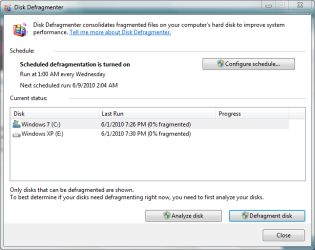
i too like Auslogics disk defrag utility but the default Win7 defragmenter works just fine incase you dont want a third party program to do the job for you :)
 

My Computer

Computer Manufacturer/Model Number
ECS Elite group
OS
Windows 7 + Windows Xp Pro + Ubuntu 10.04 + openSUSE 11.2
CPU
Intel C2D 2.0 GHz
Motherboard
ECS
Memory
2.0 GB
Graphics Card(s)
Intel Chipset 945GCT m2
Sound Card
Realtek
Monitor(s) Displays
Samsung LCD
Screen Resolution
1280*1024
Hard Drives
Samsung Sata - 80gb
Samsung Sata - 500gb
Hitachi - 160 gb
External - WD - 500 gb
Keyboard
Logitech
Mouse
Logitech Mx 518
Internet Speed
2mbps broadband

My Computer

Computer type
PC/Desktop
OS
Windows 10 Home x64
CPU
INTEL Core i5-750 Quad-Core 3.37GHz
Motherboard
ASUS P7P55D
Memory
HyperX Fury Black Series 8GB (2 x 4GB) 1866Mhz
Graphics Card(s)
EVGA GeForce GTX 750 Superclocked 1GB 128-Bit GDDR5
Monitor(s) Displays
LG 32MA68HY 32" IPS
Screen Resolution
1920 x 1080
Hard Drives
Samsung 840 Evo 120GB, SEAGATE 500GB Barracuda® 7200.12, SATA 3 Gb/s, 7200 RPM, 16MB cache
PSU
ANTEC TruePower New TP-550, 80 PLUS, 550W
Case
ANTEC Three Hundred Illusion
Cooling
COOLER MASTER Hyper 212 Plus, 4 x 120mm 1 x 140mm Noctua's
Internet Speed
85 + Mbps
Antivirus
Avast
Browser
Vivaldi
Amber, thanks for the rep and letting me know that you like defraggler.
 

My Computer

Computer type
PC/Desktop
Computer Manufacturer/Model Number
Dell XPS 420
OS
Windows 10, Home Clean Install
CPU
Intel Core2 processsor Q8200(2.33Ghz 1333FSB) Quad Core Tech
Motherboard
Dell
Memory
6 gb
Graphics Card(s)
ATI Radeon 256MB HD3650
Sound Card
Intergrated 7.1 Channel Audio
Monitor(s) Displays
Dell SP2009W 20"
Hard Drives
640 GB Serial ATA Hard drive
Cooling
Fan
Keyboard
Dell USB Keyboard
Mouse
Dell Premium Optical USB
Internet Speed
DSL 2.85
I don't use it anymore because I use SSDs now but O&O was my choice.
 

My Computer

Computer Manufacturer/Model Number
tw33k
OS
Windows 7 Ultimate (x64) SP1
CPU
Intel 3770k 4.6GHz
Motherboard
ASUS Maximus V Formula
Memory
8GB (2x 4GB) Crucial Ballistix
Graphics Card(s)
Sapphire 7950 (1060/1600)
Sound Card
On Board Realtek HD Audio
Monitor(s) Displays
27" Acer B273HU (via HDMI)
Screen Resolution
2048 x 1152
Hard Drives
Crucial M4 128GB
2TB WD Black
1TB Samsung F3 SATA
1TB WD Elite External
2TB WD USB 3.0
PSU
Corsair AX750 Gold
Case
Corsair Obsidian 800DW
Cooling
Corsair H100 (2x AP-121/2x UK-3000 push/pull)
Keyboard
Microsoft Wireless 5000
Mouse
Microsoft Wireless 5000
Internet Speed
5mb/s
Other Info
Logitech z-2300 2.1 speakers
Lamptron FC-5 v2
defraggler is good the one built into 7 works fine though
 

My Computer

OS
Windows 7 Ultimate 64bit
CPU
AMD Phenom II X4 945 @3.0ghz
Motherboard
Asrock
Memory
4gb kingston hyperX
Graphics Card(s)
1gb Radeon HD 5670
I don't use it anymore because I use SSDs now but O&O was my choice.

fyi you are still suppose to degfrag sdd's just rarly though like once a year. file fragmentation is not physical its virtual so sdds still get fragmented but since they are non mechanical the seek times are not really affected much so thats why ur suppose to only do it very very rarely
 

My Computer

OS
Windows 7 Ultimate 64bit
CPU
AMD Phenom II X4 945 @3.0ghz
Motherboard
Asrock
Memory
4gb kingston hyperX
Graphics Card(s)
1gb Radeon HD 5670
I used to use diskeeper pro back then in XP. but windows & built in defragmanter sufficient enough for me
 

My Computer

OS
window's 7
CPU
core 2 quad
Motherboard
gigabyte
Memory
2gb corsair
Graphics Card(s)
ati hd4850
Monitor(s) Displays
lg
Screen Resolution
1600 X 900
Case
power logic
Other Info
none of the spec above is accurate
O&O Defra is good, I think version 10 is better than version 12.
 

My Computer

OS
Windows 7 Professional x86
Best defragmenter

I don't use it anymore because I use SSDs now but O&O was my choice.

I'm no student of (certainly no expert on) defragging, but I've been pondering the choice of a routine defragger for a while and would add some musings (a bit long-winded perhaps, but difficult to cut down): they might not help anyone, but on the other hand .......

To start with, my choice (which means commercial cos you're free to switch freeware) is also O&O Defrag - v12 - helped by current 40% discount and even better 2nd license deal (will make a fine birthday pressie for a friend, although I might hold onto it until I've proven Defrag 12's ability to sort my networked PCs as advertised). It was almost a toss-up between Perfect Disk 11 - latter is clearly capable and informative - but I didn't like the UI (despite it's many plaudits) and decided I'd rarely use it's specific file defrag capability. I will, however, continue to play with freeware to see if there is anything that compliments (rather than complicates) O&O defrags - this is obviously a trial and error thing to be done over time. Why bother? Because my personal conclusion is that defrag perfection depends on how you use your computer. Plus, there are so many good defraggers, with nuances on method, that something else (that is tunable) might just fill the gaps in another app's capability - I shall see anyway, whenever an idle moment occurs.

Of the freebies: I found Smart Defrag very satisfactory and produced a very fast boot (not timed - it's a body-clock thing), while Puran (out of the box) definitely resulted in a comparatively sluggish boot after defrag. However, Smart Defrag doesn't offer off-line (boot) defrag while Puran does. Much more difficult to determine their comparative effect on general ops and I wouldn't like to offer a hard opinion. MyDefrag (aka JKDefrag) is an app I have tried to get on with many times and it is clearly very capable, but just doesn't resonate with me (one of those I shall definitely keep in the back pocket though, along with Smart Defrag). I've also tried early versions of UltimateDefrag and again it is clearly very capable, but again the "resonate" factor applies.

In summary, for what mho's worth: it seems fairly clear to me, they all kinda work and a good defragger is one that makes a difference to you. It is equally clear that trialling many (over a period of time) is no bad thing. After doing so, I found I liked using my O&O (trial) install and stopped worrying whether it was so much better or worse than the competition (commercial or free). It's extremely capable, produces good results on my laptop and the 40% discount + cheapy 2nd license clinched it.
 

My Computer

Computer Manufacturer/Model Number
Samsung NoteBk/Medion PC
OS
Windows 7 HP 64-bit
CPU
P8600/i3
Memory
4GB/3GB
Graphics Card(s)
GS 9200M/G210
Oh, and O&O Defrag v12 does do folder and file defrags - via the Win Explorer context menu. Didn't notice before - neat. I probably still won't use that much.
 

My Computer

Computer Manufacturer/Model Number
Samsung NoteBk/Medion PC
OS
Windows 7 HP 64-bit
CPU
P8600/i3
Memory
4GB/3GB
Graphics Card(s)
GS 9200M/G210
Back
Top