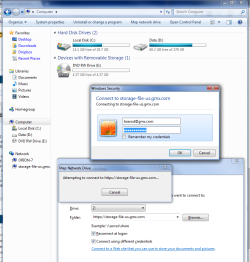
I have a network drive (maxtor central axis 1tb), connected via ethernet. I would like to make this drive accessible somehow over the internet, so I can use the drive at work just like a regular hard drive (or FTP would be fine too).
I do know that the central axis hard drive does have web access, but it's through a http site and I don't care too much for the interface. Besides, I need programs to point to this drive as a directory, and the website simply won't do that.
My home network is already set up for remote access, I have an account with dyndns, so I just type in my name.dyndns.org into remote desktop and I get right into my home computer.
Any ideas on what I can do? If this doesn't yeild any results, I guess Ill set up IIS on the computer and set up an FTP site to the network drive.... just trying to see if theres a simpler option (like doing port forwarding or something).
I do know that the central axis hard drive does have web access, but it's through a http site and I don't care too much for the interface. Besides, I need programs to point to this drive as a directory, and the website simply won't do that.
My home network is already set up for remote access, I have an account with dyndns, so I just type in my name.dyndns.org into remote desktop and I get right into my home computer.
Any ideas on what I can do? If this doesn't yeild any results, I guess Ill set up IIS on the computer and set up an FTP site to the network drive.... just trying to see if theres a simpler option (like doing port forwarding or something).
My Computer
At a glance
Win 7 Ult x64i7-965 extreme24 gb ddr3radeon 5890
- Computer Manufacturer/Model Number
- XPS 730x
- OS
- Win 7 Ult x64
- CPU
- i7-965 extreme
- Memory
- 24 gb ddr3
- Graphics Card(s)
- radeon 5890
- Sound Card
- sb audigy
- Monitor(s) Displays
- 52" samsung lcd
- Hard Drives
- 8 tb
- PSU
- 1000w