Astort
New member
Hi!
As i mentioned in the title of this thread, i have some problems installing W7 on a raid0 setup.
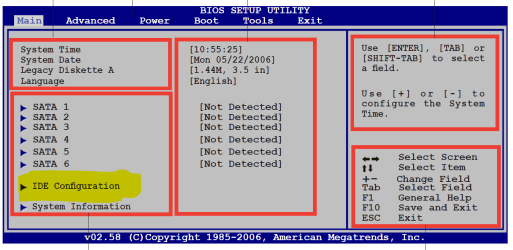
I got 2 brand new Samsung Spinpoint F3 500GB disks, on which i am trying to install windows 7. So i did it all by the book, go into bios, set SATA drives as RAID, press ctrl + i during post, setup a RAID0 array and off i went to the install screen.
I followed the steps the way i should, wait ages for the region and language screen, press ok, wait ages for the x64 or x86 screen, select the one i want (x64) and install everything. Everything went fine untill i shut down my computer to connect my other hard disks.
While power was off i connected my Samsung Spinpoint F3 1TB, and my external Western Digital Elements 640GB HD. So i booted my computer and i got the message: "NO DRIVES FOUND, INSERT PROPER BOOT DEVICE" or something like that, i guess u'll know what i mean.
So i was like, WTF my boot order changed. So i went back to the bios, to the boot order screen, and my entire RAID array disappeared from the boot list. No problem i thought. I rebooted, re-created my RAID array, went back into the windows 7 install, again wait ages for just selecting my region and x64 or x86 screen and stuff like that. Then i came to the part where i had to select my disks. So i chose my RAID array. When i selected my raid array and pressed install it said the following thing: "Could not find or create any partitions. Check your log for more information.
This was the part where stuff starts flying around the room and i start to swear with words that are yet to be invented.
Ive been stuck on this damn part for over 5 hours now. So i REALLY hope any of u might know the answer to solve this ****.
Regards, Patrick
PS. Quick responses are rewarded with virtual kisses.
EDIT: System specs:
Asus P5Q
Intel Q6600
Mushkin 4GB RAM
Ati 4870
As i mentioned in the title of this thread, i have some problems installing W7 on a raid0 setup.
I got 2 brand new Samsung Spinpoint F3 500GB disks, on which i am trying to install windows 7. So i did it all by the book, go into bios, set SATA drives as RAID, press ctrl + i during post, setup a RAID0 array and off i went to the install screen.
I followed the steps the way i should, wait ages for the region and language screen, press ok, wait ages for the x64 or x86 screen, select the one i want (x64) and install everything. Everything went fine untill i shut down my computer to connect my other hard disks.
While power was off i connected my Samsung Spinpoint F3 1TB, and my external Western Digital Elements 640GB HD. So i booted my computer and i got the message: "NO DRIVES FOUND, INSERT PROPER BOOT DEVICE" or something like that, i guess u'll know what i mean.
So i was like, WTF my boot order changed. So i went back to the bios, to the boot order screen, and my entire RAID array disappeared from the boot list. No problem i thought. I rebooted, re-created my RAID array, went back into the windows 7 install, again wait ages for just selecting my region and x64 or x86 screen and stuff like that. Then i came to the part where i had to select my disks. So i chose my RAID array. When i selected my raid array and pressed install it said the following thing: "Could not find or create any partitions. Check your log for more information.
This was the part where stuff starts flying around the room and i start to swear with words that are yet to be invented.
Ive been stuck on this damn part for over 5 hours now. So i REALLY hope any of u might know the answer to solve this ****.
Regards, Patrick
PS. Quick responses are rewarded with virtual kisses.
EDIT: System specs:
Asus P5Q
Intel Q6600
Mushkin 4GB RAM
Ati 4870
My Computer
- OS
- Windows 7