
My wife was surfing on Mozilla Firefox. The program indicated the page was still loading however it appeared to be completely loaded and even allowed her to input password information. She had multiple pages open and clicked on another tab to view a different page. At this point the page load indicator stopped. She then went to her email. This is when the computer screen went black with nothing but a blinking cursor in the upper left corner.
When trying to reboot the computer we get a e-machines logo then a very quick flash the bios screen then right to the black screen with the cursor flashing in the upper left corner.
The best way for me to describe it is to show a video of the problem.
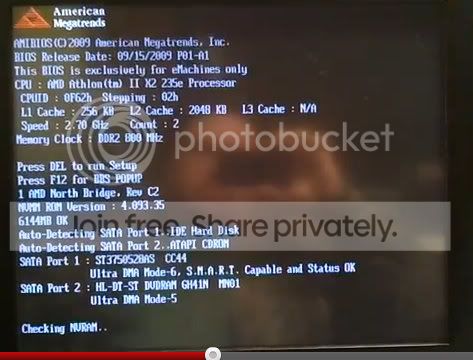
At one point this image flashes on the screen:
She's running this on her computer.
e-machines 1331g-03w
Windows 7 Home Premium OEM 64 bit.
AMD Athlon II X2 235e Dual Core Processor
DVD Super Multi Drive
750 GB HDD
6 GB DDR2 memory
It's on auto update so it's got the latest version of Windows as of 11-5-11.
We upgraded her graphics card about a year ago so it's not the one shown on the case.
Any help will be appreciated.
Thanks.
When trying to reboot the computer we get a e-machines logo then a very quick flash the bios screen then right to the black screen with the cursor flashing in the upper left corner.
The best way for me to describe it is to show a video of the problem.
At one point this image flashes on the screen:
She's running this on her computer.
e-machines 1331g-03w
Windows 7 Home Premium OEM 64 bit.
AMD Athlon II X2 235e Dual Core Processor
DVD Super Multi Drive
750 GB HDD
6 GB DDR2 memory
It's on auto update so it's got the latest version of Windows as of 11-5-11.
We upgraded her graphics card about a year ago so it's not the one shown on the case.
Any help will be appreciated.
Thanks.
My Computer
At a glance
Windows 7 home 64 bit
- OS
- Windows 7 home 64 bit

