There's something rather odd happening on my computer, a blank white empty file appears on the desktop. It does not have a filename, and it does not have an extension. Here's everything I've noticed about it so far.
When I right click, I only get three menu options, "Cut" "Create shortcut" and "Delete".
When I attempt to delete it, it goes away but comes back later.
When I attempt to move or copy it with drag and drop, windows tries to create a shortcut to it instead but fails.
Ctrl+c and Ctrl+x do nothing when this file is selected.
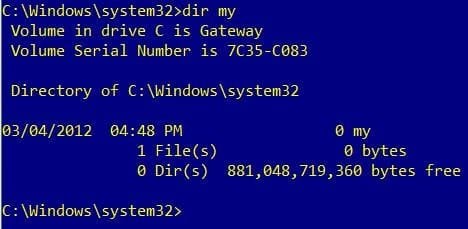
When I attempt to view it in cmd, it isn't there. (cd to desktop, then dir command)
When I open an explorer window and navigate to the desktop, it is there.
Here is a screenshot of the file. I was not pressing any modifier keys when right clicking on it, did not move the mouse when right clicking on it, and the right click menu for every other file looks normal instead of like this.
https://www.dropbox.com/s/jx8iaut44rbosya/wtf blank file on desktop.png?dl=0
Does anyone have any idea what could be going on here or how to permanently get rid of this "fake" file? I'm perplexed.
When I right click, I only get three menu options, "Cut" "Create shortcut" and "Delete".
When I attempt to delete it, it goes away but comes back later.
When I attempt to move or copy it with drag and drop, windows tries to create a shortcut to it instead but fails.
Ctrl+c and Ctrl+x do nothing when this file is selected.
When I attempt to view it in cmd, it isn't there. (cd to desktop, then dir command)
When I open an explorer window and navigate to the desktop, it is there.
Here is a screenshot of the file. I was not pressing any modifier keys when right clicking on it, did not move the mouse when right clicking on it, and the right click menu for every other file looks normal instead of like this.
https://www.dropbox.com/s/jx8iaut44rbosya/wtf blank file on desktop.png?dl=0
Does anyone have any idea what could be going on here or how to permanently get rid of this "fake" file? I'm perplexed.
My Computer
At a glance
Windows 7 64 biti5 2500k overclocked to 4.3 GHz12 GB DDR3 1066MHzRadeon HD 5870
- Computer Manufacturer/Model Number
- I built it myself
- OS
- Windows 7 64 bit
- CPU
- i5 2500k overclocked to 4.3 GHz
- Motherboard
- Asus something, I don't feel like finding the model number.
- Memory
- 12 GB DDR3 1066MHz
- Graphics Card(s)
- Radeon HD 5870
- Sound Card
- whatever realtek 8 channel thing is built into the mobo
- Monitor(s) Displays
- emachines and acer
- Screen Resolution
- both are 1080p
- Hard Drives
- Internal desktop hard drives:
WD Black 2 TB (7200 rpm)
Samsung spinpoint 1 TB (7200 rpm)
External hard drive (usb 3.0!):
Samsung spinpoint eco green 2 TB (5400 rpm)
Spare unused hard drives:
WD black 1 TB (7200 rpm)
WD green 500 GB (idk rpm)
- PSU
- 1080 watts
- Case
- Xclio (can't find model number)
- Cooling
- see other info
- Keyboard
- el cheapo basic keyboard; I hate fancy keyboards.
- Mouse
- R.A.T. 7 (it's friggin awesome)
- Internet Speed
- 12 Mb/s (usually hovers around 11.5 Mb/s for speed tests)
- Other Info
- Case fans:
2 x 180mm top fans (256 color led)
1 x 250mm front fan (256 color led)
1 x 120mm rear fan
Cpu cooler: Scythe Yasya (massive thing with a 120mm fan)
Psu fan: 180mm (blue led)
gpu fan: idk, at least it's not loud.


 C:\Windows\System32 Folder.