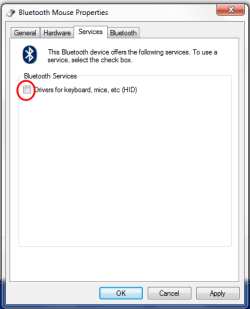
Alright so, about a week ago I got a new bluetooth mouse (rapoo 6080) I added it to my devices through the -control panel - add bluetooth device option however today when I was moving my laptop to a different room I turned off the mouse with the sliding button on it's back just to be sure I dont click on something while going to different room, after I got there, I was sadly suprised that the mouse won't work after turning it back in, I have checked the control panel - devices and it wasn't there for some reason, so I tried to restart the mouse again and click the bluetooth button on the mouse, the mouse's red button on the top started blinking which indicates that the mouse is indeed looking for a contact with a bluetooth device, howerver my mouse didn't appear on the add device menu, after a while totaly desperate I decided to try this mouse on a different computer, it worked perfectly there and was connected in about 10 seconds, I have read quite a lot of forums about this problem and all I could get to was to check the Services - Bluetooth support service and turn it off and on, it did help some people but sadly not me.. to make sure that this problem was on the side of my pc and not the mouse, I did try to pair my phone with my pc but it didn't work, I couldn't even send any file..
I have hp pavilion dv6 and win 7 x64
Any help will be greatly appreciated
(Ignore any grammar fails as it's quite late hour for me and I'm posting this after 3 desperate hours of trying to fix this problem).
I have hp pavilion dv6 and win 7 x64
Any help will be greatly appreciated
(Ignore any grammar fails as it's quite late hour for me and I'm posting this after 3 desperate hours of trying to fix this problem).
My Computer
- Computer type
- PC/Desktop
- Computer Manufacturer/Model Number
- HP
- OS
- Win 7 64