
Hi,
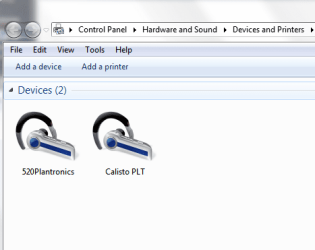
I pair my Plantronics Calisto Pro Bluetooth Headset to my desktop computer (win7 x64), and it showed that everything is OK but when I tried to use, it doesn't work.
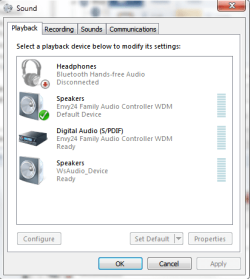
When I press icon of sound on the taskbar and I go to Playback or Recording there is there Bluetooth Hands-free Audio but is Disconnected, and I don't have any idea how to connect this and make to work.
Can someone help me to solve this problem? I will really appreciate any help.
P.S.
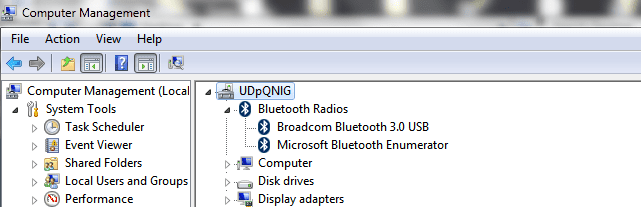
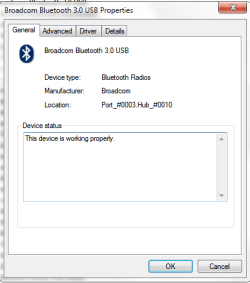
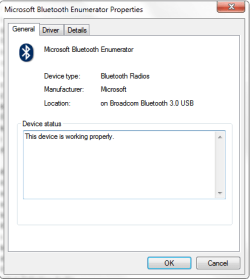
I did everything like supposed to be. I attached few images to show my situation.
Like you see everything looks OK, but when I try (1 pic)to press Control for Calisto, nothing will happen and (5 pic) when I try to press Connect for Bluetooth nothing happened too
I pair my Plantronics Calisto Pro Bluetooth Headset to my desktop computer (win7 x64), and it showed that everything is OK but when I tried to use, it doesn't work.
When I press icon of sound on the taskbar and I go to Playback or Recording there is there Bluetooth Hands-free Audio but is Disconnected, and I don't have any idea how to connect this and make to work.
Can someone help me to solve this problem? I will really appreciate any help.
P.S.
I did everything like supposed to be. I attached few images to show my situation.
Like you see everything looks OK, but when I try (1 pic)to press Control for Calisto, nothing will happen and (5 pic) when I try to press Connect for Bluetooth nothing happened too
Attachments
Last edited:
My Computer
- OS
- Windows 7 Ultimate x64
- CPU
- Intel(R) Core(TM)2 Quad Q6600
- Motherboard
- ASUS P5K Deluxe/WiFi-AP
- Memory
- 4.00 GB
- Graphics Card(s)
- NVIDIA GEForce 8800 GTX
- Sound Card
- SoundMAX Intergrated Digital HD Audio
- Monitor(s) Displays
- LG Flatron Wide 22"
