petejigsaw
New member
- Local time
- 8:53 AM
- Messages
- 1
[FONT="]I have a new PC running the Asus P7P55D-E motherboard, into which I have put a Crucial C300 64GB SSD as the boot/OS/apps drive.
The SSD is connected to one of the SATA3 6GB ports on the mobo and is running using the Windows 7 native drivers rather than Marvell storage controller drivers.
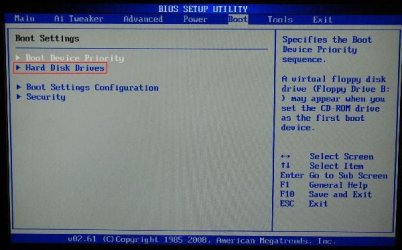
All is well and the PC boots and runs fine. However, when I connect additional HDDs to the SATA2 ports the system refuses to boot. Checking the BIOS reveals that as soon as additional HDDs are connected, the 'boot device priority' gets changed from the previous set-up of:[/FONT]
Is there an issue with such a configuration, or a way around this so as to make sure that the boot device list remains unaltered when additional HDDs are connected?
I need to use the SATA3 port to maximise the C300s read speeds so don't want to have to concede it to a SATA2 port just to get the system running!
All SATA devices are set to AHCI mode, the Marvell Controller is set as enabled and the SATA3 port is enabled at 6GB/s.
Any ideas on what's going on? [/FONT][FONT="][/FONT]
The SSD is connected to one of the SATA3 6GB ports on the mobo and is running using the Windows 7 native drivers rather than Marvell storage controller drivers.
All is well and the PC boots and runs fine. However, when I connect additional HDDs to the SATA2 ports the system refuses to boot. Checking the BIOS reveals that as soon as additional HDDs are connected, the 'boot device priority' gets changed from the previous set-up of:[/FONT]
- [FONT="]DVD Drive[/FONT]
- [FONT="]SDD[/FONT]
- [FONT="]Removable Device[/FONT]
- [FONT="]DVD Drive[/FONT]
- [FONT="]1st HDD[/FONT]
- [FONT="]Removable Device[/FONT]
Is there an issue with such a configuration, or a way around this so as to make sure that the boot device list remains unaltered when additional HDDs are connected?
I need to use the SATA3 port to maximise the C300s read speeds so don't want to have to concede it to a SATA2 port just to get the system running!
All SATA devices are set to AHCI mode, the Marvell Controller is set as enabled and the SATA3 port is enabled at 6GB/s.
Any ideas on what's going on? [/FONT][FONT="][/FONT]
My Computer
At a glance
Win 7 64-bit
- OS
- Win 7 64-bit

 ) been doing waaaayy to much memtest recently
  .... i should really burn it to a disc, lol