Solved Boot from a different drive on a new computer

erewhon

New member
Local time
2:26 AM
Messages
27
Hi, I just bought an HP Envy Desktop, 3.40GHz 4th Generation Intel Core i7-4770, 12GB RAM, 2.0TB HDD (700-019 PC) . . . it came with Windows 8 which I just checked out and found it wasn't as hostile as people say (and it comes with Adobe Photoshop and Premiere Elements (albeit scaled down versions).

However, I didn't buy this computer for the operating system since I'd been preparing a SDD drive with Windows 7 Home Premium. I thought I would just be able to swap drives - no such luck.

The HP Bios is a new design to me: at the top it says "Hewlett-Packard Setup Utility". I couldn't figure it out. Both drives showed up under Device Configuration and I was able to chose the SSD drive, but it keeps booting into Windows 8.

The installed Windows 8 drive is a Basic GPT, the Windows 7 is a Basic MBR.

Any suggestions anyone, thanks.
 

My Computer

Computer type
PC/Desktop
Computer Manufacturer/Model Number
custom
OS
windows 7 64 bit
CPU
amd black 64
1) Downgrade to Windows 7.
Downgrade Windows 8 to Windows 7
Warning you must have the UEFI/BIOS firmware setting in Step Three set.


2) If Using a USB Pen drive on a PC with a UEFI BIOS.
USB Pen drive need to be formatted to FAT32 as in
UEFI Bootable USB Flash Drive - Create in Windows
Take note of Step 11 for Windows 7.
Also you will need to use a USB 2.0 port, as there are no USB 3.0 drivers in Windows 7.

But you will find that HP do not support drivers for Windows 7 on PC's Pre-installed with Windows 8.
 

My Computer

OS
ME/XP/Vista/Win7
Thanks for fast response, but I didn't understand. I don't want to downgrade - I want to remove the Windows 8 system disc and replace it with another drive I already have with Windows 7 on it.
 

My Computer

Computer type
PC/Desktop
Computer Manufacturer/Model Number
custom
OS
windows 7 64 bit
CPU
amd black 64
Sorry guy, I not that good at computers . . . do I follow the steps in 1) and then in 2)?

Or does your last line mean that it can't be done?
 

My Computer

Computer type
PC/Desktop
Computer Manufacturer/Model Number
custom
OS
windows 7 64 bit
CPU
amd black 64
I'd been preparing a SDD drive with Windows 7 Home Premium.

Did you install win7 to that ssd while on another machine?

If so:


1. Copy your windows 7 SYSTEM hive into a .zip file and post it up here for me to adjust, else win7 is unlikely to boot on different hardware. You will find the file called SYSTEM in your ssd windows\system32\config directory.

2. You need to do step 1 in Theos post.

3. You may need some specific drivers for that HP machine. If it a desktop machine, that is less likely to be an issue.

4. You need a win7 license which allows you to use it on the new machine. Unless your desktop came with win8 PRO ,then you are allowed to upgrade to win7.
 

My Computers

System One System Two

  • Computer type
    PC/Desktop
    OS
    7 X64
    CPU
    i5 8400
    Motherboard
    gigabyte b365m ds3h
    Memory
    2x8gb 3200mhz
    Hard Drives
    various
    PSU
    pure power 11 400w cm
    Case
    Coolermaster
    Cooling
    cryorig m9i
  • Computer type
    PC/Desktop
    OS
    7x64
    CPU
    g5400
    Motherboard
    ga b365m ds3h
    Memory
    8gb ddr4 2400
    PSU
    xfx pro 450w
Here's what I need to know explained in layman's terms. Thanks for your help.
 

My Computer

Computer type
PC/Desktop
Computer Manufacturer/Model Number
custom
OS
windows 7 64 bit
CPU
amd black 64
I'm having trouble uploading the file, it's only 2.5 MB . . . I'll try again later.
 

My Computer

Computer type
PC/Desktop
Computer Manufacturer/Model Number
custom
OS
windows 7 64 bit
CPU
amd black 64
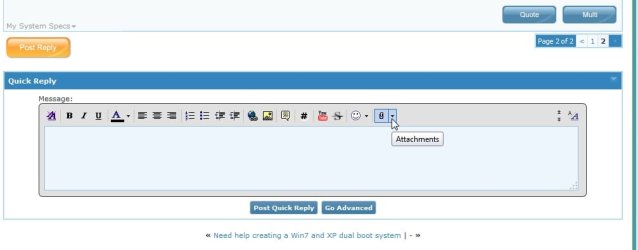
You can attach it using this paperclip object. It only accepts some files, best to put the system hive in a .zip before uploading.

2013-08-30_013158.jpg
 

My Computers

System One System Two

  • Computer type
    PC/Desktop
    OS
    7 X64
    CPU
    i5 8400
    Motherboard
    gigabyte b365m ds3h
    Memory
    2x8gb 3200mhz
    Hard Drives
    various
    PSU
    pure power 11 400w cm
    Case
    Coolermaster
    Cooling
    cryorig m9i
  • Computer type
    PC/Desktop
    OS
    7x64
    CPU
    g5400
    Motherboard
    ga b365m ds3h
    Memory
    8gb ddr4 2400
    PSU
    xfx pro 450w
I unplugged the wifi and it uploaded in less than a minute - it's gonna stay unplugged! Looks like it's attached anyway.
 

Attachments

My Computer

Computer type
PC/Desktop
Computer Manufacturer/Model Number
custom
OS
windows 7 64 bit
CPU
amd black 64
You need to install the drive AND THEN install windows, you don`t install it on another machine and then move it.
 

My Computer

Computer type
PC/Desktop
Computer Manufacturer/Model Number
Skylake Special #666
OS
Windows 10 Pro x64
CPU
Intel Core i7 6700K
Motherboard
Asus Sabertooth Z170 Mark 1
Memory
GSkill TridentZ RGB 16GB 3600 16-16-16-36
Graphics Card(s)
EVGA GTX 980 Ti SC x2
Sound Card
Realtek High Definition
Monitor(s) Displays
AOC G2460PG
Screen Resolution
1920 x 1080 144Hz
Hard Drives
Samsung 860 Pro 256GB, Seagate Barracuda 4TB x2
PSU
EVGA 1000 P2, EVGA White Custom Braided Cables
Case
Corsair Vengeance C70 Gunmetal Black
Cooling
Corsair H100i v2, Corsair ML120 x2, Thermal Grizzly Kryonaut
Keyboard
Logitech G910 Orion Spectrum
Mouse
Logitech G700s
Internet Speed
Verizon Fios Quantum Gateway 75/75
Antivirus
Windows Defender, Malwarebytes Free 3.8.3
Browser
Chrome
Other Info
Corsair SP120 x4, LG Blu-ray Drive, Durabrand HT-395 100 Watt Dolby Digital Amp, Corsair H2100 Wireless 7.1 Headset
That was the good news. This is what happened next: Windows 8 is asking for 32 GB for the recovery USB.

AddRAM just suggested connecting the new drive and then re-installing Windows 7 on it. Anyone want to second that?

That would be easy as it's a bare bones installation and I have all the app discs.
 

My Computer

Computer type
PC/Desktop
Computer Manufacturer/Model Number
custom
OS
windows 7 64 bit
CPU
amd black 64
If you wait a few mins, I can upload the fixed hive. Just replace your current one with it. It should boot up fine.
 

My Computers

System One System Two

  • Computer type
    PC/Desktop
    OS
    7 X64
    CPU
    i5 8400
    Motherboard
    gigabyte b365m ds3h
    Memory
    2x8gb 3200mhz
    Hard Drives
    various
    PSU
    pure power 11 400w cm
    Case
    Coolermaster
    Cooling
    cryorig m9i
  • Computer type
    PC/Desktop
    OS
    7x64
    CPU
    g5400
    Motherboard
    ga b365m ds3h
    Memory
    8gb ddr4 2400
    PSU
    xfx pro 450w

My Computers

System One System Two

  • Computer type
    PC/Desktop
    OS
    7 X64
    CPU
    i5 8400
    Motherboard
    gigabyte b365m ds3h
    Memory
    2x8gb 3200mhz
    Hard Drives
    various
    PSU
    pure power 11 400w cm
    Case
    Coolermaster
    Cooling
    cryorig m9i
  • Computer type
    PC/Desktop
    OS
    7x64
    CPU
    g5400
    Motherboard
    ga b365m ds3h
    Memory
    8gb ddr4 2400
    PSU
    xfx pro 450w
I screwed up - I sent the Windows 8 system file by mistake. I can't go on like this - what happens when the present hard drive fails, what do I do then? I've been unable to disconnect the drive end of the cable to the motherboard. The blu-ray player doesn't work. Has anyone else had a similar experience? I'll sleep on it, but the way feel I now the computer's going back to Staples. Thanks for all you help.
 

My Computer

Computer type
PC/Desktop
Computer Manufacturer/Model Number
custom
OS
windows 7 64 bit
CPU
amd black 64
Doesn't sound good. Take it back if you can.
 

My Computers

System One System Two

  • Computer type
    PC/Desktop
    OS
    7 X64
    CPU
    i5 8400
    Motherboard
    gigabyte b365m ds3h
    Memory
    2x8gb 3200mhz
    Hard Drives
    various
    PSU
    pure power 11 400w cm
    Case
    Coolermaster
    Cooling
    cryorig m9i
  • Computer type
    PC/Desktop
    OS
    7x64
    CPU
    g5400
    Motherboard
    ga b365m ds3h
    Memory
    8gb ddr4 2400
    PSU
    xfx pro 450w
case closed hopefully

Doesn't sound good. Take it back if you can.

Just to follow up on things . . . I was able to get the blu-ray player going (I'd unplugged it myself to make room for the Windows 7 SSD).

I decided to keep the computer and keep my fingers crossed. I live in the boonies in Canada and to return it would take too long. After all I'd read about Windows 8 I was pleasantly surprised to find it quite compliant.

A third party start menu called Start Menu X gets rid of the tiles in short order.

Thanks for modifying the system file. I was lucky to be able to zip it by right clicking. But not so lucky in picking the right version!
 

My Computer

Computer type
PC/Desktop
Computer Manufacturer/Model Number
custom
OS
windows 7 64 bit
CPU
amd black 64
Back
Top