The thing is do you have the activation code for that copy of Windows?? If not then you might be able to find it using this Product Key Number for Windows 7 - Find and See the Showkey is the later software and the Magic Jelly Bean is good and if they both come up with the same code then you can be sure in fact the Showkey should be right.
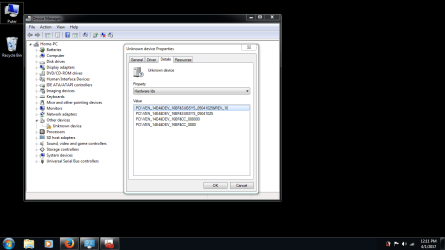
But this unknown device and driver we encountered (broadcom xd picture bus driver??), attached, is it still going to be an issue after all of this? We got the CardReader_Broadcom_1.0.0.219_Win7x64 driver that I downloaded from the Acer site, the only driver that seemed applicable, and it did not load/update successfully through device manager manually or automatically. It always says "driver is not intended for this platform." I don't know what the device is or does, or if it is even supposed to be on my refurbished computer.
Attachments
unkdevicehardwareid.png
33 KB
· Views: 2
My Computer
At a glance
Microsoft Windows 7 Home Premium 64-bit 7601 ...Intel(R) Core(TM) i3-2310M CPU @ 2.10GHz8.00 GBIntel(R) HD Graphics 3000
Computer type
Laptop
Computer Manufacturer/Model Number
Acer Aspire 5750 refurbished
OS
Microsoft Windows 7 Home Premium 64-bit 7601 Multiprocessor Free Service Pack 1
CPU
Intel(R) Core(TM) i3-2310M CPU @ 2.10GHz
Motherboard
Acer JE50_HR
Memory
8.00 GB
Graphics Card(s)
Intel(R) HD Graphics 3000
Sound Card
(1) High Definition Audio Device (2) High Definition Audio
Screen Resolution
1366x768
Hard Drives
ST500LT012-1DG142 ATA Device
Fixed hard disk media
2 partitions
serial number: 2020202020202020202020203353505033564538
465.76 GB
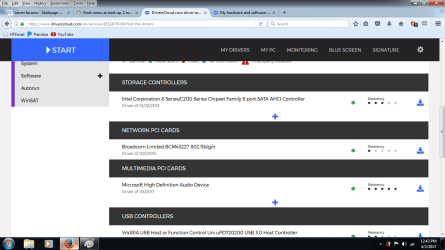
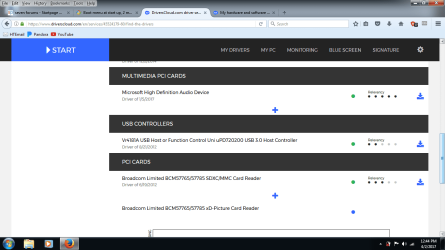
One last thing to try before a clean install to see if you can get newer drivers is to run this tool. Post what it finds but don't install any of it yet okay.
Okay I would make a system restore point before downloading and installing the one it has for the card driver to see if it will fix the XD picture driver. This is an XD card for your information, your reader can read it and sdcards it would seem but if cannot install the driver for the XD part seemingly.
I saw that melissa spam and reported her, it.... Back to this topic.
Malcom, I might have found out that this information in the tutorial below is not applicable to me or anyone else with an OEM version of Windows 7. I verified my product key three ways including showkeyplus (there it's 'installed key') before I went to Microsoft's Download Windows 7 Disk Image (ISO) Files page, entered my key, and after verification they told me "the product key you entered appears to be pre-installed by the device manufacturer. Please contact the device manufacturer for recovery options." I looked around the net for that and found information about microsoft no longer offering legit downloads for OEM copies of 7 anymore--only retail versions. Maybe it is in the tutorial below and how to find a product key tutorial linked to further back in this thread and I m blind/overcomputered, but maybe they could use updating. I will start another help topic if I get further into this. The beeps might have stopped; I will post an update if it is the case. Thank you for all the time you have devoted to this.
Quote: Originally Posted by ICIT2LOL Clean Install Windows 7 < the ISO is linked in this too.
My Computer
At a glance
Microsoft Windows 7 Home Premium 64-bit 7601 ...Intel(R) Core(TM) i3-2310M CPU @ 2.10GHz8.00 GBIntel(R) HD Graphics 3000
Computer type
Laptop
Computer Manufacturer/Model Number
Acer Aspire 5750 refurbished
OS
Microsoft Windows 7 Home Premium 64-bit 7601 Multiprocessor Free Service Pack 1
CPU
Intel(R) Core(TM) i3-2310M CPU @ 2.10GHz
Motherboard
Acer JE50_HR
Memory
8.00 GB
Graphics Card(s)
Intel(R) HD Graphics 3000
Sound Card
(1) High Definition Audio Device (2) High Definition Audio
Screen Resolution
1366x768
Hard Drives
ST500LT012-1DG142 ATA Device
Fixed hard disk media
2 partitions
serial number: 2020202020202020202020203353505033564538
465.76 GB