Hi.
I had W7 7057 & XP running Fine, Dual Boot was working fine
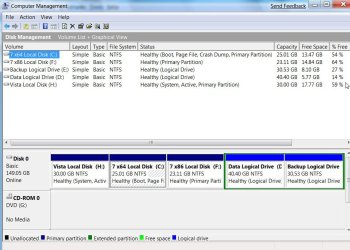
On The Same Disk but different partition:
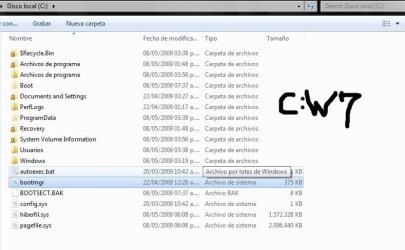
c: / W7 7057
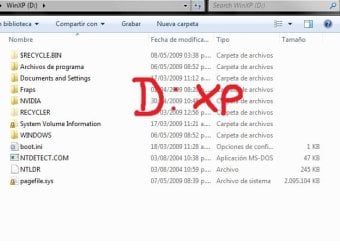
d: / XP
To install the W7 RC 7100 i've formatted the c: partition and installed on it.
No problems at all during installation. W7 RC is running Fine.
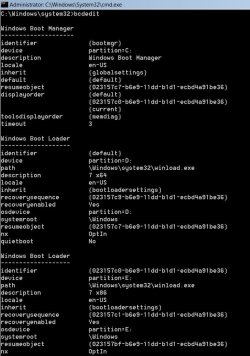
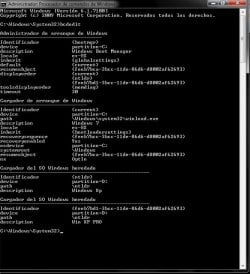
XP is lost, so i've tried to add it to the boot options using EasyBCD 1.7.2, FAILED. Then running as ADMINISTRATOR bcedit.exe:
i've done this:
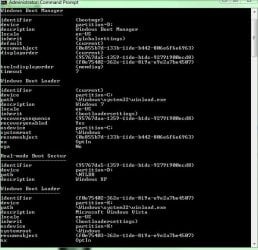
Heres my boot "overview" takem from EasyBCD
When i restart the Boot options appears Windows 7 and Windows Xp
But when i choose the XP option and Hit the enter key, the system immediately restarts.
Any suggestions about how to fix my boot and recover my XP?
Thanks.
I had W7 7057 & XP running Fine, Dual Boot was working fine
On The Same Disk but different partition:
c: / W7 7057
d: / XP
To install the W7 RC 7100 i've formatted the c: partition and installed on it.
No problems at all during installation. W7 RC is running Fine.
XP is lost, so i've tried to add it to the boot options using EasyBCD 1.7.2, FAILED. Then running as ADMINISTRATOR bcedit.exe:
i've done this:
Heres my boot "overview" takem from EasyBCD
Code:
bcdedit /create {ntldr} /d "Windows XP"

bcdedit /set {ntldr} device partition=D:

bcdedit /set {ntldr} path \ntldr

bcdedit /displayorder {ntldr} /addlast
When i restart the Boot options appears Windows 7 and Windows Xp
But when i choose the XP option and Hit the enter key, the system immediately restarts.
Code:
Entry #1

Name:  Windows 7
BCD ID:  {current}
Drive:  C:\
Bootloader Path:  \Windows\system32\winload.exe
Windows Directory:  \Windows

Entry #2

Name:  Windows Xp
BCD ID:  {ntldr}
Drive:  D:\
Bootloader Path:  \ntldr

Entry #3

Name:  Win XP PRO
BCD ID:  {feeb7bd1-3bcc-11de-86d6-d8002af62693}
Drive:  D:\
Bootloader Path:  \ntldr
Any suggestions about how to fix my boot and recover my XP?
Thanks.
My Computer
- OS
- Windows 7 / Windows XP