Boot sector(?)

darkhorn

New member
Local time
6:32 PM
Messages
42
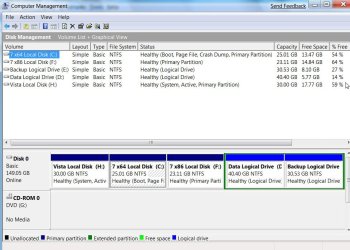
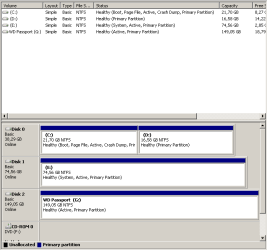
I have installed Windows 7 from my hard drive (E:\). Now I have a small problem, the boot sector (or something like that) is located in E:\, I want to move it to C:\. Moreover there is two options in the bootscreen: Windows 7 and install Windows 7 RC. How I will remove the secon option?

Thaks in advance.
 

My Computer

OS
Windows 7 Starter SP1

My Computers

System One System Two

  • Computer type
    PC/Desktop
    OS
    7 X64
    CPU
    i5 8400
    Motherboard
    gigabyte b365m ds3h
    Memory
    2x8gb 3200mhz
    Hard Drives
    various
    PSU
    pure power 11 400w cm
    Case
    Coolermaster
    Cooling
    cryorig m9i
  • Computer type
    PC/Desktop
    OS
    7x64
    CPU
    g5400
    Motherboard
    ga b365m ds3h
    Memory
    8gb ddr4 2400
    PSU
    xfx pro 450w
here...
 

Attachments

  • darkhorn.png
    darkhorn.png
    6.3 KB · Views: 302

My Computer

OS
Windows 7 Starter SP1
you can use tools such as EasyBCD edit or VistaBootPro to fix that pretty easily. If you don't want to mess with command line.

You might be able to use the Windows 7 DVD to repair it, but I've not had as much luck with it. Be careful because the automated repair certainly does not fix everything I've come across.
 

My Computer

Computer Manufacturer/Model Number
Too many to list.
OS
XP, Seven, 2008R2
CPU
AMD, Intel, VIA
Motherboard
Various
Memory
Corsair, Kingston, etc.
Graphics Card(s)
ATI, NVIDIA
Monitor(s) Displays
Samsung
Hard Drives
Maxtor, Western Digital
Keyboard
qwerty
Internet Speed
22 Mb/s @ home, 1 Gb/s @ server
Other Info
All of my systems still run fastest on XP 32-bit for the most part. Win7 is fun to play with, but I still prefer XP for raw speed, security, and functionality.
Hi

I assume you want to make C the System partition.

In this case it is probably easier to get Easybcd as it contains bootsect.exe and MbrFix.exe in the bin folder.

1. Download from here and install it :

http://neosmart.net/downloads/software/EasyBCD/EasyBCD 1.7.2.exe

here is the home page: Download EasyBCD 1.7.2 - NeoSmart Technologies

2. Go to Folder Options and make sure Hidden Files and protected operating system files are showing.

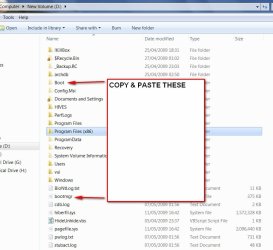
Copy and paste bootmgr and the pale yellow Boot folder from E to C.

It won't let you copy bcd as it is in use - skip that and copy the rest.

BOOTMGR2009-05-11_182540.jpg

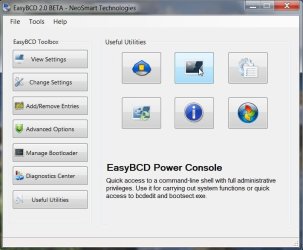
3. Open the Easybcd command prompt (they call it power console)

POWERCONSOLE2009-06-22_225842.jpg

PowerConsole-2-2009-06-22_230445.jpg

AT the prompt ( this bit > ), type the following commands - Press Enter after each command ( or copy and paste these if it is easier) :

bootsect.exe /nt60 all /force

mbrfix.exe /drive 0 fixmbr /vista /yes

bcdedit /set {bootmgr} device boot

bcdedit /export C:\Boot\BCD

exit
 

My Computers

System One System Two

  • Computer type
    PC/Desktop
    OS
    7 X64
    CPU
    i5 8400
    Motherboard
    gigabyte b365m ds3h
    Memory
    2x8gb 3200mhz
    Hard Drives
    various
    PSU
    pure power 11 400w cm
    Case
    Coolermaster
    Cooling
    cryorig m9i
  • Computer type
    PC/Desktop
    OS
    7x64
    CPU
    g5400
    Motherboard
    ga b365m ds3h
    Memory
    8gb ddr4 2400
    PSU
    xfx pro 450w
Back
Top