Solved "BOOTMGR is missing, Press Ctrl+Alt+Del to restart"

synnchan

New member
Local time
5:12 AM
Messages
18
I've been getting this problem lately when I turn on my computer. When I press the Ctrl+Alt+Del combination, the computer does restart but sometimes it still gives me the same screen again, so I need some luck to get past it. Sometimes it works, sometimes it doesn't. It's extremely bothersome.

This is how the screen looks like:

LDMhets.png


Why am I getting this problem now and how can I fix it?
 

My Computer My Computer

Computer type
PC/Desktop
Computer Manufacturer/Model Number
msi© MS-7788
OS
Windows 7 Ultimate 64-bit SP1
CPU
Intel Core i5 3330 @ 3.00GHz | Ivy Bridge 22nm Technology
Motherboard
MSI H61M-P31 (G3) (MS-7788) (SOCKET 0)
Memory
8.00GB Dual-Channel DDR3 @ 665MHz (9-9-9-24)
Graphics Card(s)
1023MB NVIDIA GeForce GTX 650 (ZOTAC International)
Hard Drives
931GB Seagate ST31000524AS ATA Device (SATA)
465GB Seagate Portable USB Device [USB (SATA)]
Antivirus
avast! 2014.9.0.2021 140820-0
Browser
Mozilla Firefox 31.0

My Computer My Computer

Computer type
PC/Desktop
Computer Manufacturer/Model Number
Self built custom
OS
64-bit Windows 11 Pro for Workstations
CPU
Intel i7-8700K OC'd to 5 GHz
Motherboard
ASUS ROG Maximus XI Formula Z390
Memory
64 GB (4x16GB) G.SKILL TridentZ RGB DDR4 3600 MHz
Graphics Card(s)
ASUS ROG-STRIX-GTX1080TI-O11G-GAMING
Sound Card
Integrated
Monitor(s) Displays
2 x Samsung Odyssey G7 27"
Screen Resolution
2560x1440
Hard Drives
1TB Samsung 990 PRO M.2,
4TB Samsung 990 PRO PRO M.2,
TerraMaster F8 SSD Plus NAS
PSU
Seasonic Prime Titanium 850W
Case
Thermaltake Core P3
Cooling
Corsair Hydro H115i
Keyboard
Logitech wireless K800
Mouse
Logitech MX Master 4
Internet Speed
2 Gb/s Download and 100 Mb/s Upload
Antivirus
Malwarebyte Anti-Malware Premium
Browser
Google Chrome
Other Info
Logitech Z625 speaker system,
Logitech BRIO 4K Pro webcam,
HP Color LaserJet Pro MFP M477fdn,
APC SMART-UPS RT 1000 XL - SURT1000XLI,
Galaxy S23 Plus phone
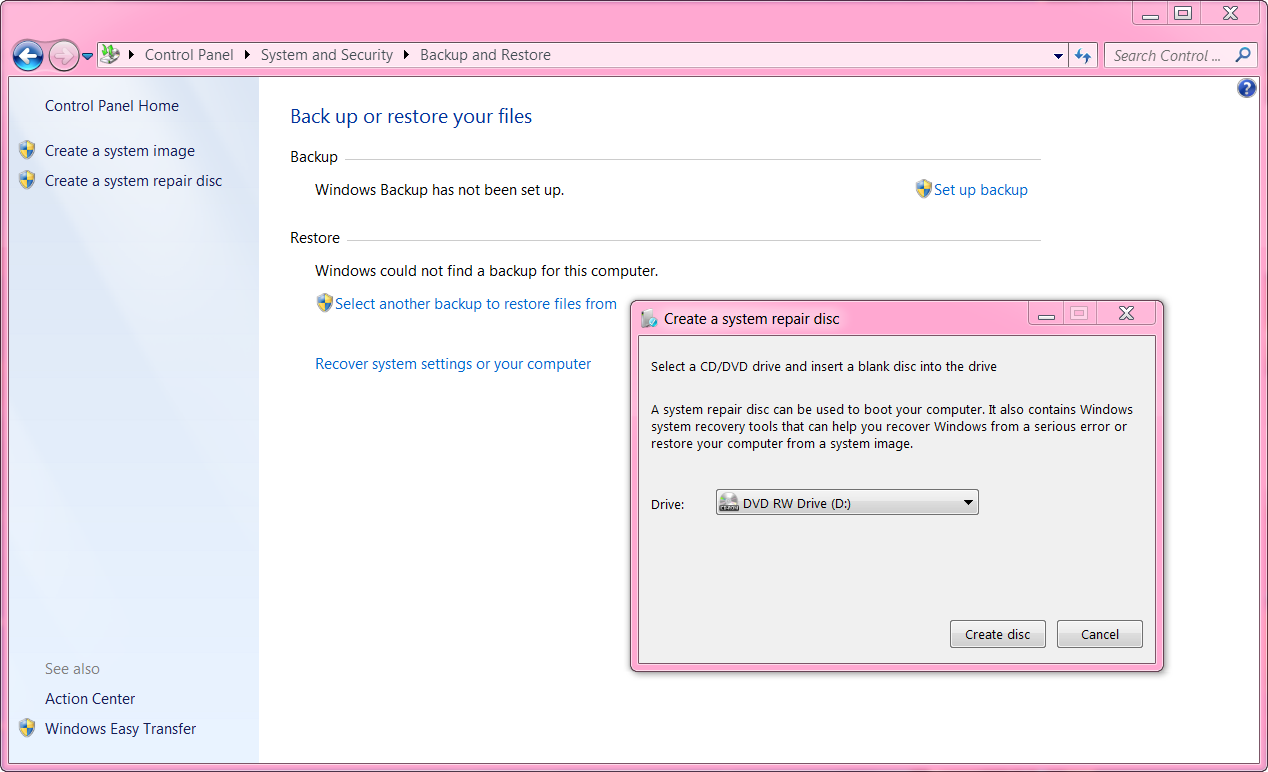
I'm with a problem here. I have no blank CD/DVD to put my System Repair Disk into. So I created a virtual drive (G: ), and put the System Repair Disk there.

But my computer has my physical drive (D: ) set as the first boot order. I need to access my computer's BIOS to change the first boot order to my virtual drive (G: )

But I don't know how to access my computer's BIOS. I need to know what key to press.

This is my computer's information:
http://speccy.piriform.com/results/UXFpiUlJksrlp8LgwolOwPu
 

My Computer My Computer

Computer type
PC/Desktop
Computer Manufacturer/Model Number
msi© MS-7788
OS
Windows 7 Ultimate 64-bit SP1
CPU
Intel Core i5 3330 @ 3.00GHz | Ivy Bridge 22nm Technology
Motherboard
MSI H61M-P31 (G3) (MS-7788) (SOCKET 0)
Memory
8.00GB Dual-Channel DDR3 @ 665MHz (9-9-9-24)
Graphics Card(s)
1023MB NVIDIA GeForce GTX 650 (ZOTAC International)
Hard Drives
931GB Seagate ST31000524AS ATA Device (SATA)
465GB Seagate Portable USB Device [USB (SATA)]
Antivirus
avast! 2014.9.0.2021 140820-0
Browser
Mozilla Firefox 31.0
What is the G: drive? Don't think a virtual drive can be made bootable but one of the USB drives could be used and the BIOS set to boot it first.

Using a CD or DVD for the Repair disc is the cheapest way to go but one could also use a USB Thumb/Flash drive. I'd use the smallest size necessary for holding the files and since it has to be bootable it'd be best to nothing else on the drive or disc. During the writing of the data it most likely will delete anything on it.

My Repair disc is on a DVD-R but you should be able to use either a DVD+R or DVD-R disc in your Optiarc DVD RW AD-7280S ATA Device. It probably is a Multi-Format model but don't use the RW discs.
 

My Computer My Computer

Computer type
PC/Desktop
Computer Manufacturer/Model Number
Customs, Dell, Gateway, HP, Toshiba, Acer, ASUS
OS
Windows 7 Ultimate 64-bit, Windows 8.1 64-bit, Mac OS X 10.10, Linux Mint 17, Windows 10 Pro TP
Keyboard
Microsoft
Mouse
Microsoft
Try the DELete key to enter BIOS.
 

My Computer My Computer

Computer type
PC/Desktop
Computer Manufacturer/Model Number
home built
OS
Multi-Boot W7_Pro_x64 W8.1_Pro_x64 W10_Pro_x64 +Linux_VMs +Chromium_VM
CPU
AMD Athlon II x4 620
Motherboard
Gigabyte GA-MA785G-UD3H
Memory
6GB GSkill DDR2 800
Graphics Card(s)
AMD 4670 GPU + AMD 4200 IGP
Sound Card
on board Realtek ALC889A
Monitor(s) Displays
RCA 40" LCD TV, Insignia 32" LCD TV, HP 15" LCD monitor
Screen Resolution
1680 x 1050
Hard Drives
OCZ Vertex 3 120GB,
Samsung F3 1TB (3),
Several others - WD, Seagate, Hitachi, ...
PSU
Corsair 500 W
Case
Rosewill mid tower
Cooling
CM 90mm rifle
Keyboard
Gyration wireless, Logitech wireless, Dell USB wired
Mouse
Gyration wireless, Logitech wireless, V7 USB wired
Internet Speed
Spectrum - 100Mbps D / 10Mbps U
Antivirus
Avast, MBAM3, EMET, WinPatrol
Browser
Pale Moon, Firefox, IE
Other Info
2 multi-boot PC's
Mainly HTPC/Office/Gen purpose (no gaming).
Trendnet USB KVM.
LG DVD burner/Blue Ray Player.
Tray system for removable SATA backup drives.

Not currently OCd, under-volted.
I use Hybrid sleep, rarely re-boot or shutdown.

Hauppauge HD-PVR, Avermedia PCIe TV Tuner, Hauppauge PCI TV Tuner.
I just went to the local store and bought a DVD-R, then wrote the System Repair Disk on it.

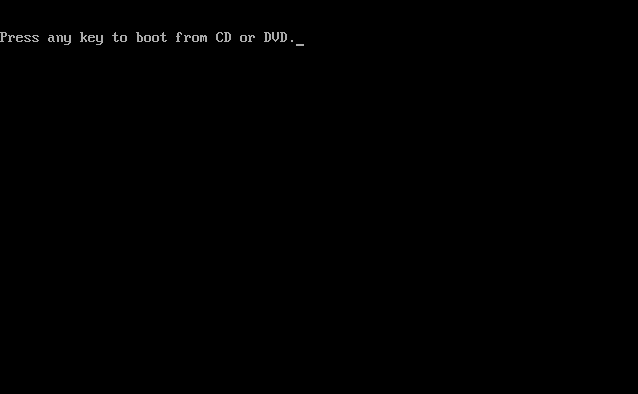
But now I have a really weird problem. When I turn on my computer, this screen doesn't show up:

WYOVBhb.gif


What should I do now?
 

My Computer My Computer

Computer type
PC/Desktop
Computer Manufacturer/Model Number
msi© MS-7788
OS
Windows 7 Ultimate 64-bit SP1
CPU
Intel Core i5 3330 @ 3.00GHz | Ivy Bridge 22nm Technology
Motherboard
MSI H61M-P31 (G3) (MS-7788) (SOCKET 0)
Memory
8.00GB Dual-Channel DDR3 @ 665MHz (9-9-9-24)
Graphics Card(s)
1023MB NVIDIA GeForce GTX 650 (ZOTAC International)
Hard Drives
931GB Seagate ST31000524AS ATA Device (SATA)
465GB Seagate Portable USB Device [USB (SATA)]
Antivirus
avast! 2014.9.0.2021 140820-0
Browser
Mozilla Firefox 31.0

My Computer My Computer

Computer type
PC/Desktop
Computer Manufacturer/Model Number
Self built custom
OS
64-bit Windows 11 Pro for Workstations
CPU
Intel i7-8700K OC'd to 5 GHz
Motherboard
ASUS ROG Maximus XI Formula Z390
Memory
64 GB (4x16GB) G.SKILL TridentZ RGB DDR4 3600 MHz
Graphics Card(s)
ASUS ROG-STRIX-GTX1080TI-O11G-GAMING
Sound Card
Integrated
Monitor(s) Displays
2 x Samsung Odyssey G7 27"
Screen Resolution
2560x1440
Hard Drives
1TB Samsung 990 PRO M.2,
4TB Samsung 990 PRO PRO M.2,
TerraMaster F8 SSD Plus NAS
PSU
Seasonic Prime Titanium 850W
Case
Thermaltake Core P3
Cooling
Corsair Hydro H115i
Keyboard
Logitech wireless K800
Mouse
Logitech MX Master 4
Internet Speed
2 Gb/s Download and 100 Mb/s Upload
Antivirus
Malwarebyte Anti-Malware Premium
Browser
Google Chrome
Other Info
Logitech Z625 speaker system,
Logitech BRIO 4K Pro webcam,
HP Color LaserJet Pro MFP M477fdn,
APC SMART-UPS RT 1000 XL - SURT1000XLI,
Galaxy S23 Plus phone
Through here:

ZiQKjgv.png
 

My Computer My Computer

Computer type
PC/Desktop
Computer Manufacturer/Model Number
msi© MS-7788
OS
Windows 7 Ultimate 64-bit SP1
CPU
Intel Core i5 3330 @ 3.00GHz | Ivy Bridge 22nm Technology
Motherboard
MSI H61M-P31 (G3) (MS-7788) (SOCKET 0)
Memory
8.00GB Dual-Channel DDR3 @ 665MHz (9-9-9-24)
Graphics Card(s)
1023MB NVIDIA GeForce GTX 650 (ZOTAC International)
Hard Drives
931GB Seagate ST31000524AS ATA Device (SATA)
465GB Seagate Portable USB Device [USB (SATA)]
Antivirus
avast! 2014.9.0.2021 140820-0
Browser
Mozilla Firefox 31.0
In that case, you may need to boot to your BIOS, and check to see if you have your "boot priority" set to have the CD/DVD listed 1st and you Windows drive 2nd.

Afterwards, see if you are able to boot from the DVD.
 

My Computer My Computer

Computer type
PC/Desktop
Computer Manufacturer/Model Number
Self built custom
OS
64-bit Windows 11 Pro for Workstations
CPU
Intel i7-8700K OC'd to 5 GHz
Motherboard
ASUS ROG Maximus XI Formula Z390
Memory
64 GB (4x16GB) G.SKILL TridentZ RGB DDR4 3600 MHz
Graphics Card(s)
ASUS ROG-STRIX-GTX1080TI-O11G-GAMING
Sound Card
Integrated
Monitor(s) Displays
2 x Samsung Odyssey G7 27"
Screen Resolution
2560x1440
Hard Drives
1TB Samsung 990 PRO M.2,
4TB Samsung 990 PRO PRO M.2,
TerraMaster F8 SSD Plus NAS
PSU
Seasonic Prime Titanium 850W
Case
Thermaltake Core P3
Cooling
Corsair Hydro H115i
Keyboard
Logitech wireless K800
Mouse
Logitech MX Master 4
Internet Speed
2 Gb/s Download and 100 Mb/s Upload
Antivirus
Malwarebyte Anti-Malware Premium
Browser
Google Chrome
Other Info
Logitech Z625 speaker system,
Logitech BRIO 4K Pro webcam,
HP Color LaserJet Pro MFP M477fdn,
APC SMART-UPS RT 1000 XL - SURT1000XLI,
Galaxy S23 Plus phone
I kept pressing the Delete key to enter BIOS mode and that sent me to a completely blue screen with a black square in the center. That scared the hell out of me.

Why can't I just get things done. :(
 

My Computer My Computer

Computer type
PC/Desktop
Computer Manufacturer/Model Number
msi© MS-7788
OS
Windows 7 Ultimate 64-bit SP1
CPU
Intel Core i5 3330 @ 3.00GHz | Ivy Bridge 22nm Technology
Motherboard
MSI H61M-P31 (G3) (MS-7788) (SOCKET 0)
Memory
8.00GB Dual-Channel DDR3 @ 665MHz (9-9-9-24)
Graphics Card(s)
1023MB NVIDIA GeForce GTX 650 (ZOTAC International)
Hard Drives
931GB Seagate ST31000524AS ATA Device (SATA)
465GB Seagate Portable USB Device [USB (SATA)]
Antivirus
avast! 2014.9.0.2021 140820-0
Browser
Mozilla Firefox 31.0
In that case see if you may be able to keep tapping the F11 key (I believe is for MSI) during boot-up to enter the boot menu, and select to boot from the DVD.

boot_menu.jpg
 

My Computer My Computer

Computer type
PC/Desktop
Computer Manufacturer/Model Number
Self built custom
OS
64-bit Windows 11 Pro for Workstations
CPU
Intel i7-8700K OC'd to 5 GHz
Motherboard
ASUS ROG Maximus XI Formula Z390
Memory
64 GB (4x16GB) G.SKILL TridentZ RGB DDR4 3600 MHz
Graphics Card(s)
ASUS ROG-STRIX-GTX1080TI-O11G-GAMING
Sound Card
Integrated
Monitor(s) Displays
2 x Samsung Odyssey G7 27"
Screen Resolution
2560x1440
Hard Drives
1TB Samsung 990 PRO M.2,
4TB Samsung 990 PRO PRO M.2,
TerraMaster F8 SSD Plus NAS
PSU
Seasonic Prime Titanium 850W
Case
Thermaltake Core P3
Cooling
Corsair Hydro H115i
Keyboard
Logitech wireless K800
Mouse
Logitech MX Master 4
Internet Speed
2 Gb/s Download and 100 Mb/s Upload
Antivirus
Malwarebyte Anti-Malware Premium
Browser
Google Chrome
Other Info
Logitech Z625 speaker system,
Logitech BRIO 4K Pro webcam,
HP Color LaserJet Pro MFP M477fdn,
APC SMART-UPS RT 1000 XL - SURT1000XLI,
Galaxy S23 Plus phone
Is it possible the hard drive has had its boot order changed to another, or that the hard drive is not even detected any longer in BIOS setup?

Do not be afraid to enter BIOS setup. Tap the key vigorously until it shows the Setup screen, and then move between the tabs to find where your storage devices are listed. Do you see the hard drive? It may be listed by its serial number which can be googled to find the make/model to run bootable HD Diagnostic .

If you have more than one hard drive: which is set Primary?

And in the Boot Priority order, what is the priority given that specific hard drive?

Did you read the blue screen with black square in center? Try again and see if you can snap a pic.

Unplug all other hard drives and peripherals to troubleshoot this.

If the Win7 repair CD refuses to boot, then try the installation disk provided in Step 7 of Troubleshooting Windows 7 Failure to Start. If that won't boot then try the flash stick boot. If necessary unplug the DVD drive to boot stick.
http://www.sevenforums.com/tutorials/219533-troubleshooting-windows-7-failure-boot.html
 
Last edited:
You're reading my mind Greg. ;)

I'm thinking the HDD may have bit the dust, but wanted to try the usual solutions first as well before moving on to scanning the HDD at boot with SeaTools to verify if the HDD is dead or not.
 

My Computer My Computer

Computer type
PC/Desktop
Computer Manufacturer/Model Number
Self built custom
OS
64-bit Windows 11 Pro for Workstations
CPU
Intel i7-8700K OC'd to 5 GHz
Motherboard
ASUS ROG Maximus XI Formula Z390
Memory
64 GB (4x16GB) G.SKILL TridentZ RGB DDR4 3600 MHz
Graphics Card(s)
ASUS ROG-STRIX-GTX1080TI-O11G-GAMING
Sound Card
Integrated
Monitor(s) Displays
2 x Samsung Odyssey G7 27"
Screen Resolution
2560x1440
Hard Drives
1TB Samsung 990 PRO M.2,
4TB Samsung 990 PRO PRO M.2,
TerraMaster F8 SSD Plus NAS
PSU
Seasonic Prime Titanium 850W
Case
Thermaltake Core P3
Cooling
Corsair Hydro H115i
Keyboard
Logitech wireless K800
Mouse
Logitech MX Master 4
Internet Speed
2 Gb/s Download and 100 Mb/s Upload
Antivirus
Malwarebyte Anti-Malware Premium
Browser
Google Chrome
Other Info
Logitech Z625 speaker system,
Logitech BRIO 4K Pro webcam,
HP Color LaserJet Pro MFP M477fdn,
APC SMART-UPS RT 1000 XL - SURT1000XLI,
Galaxy S23 Plus phone
Well guys, I have good news.

I finally found out the reason behind the problem. It had to do with a flash driver of mine. If I leave it connected to my computer and turn it on, maybe it screws up the boot sequence or whatever and windows thinks the flash driver is the main thing instead of my C:.

But if I turn my computer on without the flash driver connected, the "missing bootmgr" screen never shows up. I'm feeling rather dumb for not figuring things out earlier, but at least now I did. :)
 

My Computer My Computer

Computer type
PC/Desktop
Computer Manufacturer/Model Number
msi© MS-7788
OS
Windows 7 Ultimate 64-bit SP1
CPU
Intel Core i5 3330 @ 3.00GHz | Ivy Bridge 22nm Technology
Motherboard
MSI H61M-P31 (G3) (MS-7788) (SOCKET 0)
Memory
8.00GB Dual-Channel DDR3 @ 665MHz (9-9-9-24)
Graphics Card(s)
1023MB NVIDIA GeForce GTX 650 (ZOTAC International)
Hard Drives
931GB Seagate ST31000524AS ATA Device (SATA)
465GB Seagate Portable USB Device [USB (SATA)]
Antivirus
avast! 2014.9.0.2021 140820-0
Browser
Mozilla Firefox 31.0
Sometimes the BIOS is looking to a different drive than [usually] C: for the boot files and gives that problem. While in the BIOS see if the USB is set as the first boot device. I've also seen it on older computers when a CD or DVD was left in the drive when shut down, next startup was looking for boot files on the disc.
 

My Computer My Computer

Computer type
PC/Desktop
Computer Manufacturer/Model Number
Customs, Dell, Gateway, HP, Toshiba, Acer, ASUS
OS
Windows 7 Ultimate 64-bit, Windows 8.1 64-bit, Mac OS X 10.10, Linux Mint 17, Windows 10 Pro TP
Keyboard
Microsoft
Mouse
Microsoft
Was the stick ever formatted to be bootable? This can happen if so.

You can move the data off the stick and wipe it with Diskpart Clean Command to clear the boot code
then repartition it in Disk Mgmt.
 
Back
Top