Solved Both webcams stopped working

user55

New member
Local time
12:55 AM
Messages
4
I have a Sony Vaio VPCEB. It has a built in camera at the top of screen (USB 2.0) and I also have an external webcam (microsoft LifeCam). Both were working fine until a month ago. But now they do not work. Can somebody help me find what can be wrong?

More details:
1. Both cams were working until a month ago
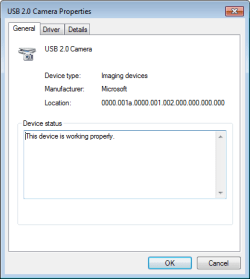
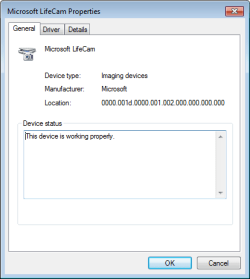
2. Both cams show up in Device manager under Imaging Device with status "This device is working properly."
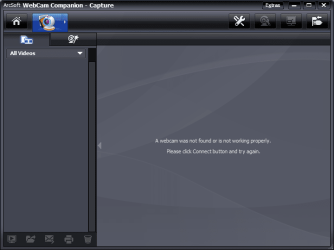
3. None of my programs are unable to detect either of the cams (skype, google talk, ArcSoft Webcam Companion).

4. I had turned on a few services (because my computer became too slow), so I thought that could be the reason. So I tried turning on ALL the services, but no success.

What else should I check?

Any ideas what else can be wrong?
 

My Computer

OS
windows 7 home edition 64 bit
Is it possible you have used any registry cleaners or tweaking tools recently?
 

My Computer

Computer Manufacturer/Model Number
Insane hobo technologies. ;-)
OS
Windows 7 x64
CPU
Intel i7 2600k
Motherboard
Asrock z68 extreme 4 gen 3
Memory
G.skill Ripjaw 16gigs @ 1866
Graphics Card(s)
Nvidia gtx580 (evga)
Sound Card
Integrated HD audio + hdmi
Monitor(s) Displays
24" ASUS widescreen + 42" insignia
Screen Resolution
1080p (1920x1080)
Hard Drives
128 Samsung 830
256 Samsung 840
3 x 1tb storage drive (various)
1 western digital 1tb (eSATA)
1 Seagate 1tb (eSATA)
PSU
1 kilowatt SLI/Crossfire rated Silverstone modular
Case
NZXT Phantom + additional 220 fan
Cooling
Zalmann
Keyboard
Microsoft wireless 3000 (v2)
Mouse
MS - wireless 5000 (bluetrack)
Internet Speed
depends on if you ask me or my provider.
Other Info
The above information is provided as is, and the author assumes no responsibility for issues it may cause with your sanity or fanboyism.
No I have not used any registry cleaners.
 

My Computer

OS
windows 7 home edition 64 bit
I am so bummed, I still need help.

Here are screenshots in case somebody can see what else can be wrong
 

Attachments

  • Screenshot1.png
    Screenshot1.png
    22 KB · Views: 6
  • Screenshot2.png
    Screenshot2.png
    17.4 KB · Views: 5
  • Screenshot3.png
    Screenshot3.png
    5.9 KB · Views: 5
  • Screenshot4.png
    Screenshot4.png
    5.8 KB · Views: 4

My Computer

OS
windows 7 home edition 64 bit
Update: issue fixed.

I uninstalled both cams. Restarted the machine and windows automatically reinstalled both devices. Now both cams are working.

Never came to know what was wrong.

P.S.: I got this idea after I fixed a DVD drive on a friend's computer about an hour ago. Looks like the solution works for many hardware devices.
 

My Computer

OS
windows 7 home edition 64 bit
Back
Top