Hi harryowns, I will try to help But I would suggest you post in the BSOD section.
BSOD Help and Support - Windows 7 Help Forums Just click the big orange 'New Thread' button and give it a descriptive title and explain what is happening. Please run this and attach it with your post
http://www.sevenforums.com/bsod-help-support/96879-blue-screen-death-bsod-posting-instructions.html
Also please fill out your detailed system specs as described below. Sometimes we need to look up a cpmponent and need the Manufacturer and model number to do that. This will help. Also include things like your PSU your CPU cooler the manufacturer of your Graphics card and all other info.
Please fill out your System Specs
Information
Your System Specs will help us to help you, and doing it in this manner will make them available to all helpers in every post and keep us from hunting for them. We ask that you fill them out in as much detail as possible including Desktop or Laptop, Model number if it is an OEM computer and all components with the Manufacturer and Model number if possible.
If you will go to your last post and click the 'System Specs' in the bottom left of the post, you will find a link to update your system specs. Please fill those out in as much detail as possible, making sure to click save at the bottom of the page. If you would like to know what we would like, you can click 'My System Specs' at the bottom left of this post to see mine. If you do not know what your components are, this will help you accomplish this task.
http://www.sevenforums.com/tutorials/180324-system-info-see-your-system-specs.html
As for your dump file. It is exactly what you already know.
Code:
 nvlddmkm
start             end                 module name
 fffff880`11083000 fffff880`11d11000   nvlddmkm T (no symbols)

[LEFT]Loaded symbol image file: [COLOR=red]nvlddmkm.sys[/COLOR]

Image path: \SystemRoot\system32\DRIVERS\nvlddmkm.sys
[LEFT]Image name: nvlddmkm.sys
Timestamp:        Wed Jul 02 12:42:02 2014 (53B4446A)
CheckSum:         00C4C7C9
ImageSize:        00C8E000
Translations:     0000.04b0 0000.04e4 0409.04b0 0409.04e4[/LEFT]
[/LEFT]
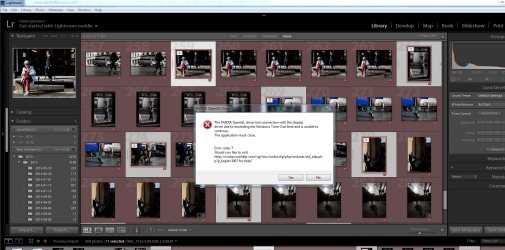
What you are having is usually very hard to nail down. It's Video TDR error. That is Time Delay and Response, meaning your drivers crashed and didn't recover in the time the OS allows for it to recover so the OS assumes a Graphics failure and crashes. It's quite common, but hard to nail down the cause.
First, please try a different graphics driver. But, this time install it like this
Also, is it safe to assume when you built the new machine, you did a clean install of the Operating system and downloaded the drivers from the motherboard's web site? If not, I would suggest you do that now. and run all Windows Updates except for the Graphics card, the on board graphics is not necessary if you have a dedicated card unless you are using something like VirtuMVP or something similar.
Try that and post with the results in the BSOD section.