BSOD: Page fault in non paged area and Memory Management error.

Ev0d3vil

New member
Member
Local time
3:07 AM
Messages
25
Encountered these two bsods within 15mins of each other. Now am currently running memtest86+ with one stick. If i have no errors on either stick, does it still mean my ram is error free? Do i need a change? I've reformatted the PC just 2 months back because of these two same issues too.
 

My Computer My Computer

At a glance

Windows 7 Home Edition 64 bit
OS
Windows 7 Home Edition 64 bit


Hi,

Please reconfigure windows to collect the correct info
You want small memory dumps - "MiniDumps"

:ar:http://www.sevenforums.com/tutorials/174459-dump-files-configure-windows-create-bsod.html

And here are the instructions for posting:

:ar: http://www.sevenforums.com/crashes-debugging/96879-blue-screen-death-bsod-posting-instructions.html

   Tip
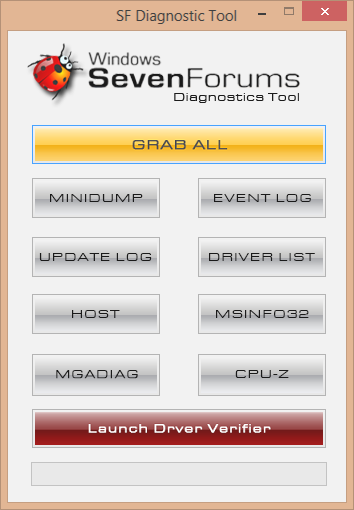
Ensure you click the "GRAB ALL" button and then wait for each window to appear in turn and then click OK


For your RAM, run memtest with all the modules in place to start, if errors occur
then follow section 3 in the tutorial.

Cheers

Dave
 

My Computer My Computer

At a glance

Windows 7 Professional 64bitAMD Athlon (tm) X2 5200+ Dual Core 2712 Mhz4GBNividia GeForce 8600 GTS- DIED 25/7/2013 R.I.P
Computer type
PC/Desktop
OS
Windows 7 Professional 64bit
CPU
AMD Athlon (tm) X2 5200+ Dual Core 2712 Mhz
Motherboard
Asus
Memory
4GB
Graphics Card(s)
Nividia GeForce 8600 GTS- DIED 25/7/2013 R.I.P
Sound Card
None
Monitor(s) Displays
22" Yuraku LCD (Dont ask)
Screen Resolution
1280x960
Hard Drives
2TB WD Caviar green
PSU
Windy up type
Case
Scout cm Storm
Cooling
Hair dryer on full cool power ;-)
Keyboard
QWERTY
Mouse
Microsoft Special
Internet Speed
BT Infinity 9.38Mb/s Wheeeeeeeeeeeeeeee!!
Antivirus
MSE
Browser
Internet Explore 10 and Chrome
Other Info
Don't shout...I've got a Hangover!


Hi,

Please reconfigure windows to collect the correct info
You want small memory dumps - "MiniDumps"

:ar:http://www.sevenforums.com/tutorials/174459-dump-files-configure-windows-create-bsod.html

And here are the instructions for posting:

:ar: http://www.sevenforums.com/crashes-debugging/96879-blue-screen-death-bsod-posting-instructions.html

   Tip
Ensure you click the "GRAB ALL" button and then wait for each window to appear in turn and then click OK


For your RAM, run memtest with all the modules in place to start, if errors occur
then follow section 3 in the tutorial.

Cheers

Dave
http://www.sevenforums.com/attachme...tic-tool-using-troubleshooting-screenshot.png

Okay, one of my sticks has errors. Definitely gonna change that stick. Waiting to test the other stick now.


My Computer My Computer

At a glance

Windows 7 Home Edition 64 bit
OS
Windows 7 Home Edition 64 bit
Ahh okay, but you also need to eliminate the memory slot (as in Section 3), as it
is possible the fault lies there.
 

My Computer My Computer

At a glance

Windows 7 Professional 64bitAMD Athlon (tm) X2 5200+ Dual Core 2712 Mhz4GBNividia GeForce 8600 GTS- DIED 25/7/2013 R.I.P
Computer type
PC/Desktop
OS
Windows 7 Professional 64bit
CPU
AMD Athlon (tm) X2 5200+ Dual Core 2712 Mhz
Motherboard
Asus
Memory
4GB
Graphics Card(s)
Nividia GeForce 8600 GTS- DIED 25/7/2013 R.I.P
Sound Card
None
Monitor(s) Displays
22" Yuraku LCD (Dont ask)
Screen Resolution
1280x960
Hard Drives
2TB WD Caviar green
PSU
Windy up type
Case
Scout cm Storm
Cooling
Hair dryer on full cool power ;-)
Keyboard
QWERTY
Mouse
Microsoft Special
Internet Speed
BT Infinity 9.38Mb/s Wheeeeeeeeeeeeeeee!!
Antivirus
MSE
Browser
Internet Explore 10 and Chrome
Other Info
Don't shout...I've got a Hangover!
Back
Top