
Ive re-installed windows
Updated all the drivers
Reseated GPU, RAM.
Checked if everythings connected correctly on mobo
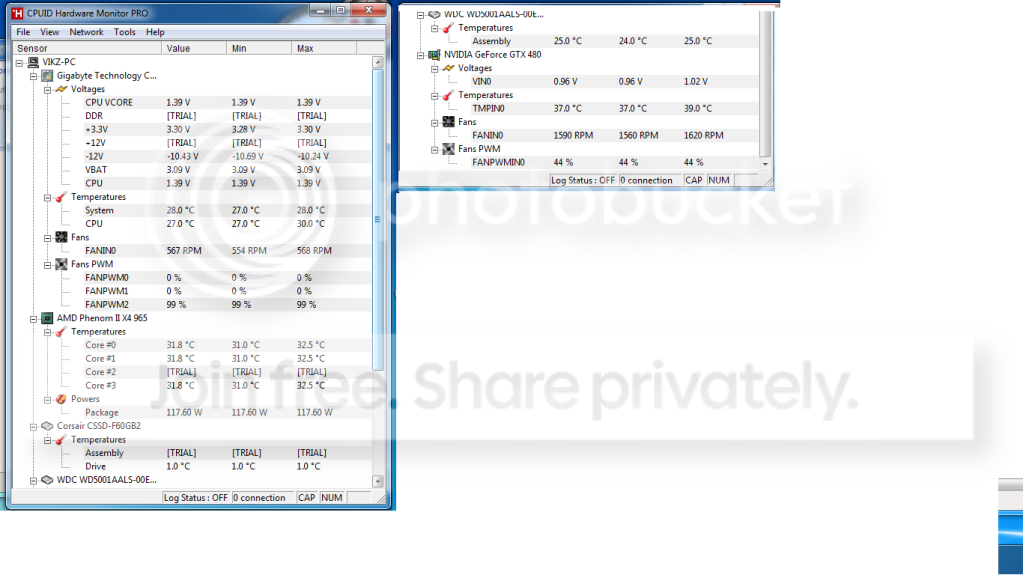
Checked temps they seem fine
Tried installing windows on only the SSD and on only the HDD
Everytime it crashes it needs a force shutdown
Sometimes it freezes on blue screen sometimes it gets past it and shuts down automatically.
And sometimes it just freezes.
Here are the screens ive been able to get so far.
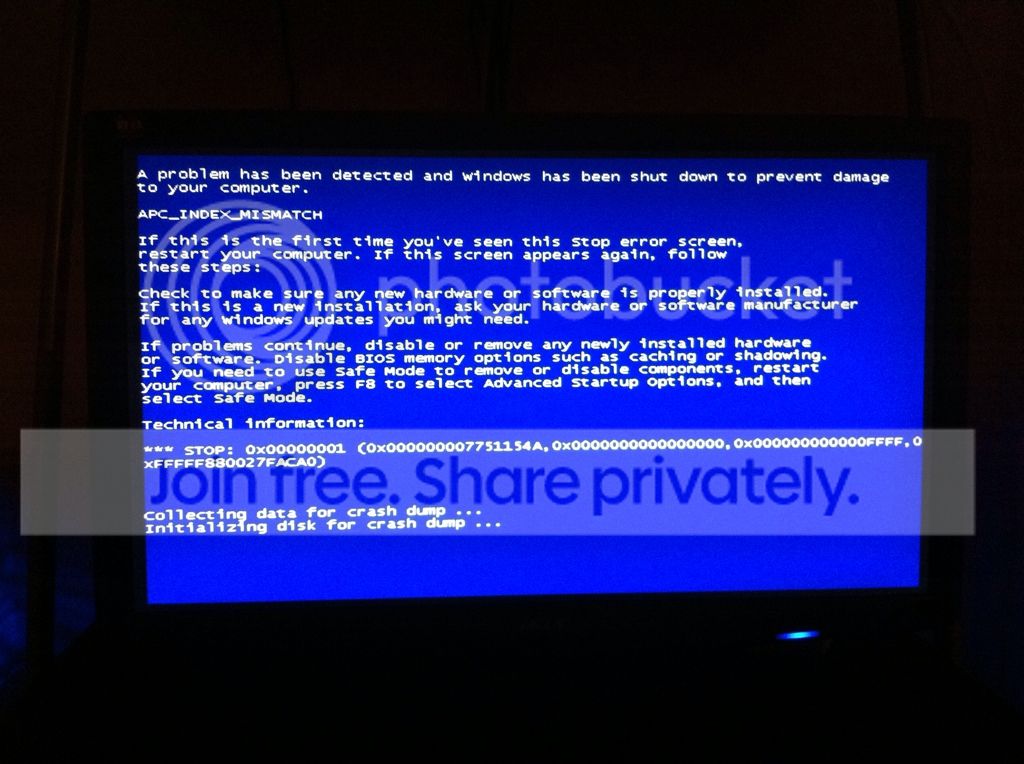
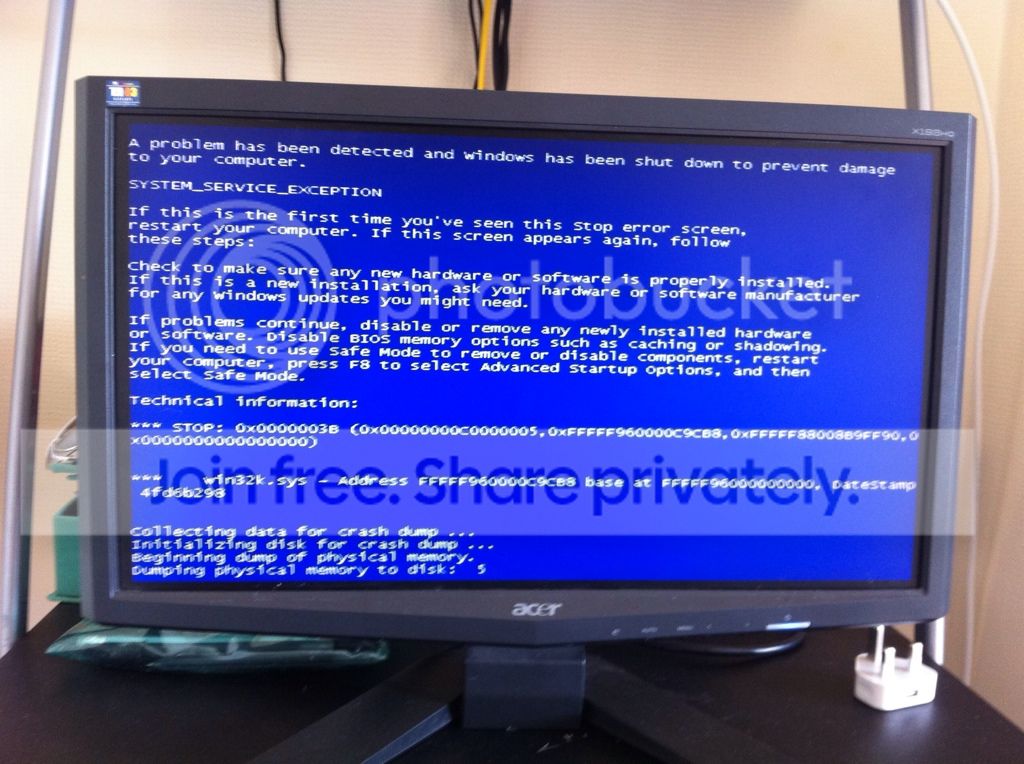
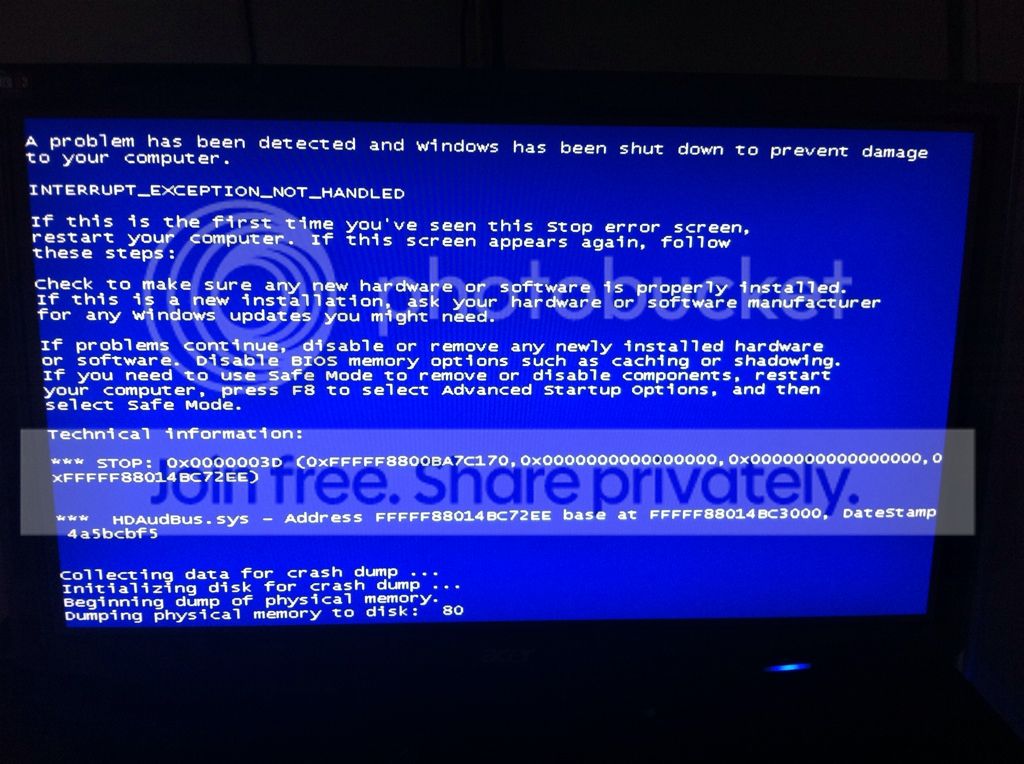
system spec : OS: Windows 7 Ultra 64-bit
Motherboard: GA-MA790XT- UD4P
Processor: AMD Phenom II X5 965 3.4ghz
Memory: 8192MB DDR3 1600mhz
Display: NVIDIA GeForce GTX 480 1.5gb ddr5
600 WATT CORSAIR POWER SUPPLY RATED BRONZE 80+
60GIG CORSAIR SSD DRIVE
i havent downloaded my motherboards SATA RAID/ AHCI/ SATA2 drivers or LAN drivers as ive already download the killer2100 drivers for my card, Could this be causing it ?
Does anything here look out of the ordinary?
Over here i dont understand Unganged mode:
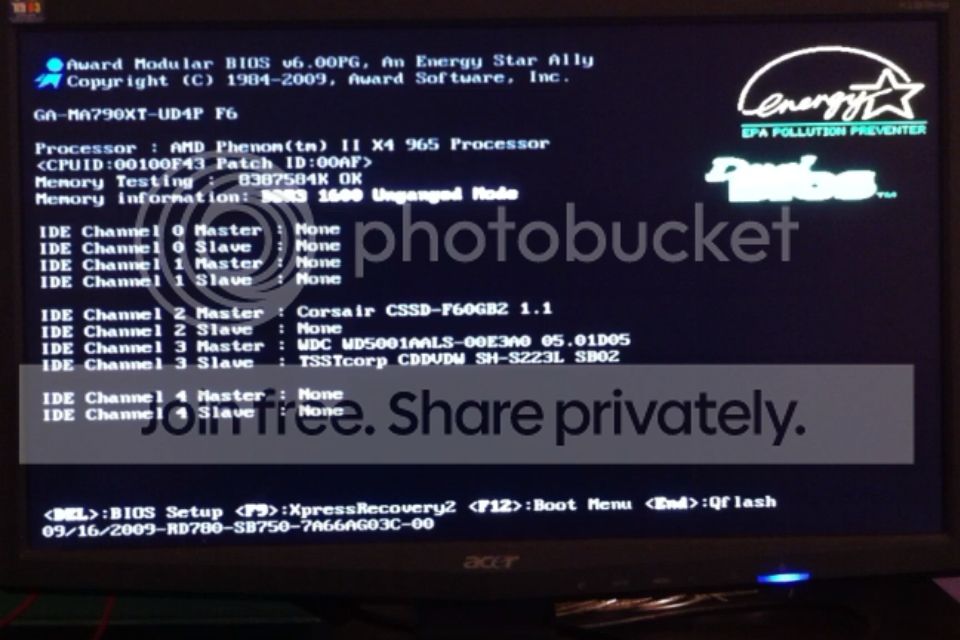
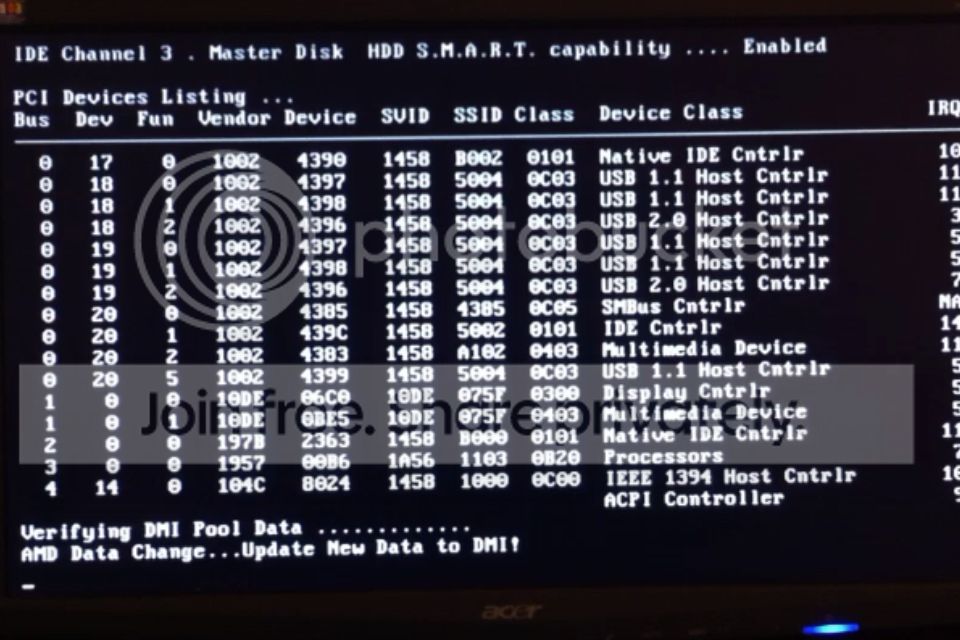
And here "update New DAta to DMI!" looks suspicious.
And here are some temps and voltages.
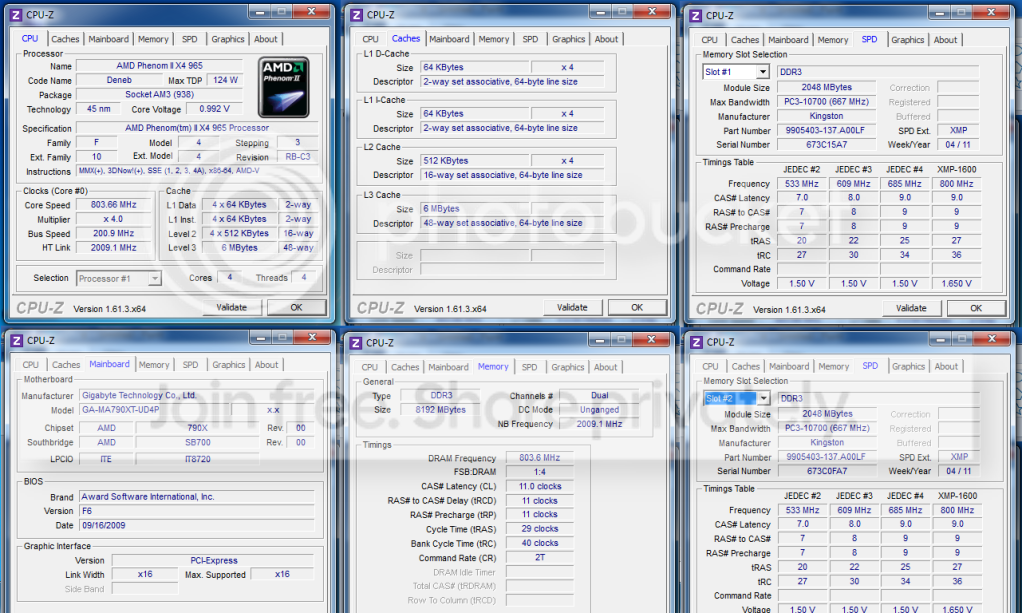

MY display software for my monitor wont install through windows update it says its failed everytime..... if that makes a difference to my BSOD?
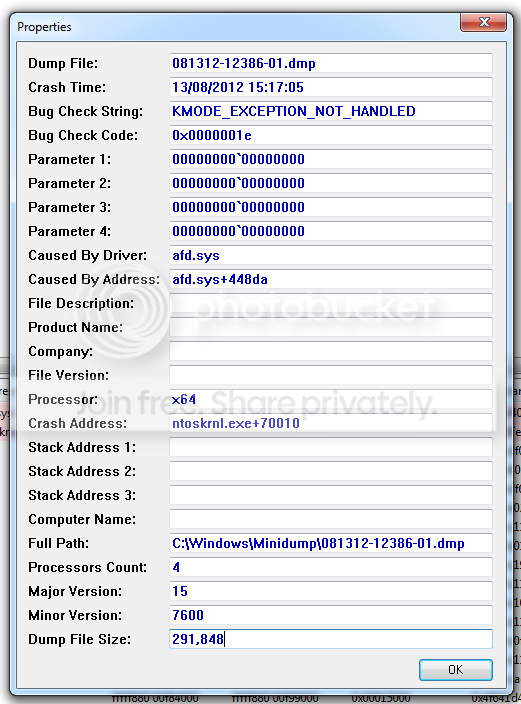
Just got this after the minidump finished for the first time on the BSOD
Problem signature:
Problem Event Name: BlueScreen
OS Version: 6.1.7600.2.0.0.256.1
Locale ID: 2057
Additional information about the problem:
BCCode: 1e
BCP1: 0000000000000000
BCP2: 0000000000000000
BCP3: 0000000000000000
BCP4: 0000000000000000
OS Version: 6_1_7600
Service Pack: 0_0
Product: 256_1
Files that help describe the problem:
C:\Windows\Minidump\081312-12386-01.dmp
C:\Users\VikZ\AppData\Local\Temp\WER-15022-0.sysdata.xml
Read our privacy statement online:
Windows 7 Privacy Statement - Microsoft Windows
If the online privacy statement is not available, please read our privacy statement offline:
C:\Windows\system32\en-US\erofflps.txt
MINIDUMP!

Thankyou so much who ever solves this!
Updated all the drivers
Reseated GPU, RAM.
Checked if everythings connected correctly on mobo
Checked temps they seem fine
Tried installing windows on only the SSD and on only the HDD
Everytime it crashes it needs a force shutdown
Sometimes it freezes on blue screen sometimes it gets past it and shuts down automatically.
And sometimes it just freezes.
Here are the screens ive been able to get so far.
system spec : OS: Windows 7 Ultra 64-bit
Motherboard: GA-MA790XT- UD4P
Processor: AMD Phenom II X5 965 3.4ghz
Memory: 8192MB DDR3 1600mhz
Display: NVIDIA GeForce GTX 480 1.5gb ddr5
600 WATT CORSAIR POWER SUPPLY RATED BRONZE 80+
60GIG CORSAIR SSD DRIVE
i havent downloaded my motherboards SATA RAID/ AHCI/ SATA2 drivers or LAN drivers as ive already download the killer2100 drivers for my card, Could this be causing it ?
Does anything here look out of the ordinary?
Over here i dont understand Unganged mode:
And here "update New DAta to DMI!" looks suspicious.
And here are some temps and voltages.
MY display software for my monitor wont install through windows update it says its failed everytime..... if that makes a difference to my BSOD?
Just got this after the minidump finished for the first time on the BSOD
Problem signature:
Problem Event Name: BlueScreen
OS Version: 6.1.7600.2.0.0.256.1
Locale ID: 2057
Additional information about the problem:
BCCode: 1e
BCP1: 0000000000000000
BCP2: 0000000000000000
BCP3: 0000000000000000
BCP4: 0000000000000000
OS Version: 6_1_7600
Service Pack: 0_0
Product: 256_1
Files that help describe the problem:
C:\Windows\Minidump\081312-12386-01.dmp
C:\Users\VikZ\AppData\Local\Temp\WER-15022-0.sysdata.xml
Read our privacy statement online:
Windows 7 Privacy Statement - Microsoft Windows
If the online privacy statement is not available, please read our privacy statement offline:
C:\Windows\system32\en-US\erofflps.txt
MINIDUMP!
Thankyou so much who ever solves this!
My Computer
- OS
- Windows 7 Ultimate x64


 Have fun!