can anyone help me in this error

karimla131

New member
Local time
3:52 AM
Messages
18
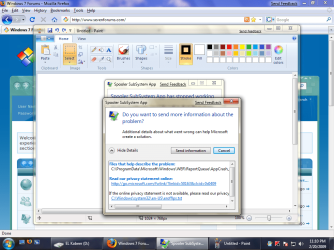
i allows get this error " spooler subsystem app "

i upload the pic please help

thank

kareem
 

Attachments

  • Untitled.png
    Untitled.png
    105.7 KB · Views: 152

My Computer

OS
Windows 7
First off , you have some Windows updates waiting to be installed. Install them.

Secondly, there's a notification on your Action Center. What is it? Check to correct it.

And last , I'm not sure if Kaspersky works fine with Windows 7. Try Avast antivirus instead.

Now , since you have done the above and the problem persists, try re-installing your printer drivers of you have any. If not, please post back
 

My Computer

Computer Manufacturer/Model Number
ENIAC
OS
Windows 7 RC 7100 32bit/64bit
CPU
Intel Core2Duo E4500 2.20 GHz
Motherboard
ASUS P5LD2-X/1333
Memory
2x1GB Kinsgston DDR2 800MHz
Graphics Card(s)
Nvidia 8500GT
Sound Card
Onboard High Definition Audio Device
Monitor(s) Displays
Sony Bravia 42"
Case
LINKW 2222
Cooling
Standard Intel
Keyboard
Some cheap one
Mouse
Microsoft Intellimouse something
Internet Speed
24MBps ADSL
are you sure that kaspersky internet security doesn't work good with windows 7
and i heard that Kasper better than Avast i think so
and i installed the update
 

My Computer

OS
Windows 7
Hi Kareem,

The current beta version of Kaspersky (8.0.0.1071) works fine with W7 and it is what I am using. The only thing is, with it being beta, the update servers aren't updated as regularly as for full products (there are actually different servers used to host updates for beta and full products).

As limneos says, what is the notification showing in your Action Center?
 

My Computer

Computer type
PC/Desktop
Computer Manufacturer/Model Number
Dwarf Dwf/11/2012 r09/2013
OS
Windows 8.1 Pro RTM x64
CPU
Intel Core-i5-3570K 4-core @ 3.4GHz (Ivy Bridge) (OC 4.4GHz)
Motherboard
ASRock Z77 Extreme4-M
Memory
4 x 4GB DDR3-1600 Corsair Vengeance CMZ8GX3M2A1600C9B (16GB)
Graphics Card(s)
MSI GeForce GTX770 Gaming OC 2GB
Sound Card
Realtek High Definition on board solution (ALC 898)
Monitor(s) Displays
ViewSonic VA1912w Widescreen (VGA)
Screen Resolution
1440x900
Hard Drives
OCZ Agility 3 SSD 120GB SATA III x2 (RAID 0)
Samsung HD501LJ 500GB SATA II x2
Hitachi HDS721010CLA332 1TB SATA II
Iomega 1.5TB Ext USB 2.0
WD 2.0TB Ext USB 3.0
PSU
XFX Pro Series 850W Semi-Modular
Case
Gigabyte IF233
Cooling
1 x 120mm Front Inlet 1 x 120mm Rear Exhaust
Keyboard
Microsoft Comfort Curve Keyboard 3000 (USB)
Mouse
Microsoft Comfort Mouse 3000 for Business (USB)
Internet Speed
NetGear DG834Gv3 ADSL Modem/Router (Ethernet) ~4.0 Mb/s (O2)
Antivirus
Avast! 8.0.1497
Browser
IE 11
Other Info
Optical Drive: HL-DT-ST BD-RE BH10LS30 SATA Bluray
Lexmark S305 Printer/Scanner/Copier (USB)
WEI Score: 8.1/8.1/8.5/8.5/8.25
Asus Eee PC 1011PX Netbook (Windows 7 x86 Starter)
Just so this thread doesn't get away, the Print Spooler problem is normally caused by an errant print driver. Thus the suggestion to uninstall and reinstall your print driver.

Have you installed a printer lately and where did you get the driver for it?
 

My Computer

Computer Manufacturer/Model Number
Homebuilt
OS
Windows 7 x64
CPU
i7-2600K
Motherboard
Asus P8Z77-v Pro
Memory
8 G
Graphics Card(s)
GTX 480
Sound Card
Onboard
Monitor(s) Displays
LG W2753V
Screen Resolution
1920x1080
Hard Drives
Crucial M4 128 G SSD
i dont have printer so i didnt install any drive for it
 

My Computer

OS
Windows 7
Back
Top
