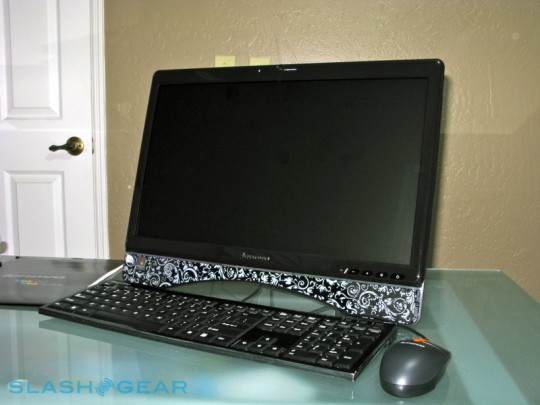
can i customly put HDMI in port in my old Lenovo c300

yugzyugz

New member
Member
Local time
8:42 PM
Messages
31
Hi today my parents are going to replace our old desktop which were only used for paper projects. I remembered that it was bought way back 2005, it doesn't stand out much because of its specs which were kinda slow but it does have a big screen resolution 1600x900. Instead of putting it to waste I was thinking if i could put a custom hdmi in port so i could maybe use it for my Playstation 4 and put it into my bedroom. Can any guys with experience explain if it's possible or not :) ?

LENOVO C300 SPECS PDF

Lenovo-C300-3012-2DU-05-r3media-540x405.jpg


(photo reference:SlashGear - Feeding Your Gadget and Tech Obsessions)
 
Last edited:

My Computer My Computer

At a glance

Pre installed windows 8 x64. upgraded to 8.1 ...4g ramAMD Radeon™ HD 6520G
Computer type
PC/Desktop
Computer Manufacturer/Model Number
Acer Aspire V5-473PG
OS
Pre installed windows 8 x64. upgraded to 8.1 via windows store
Memory
4g ram
Graphics Card(s)
AMD Radeon™ HD 6520G
Other Info
Intel i5-4200u 1.6ghz / NVIDIA geForce GT 740M
Well, that's a PC integrated to the monitor, and I don't see any display input ports in the tech specs.

Still, can you take a good close-up photo of the back side where the input ports are?
 

My Computer My Computer

At a glance

Windows 7 Ultimate x64 SP1AMD Phenom 2 1090T2x8GB Kingston HyperX Fury Black 1600Mhz Unga...MSI GTX 970 Gaming 4G
Computer type
PC/Desktop
Computer Manufacturer/Model Number
Custom Build
OS
Windows 7 Ultimate x64 SP1
CPU
AMD Phenom 2 1090T
Motherboard
Gigabyte GA-890FXA-UD5
Memory
2x8GB Kingston HyperX Fury Black 1600Mhz Unganged
Graphics Card(s)
MSI GTX 970 Gaming 4G
Sound Card
Realtek On-Board HD 7.1 Audio / Logitech G35
Monitor(s) Displays
3xAcer GD245HQ
Screen Resolution
1920x1080
Hard Drives
Samsung 850 Pro 512GB SSD - OS /
WD Caviar Black SATA 3 - 1 TBx2 - Dynamic RAID 0 /
WD Caviar Green SATA 2 - 640GBx2 - Dynamic RAID 0 /
WD Caviar Green SATA 2 - 640GB - Internal Backup /
Seagate Barracude SATA 3 - 3TB - External Backup/ Sync
PSU
HighPower 1000W
Case
Cooler Master HAF 932
Cooling
Noctua NH-D14
Keyboard
Logitech G19
Mouse
Logitech G500
Internet Speed
100/4 Mbit Cable (100GB quota)
Antivirus
ZoneAlarm Extreme Security / MBAM Pro / MBAE Free / SAS Free
Browser
IE 11 - Firefox - Chrome
Other Info
Logitech F710/ G27/ G940/ Z5500 // TrackIR 5 // Nvidia 3D Surround Vision
In one word NO. You cannot add an HDMI input port to anything as the standard is proprietary and secret. You can add an HDMI output to computers by adding a video card but that is output only. The computer in question is an all in one device and is basically crippled to as it came. You could max out the memory and swap out the hard drive for an SSD which would speed it up. That is basically all you can do with it. You can pick up computer monitors with DVI and or HDMI inputs quite cheaply. Digital DVI and HDMI are different connectors of the same thing.
 

My Computer My Computer

At a glance

Windows 7 x64 Ultimate and numerous virtual m...AMD FX-8350 Vishera 32nm Technology @ 4.2 GHz...G Skill 32.0GB Dual-Channel DDR3 @ 1204MHz (1...EVGA GeForce GTX 960 4GB Super SC ACX 2.0+ wi...
Computer type
PC/Desktop
Computer Manufacturer/Model Number
Bluethunder II
OS
Windows 7 x64 Ultimate and numerous virtual machines
CPU
AMD FX-8350 Vishera 32nm Technology @ 4.2 GHz default
Motherboard
ASUSTeK COMPUTER INC. SABERTOOTH 990FX R2.0 (Socket 942)
Memory
G Skill 32.0GB Dual-Channel DDR3 @ 1204MHz (11-13-13-31)
Graphics Card(s)
EVGA GeForce GTX 960 4GB Super SC ACX 2.0+ with Back Plate
Sound Card
Creative X-Fi Titanium HD Audiophile PCIe
Monitor(s) Displays
LG L227WTG x 3
Screen Resolution
1680 x 1050 16:10
Hard Drives
238GB Samsung850 PRO SATA Disk Device (SSD)
1863GB Seagate ST2000DM 001-1CH164 (SATA)
1397GB Seagate ST1500DL 003-9VT16L(SATA)
466GB Western Digital WDC WD50 03AZEX-00K1GA0 (SATA) x 2
932GB Seagate ST310005 28AS SATA Disk Device (SATA)
PSU
Enermax Revolution87+ 1000 Watts Gold Certified Power Supply
Case
Rocketfish Full Tower
Cooling
Cooler Master Hyper 212 EVO Push Pull 120mm Fans
Keyboard
Logitech K740
Mouse
Logitech G100S Laser LED + Logitech Gamepad F310
Internet Speed
500 mbs down and 30mbs up
Antivirus
Malwarebytes Pro & Avast and MSE on certain Virtual Machines
Browser
Firefox (Main) Chrome, Internet Explorer (Back Up)
Other Info
Logitech X 230 2.1 Stereo System and 5.1 Yamaha RX V2090
B&W DM6 Monitor Speakers + Center and Surround Speakers
Using Mouse Without Borders (Google it)
Back
Top