Can I Scan A Negative And Make It Lokk Like A Photo?

Leo6

New member
Local time
6:15 PM
Messages
26
Hi Everyone;

I have some negatives from film. These negatives haven't been developed into photos. I'm just wondering if there is any way to scan these negatives into my computer using my scanner and use software to make them look like photographs?
 

My Computer My Computer

At a glance

Microsoft Windows 7 Home Premium 64-bit 7601 ...AMD Athlon(tm) II X2 240 Processor3.00 GBNVIDIA GeForce 6150SE nForce 430
Computer type
PC/Desktop
Computer Manufacturer/Model Number
HP
OS
Microsoft Windows 7 Home Premium 64-bit 7601 Multiprocessor Free Service Pack 1
CPU
AMD Athlon(tm) II X2 240 Processor
Motherboard
PEGATRON CORPORATION Narra6
Memory
3.00 GB
Graphics Card(s)
NVIDIA GeForce 6150SE nForce 430
Sound Card
Realtek High Definition Audio
Screen Resolution
1600 x 900 x 32 bits (4294967296 colors) @ 60 Hz
Hard Drives
ST350041 8AS SCSI Disk Device
Browser
Internet Explorer 10
Hi Everyone;

I have some negatives from film. These negatives haven't been developed into photos. I'm just wondering if there is any way to scan these negatives into my computer using my scanner and use software to make them look like photographs?

Sure. Photoshop can do that with the "invert" function.

Here's 6 pix.

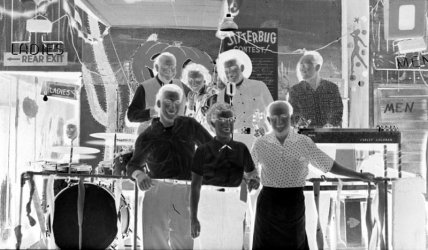
3 black and white. The original, the invert, and the invert of the invert--which looks just like the original

3 color. The original, the invert, and the invert of the invert--which looks just like the original.

I'd guess there are other applications that can do the same thing if you don't have Photoshop.

For all I know, you might be able to invert them right in the scanner, without using other software.
 

Attachments

  • bw.jpg
    bw.jpg
    59.8 KB · Views: 2
  • bw inverted.jpg
    bw inverted.jpg
    89.1 KB · Views: 2
  • bw invert of the invert.jpg
    bw invert of the invert.jpg
    89.1 KB · Views: 2
  • color.jpg
    color.jpg
    41.7 KB · Views: 29
  • color invert.jpg
    color invert.jpg
    69.3 KB · Views: 29
  • color invert of the invert.jpg
    color invert of the invert.jpg
    69.3 KB · Views: 29

My Computer My Computer

At a glance

Windows 7 Home Premium SP1, 64-bitIntel Skylake i5-6600K, not overclocked8 GB HyperX DDR4-2666 (2 x 4 GB)none; graphics are integrated on CPU
Computer type
PC/Desktop
Computer Manufacturer/Model Number
Ignatz Special; 4 speed manual gearbox; factory air conditioning; one of one
OS
Windows 7 Home Premium SP1, 64-bit
CPU
Intel Skylake i5-6600K, not overclocked
Motherboard
AsRock Z170M Extreme 4, micro ATX
Memory
8 GB HyperX DDR4-2666 (2 x 4 GB)
Graphics Card(s)
none; graphics are integrated on CPU
Sound Card
onboard: Realtek ALC1150; external: USB Behringer UF0-202
Monitor(s) Displays
Dell S2340M 23 inch IPS
Screen Resolution
1600 x 900
Hard Drives
System: Crucial MX100 series SSD, 128 GB;
Data: Samsung Spinpoint 103SJ, 1 TB;
Backup: WD Caviar Green WD30EZRX-00D8PB0, 3 TB
PSU
Rosewill SilentNight 500 watt fanless, semi-modular
Case
Antec Solo II
Cooling
Noctua NH-U12S; Noctua F12 intake, Noctua S12A exhaust
Keyboard
Microsoft 200 6JH-00001 USB
Mouse
Dell or Microsoft optical wired; USB
Antivirus
Microsoft Security Essentials and Malwarebytes Premium
Browser
Pale Moon
Other Info
All fans PWM; speeds at idle: CPU circa 500 rpm; intake circa 600 rpm; exhaust circa 600 rpm; CPU temps 27 idle and 47 C load in a warm room (27 C/81 F) when running Intel Extreme Tuning Utility stress test.
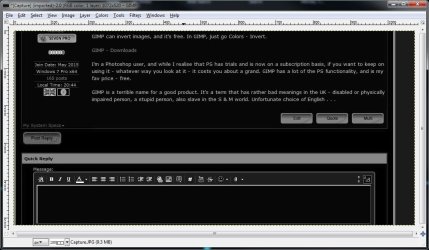
GIMP can invert images, and it's free. In GIMP, just go Colors - Invert.

GIMP - Downloads

I'm a Photoshop user, and while I realise that PS has trials and is now on a subscription basis, if you want to keep on using it - whatever way you look at it - it costs you about a grand. GIMP has a lot of the PS functionality, and is my fav price - free.

GIMP is a terrible name for a good product. It's a term that has rather bad meanings in the UK - disabled or physically impaired person, a stupid person, also slave in the S & M world. Unfortunate choice of English . . .

edit - desat + invert in GIMP

inverted.jpg
 

My Computer My Computer

At a glance

W10 Pro x64, W7 Pro x64 in VMwarei7 2600K @ 4.4GHz8GB Mushkin @ 1600MHzNvidia GTX 750 Ti

Computer type
PC/Desktop
Computer Manufacturer/Model Number
self build
OS
W10 Pro x64, W7 Pro x64 in VMware
CPU
i7 2600K @ 4.4GHz
Motherboard
MSI Z68A-GD80
Memory
8GB Mushkin @ 1600MHz
Graphics Card(s)
Nvidia GTX 750 Ti
Monitor(s) Displays
27" Benq + 27" LG
Screen Resolution
1080p
Hard Drives
500GB 850 Evo SSD + 3 * 2TB Seagate
PSU
EVGA 650 GS modular
Case
Antec 300
Cooling
Seidon 120V v2
Internet Speed
62/18 Mbps
Antivirus
Defender (W10) + MSE (W7)
Browser
Firefox
Back
Top