Today is not a good day - one of those days where I am ready to pull my hair out.
I have 2 identical 16GB USB3 sticks that I ordered the same day and got the same day. On stick#1 I installed a persistent Mint system and that works beautifully. Then I wanted to test whether I could image that stick and restore it on stick#2. That worked beautifully too. But then the problems began.
On stick#1 I installed VMware Player and that works well as you can see here. Then I thought that this may be worth a tutorial and wanted to repeat the exact same VMware installation process on stick#2 so that I could make some screenshots. Mint has a very nice screenshot program. One would think that repeating the exact same installation would be a piece of cake - not so. The thing does not budge.
Then I install a screen recorder on stick#2 and although it did not like VMware, the screen recorder works perfectly. Now I want that same screenrecorder on stick#1. One would think that it works like on stick#2 - not so. It does not work at all. And that is a program I have installed a few times in different Linux distros - always working.
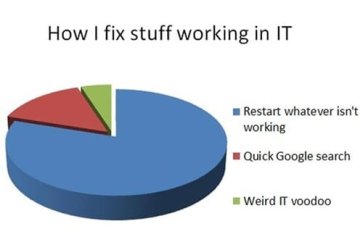
After over 50 years in IT I still don't understand why these things happen - like the other day where one of my partitions vanished from one minute to the next without me doing anything. If you understand the mysteries of IT, please explain.
My Computer
At a glance
Vista, Windows7, Mint Mate, Zorin, Windows 8from 1.6GHz Duo to i7
Computer Manufacturer/Model Number
HP, Dell, Gateway, Toshiba - 4 laptops and 2 desktops
Wolfgang their has been times when I use a 3rd party partition tool I would have to reboot a couple three times before Windows would register the change.
Problem is I have no idea why.
Do you do reboots between using stick #1 and stick#2?
My Computer
At a glance
Windows 10 Pro. 64/ version 1709 Windows 7 Pr...Intel i7-6800K @ 4.3Corsair Platinum 16 gig @2400EVGA GTX 1070 OC
Computer type
PC/Desktop
Computer Manufacturer/Model Number
Home made Desktop
OS
Windows 10 Pro. 64/ version 1709 Windows 7 Pro/64
CPU
Intel i7-6800K @ 4.3
Motherboard
ASUS X-99 Deluxe II
Memory
Corsair Platinum 16 gig @2400
Graphics Card(s)
EVGA GTX 1070 OC
Monitor(s) Displays
Asus 27" LED LCD/VE278Q
Screen Resolution
1920-1080 or 1280-720 HDMI
Hard Drives
INTEL SSD 730-240 Gb Sata 3.0/
PSU
EVGA Platium 1200W
Case
Phanteks Luxe Tempered Glass 8 fans/ one radiator
Cooling
XSPC/ Water Cooled CPU
Keyboard
Das 4 Professional
Mouse
Logitech M705/MX Anywhere 2-S
Internet Speed
100 mbits
Antivirus
Microsoft Security Essentials/ Malwarebytes Premium 3.0/ SAS
Browser
I.E. 11 default/Firefox/ ISP Time Warner Cable/Spectrum
Other Info
LG BluRay Burner/
Sound system-KLipsch-THX/
Icy Dock ssd Hot Swap bays.
No Jack, I am still experimenting with the thing. I have 4 sticks now with portable Mint versions and they all behave differently. Now I am trying to create a larger casper-rw loop file which gets me into all kinds of deep yogurt. Unfortunately the setup program creates only a 4GB file and 90% of e.g. my 120GB stick is empty. And 4GB is not a lot of persistent storage if you want to put music and videos on it.
I did not really expect anybody to solve my problems. I guess I just had to vent because there was no logic to what was happening. Jimbo gave me some useful input in another thread on the 8-forums. He seems to know a lot about Linux. My problem is that my command line skills are very limited. And in Linux you always end up in Terminal if you want to do anything a bit advanced.
My Computer
At a glance
Vista, Windows7, Mint Mate, Zorin, Windows 8from 1.6GHz Duo to i7
Computer Manufacturer/Model Number
HP, Dell, Gateway, Toshiba - 4 laptops and 2 desktops
Thanks Jack for posting the link. I think I am familiar with the file. My problem is to find out how to change it from 4GB to e.g. 10GB. There are commands like
I will Jack. I may just abandon the project. It is just a fun project that serves no particular purpose. I will make a last attempt and ask my buddies at the Mint forum for help.
My Computer
At a glance
Vista, Windows7, Mint Mate, Zorin, Windows 8from 1.6GHz Duo to i7
Computer Manufacturer/Model Number
HP, Dell, Gateway, Toshiba - 4 laptops and 2 desktops
Windows 10 ProAMD Ryzen 5 2400G Processor with Radeon RX Ve...G.SKILL Ripjaws V Series 16GB (2 x 8GB) 288-P...2047MB NVIDIA GeForce GTX 1060 6GB (EVGA)
Well, the good news is that I finally got a Casper-rw file that covers the remainder of my stick. But it only works on the 16GB stick. The installer allocated it there automatically. I would have loved to get it on my 120GB stick too, but not yet. Maybe some more experimenting will do it.
My Computer
At a glance
Vista, Windows7, Mint Mate, Zorin, Windows 8from 1.6GHz Duo to i7
Computer Manufacturer/Model Number
HP, Dell, Gateway, Toshiba - 4 laptops and 2 desktops
Probably a dumb question because I don't fully understand your setup...
You are running Mint plus other programs on the USB flash drive so what boot manager are you using?
I know with grub4dos, programs need to be contiguous and sometimes need to be preloaded into RAM if they are stored on the USB in a non contiguous fashion.
My Computer
At a glance
Windows 7x64 Home Premium SP1Intel i7 2600kG.Skill Ripjaws (DDR3-1600) 2x4GBNvidia GeForce GTS 450; Intel HD Graphics 300...
Computer type
PC/Desktop
Computer Manufacturer/Model Number
Own build
OS
Windows 7x64 Home Premium SP1
CPU
Intel i7 2600k
Motherboard
ASUS P8Z68 Deluxe
Memory
G.Skill Ripjaws (DDR3-1600) 2x4GB
Graphics Card(s)
Nvidia GeForce GTS 450; Intel HD Graphics 3000(GT2+)
Michael, I use the Universal USB Installer. That installs the system automatically (from an iso) with 3 clicks. Runs great and is very fast - especially for the internet.
My Computer
At a glance
Vista, Windows7, Mint Mate, Zorin, Windows 8from 1.6GHz Duo to i7
Computer Manufacturer/Model Number
HP, Dell, Gateway, Toshiba - 4 laptops and 2 desktops
There is really no problem with the universal installer. The only mystery was that it did not use the whole stick for the casper-rw file - at least not on sticks larger than 16GBs. That restricts you in the amount of data you can put on the stick. But now I managed to get 12GBs and that is enough for the purpose.
My Computer
At a glance
Vista, Windows7, Mint Mate, Zorin, Windows 8from 1.6GHz Duo to i7
Computer Manufacturer/Model Number
HP, Dell, Gateway, Toshiba - 4 laptops and 2 desktops