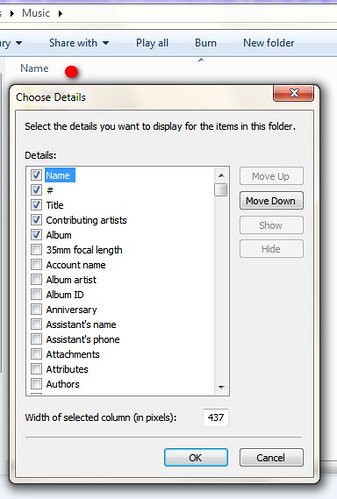
Can we modify or add a custom columns on Explorer?
i just installed dBpoweramp and i can see a complete metadata info about the audio files via popup info & Audio Properties tab (created by dBpoweramp), i consider some of them are advanced info like encoder settings, accuraterip results, CD catalog, etc. can we add a custom columns on Explorer for these info?
and tried to add an extra columns like 'compression ratio', 'encoded by' & 'bit depth' on Explorer but it shows nothing. I can see via dBpoweramp for some audio files, but not on Explorer, it just blank. can i fix this?
Thanks in advance
i just installed dBpoweramp and i can see a complete metadata info about the audio files via popup info & Audio Properties tab (created by dBpoweramp), i consider some of them are advanced info like encoder settings, accuraterip results, CD catalog, etc. can we add a custom columns on Explorer for these info?
and tried to add an extra columns like 'compression ratio', 'encoded by' & 'bit depth' on Explorer but it shows nothing. I can see via dBpoweramp for some audio files, but not on Explorer, it just blank. can i fix this?
Thanks in advance
My Computer
At a glance
Windows 7 Home Premium 64bitAMD Phenom II X6 1090TGSkill Flare 2x2GB DDR3AMD Radeon HD 6850
- OS
- Windows 7 Home Premium 64bit
- CPU
- AMD Phenom II X6 1090T
- Motherboard
- MSI 890FXA-GD70
- Memory
- GSkill Flare 2x2GB DDR3
- Graphics Card(s)
- AMD Radeon HD 6850
- Sound Card
- Creative USB SB X-FI Surround 5.1 - External
- Monitor(s) Displays
- Samsung BX2250 22"
- Screen Resolution
- 1920x1080
- Hard Drives
- Corsair Force GT 120GB SSD
WDC Black 1TB SATA3
- PSU
- NZXT Hale90 750W
- Case
- NZXT Phantom White
- Cooling
- Noctua NH-U9B SE2
- Keyboard
- Logitech Wireless K350
- Mouse
- Logitech Wireless Mouse