Solved Can you have too many File000.Chk, Desktop.ini and Thumbs.db?

Melissa

New member
Power User
Local time
2:25 AM
Messages
394
Dear Forum,

I am just trying to get back on my feet. Have to go back into surgery to tweek some more cognitive signs so that I can complete my restart to my computer from start.


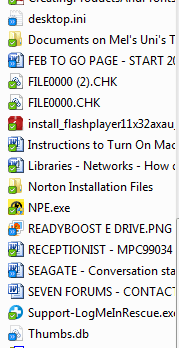
I am just wondering with all the moving that I have done to clear my desktop - can you have too many File000.chk, desktop.ini and Thumbs.db on your desktop?

I am not too sure of all of there functions or if they get recreated in the file that you perhaps did or did not move the contents too?

I will posting a couple of other general easy questions as I know I am a pain in the backside
 

Attachments
  • FILECHECK PIC.PNG
    FILECHECK PIC.PNG
    7.3 KB · Views: 13

My Computer My Computer

At a glance

Windows 7 Home Premium 64bitWindows 7 Service Pack 1 x86 NTFS4 GB
Computer type
Laptop
Computer Manufacturer/Model Number
Sony VAIO / E Series VPCEB46FG
OS
Windows 7 Home Premium 64bit
CPU
Windows 7 Service Pack 1 x86 NTFS
Motherboard
AMD E-350 Processor
Memory
4 GB
Hard Drives
500GB
Other Info
1.6GHz
The files ending in CHK are the result of checking the hard drive for errors. It does not necessarily mean that the is anything wrong with the hard drive itself, but something caused parts of a file to get lost - perhaps a power outage.

You can delete the thumb.db files - they may come back.

Leave the desktop.ini files alone.
 

My Computer My Computer

At a glance

W7 Pro SP1 64biti78GBIntel HD Graphics
Computer type
Laptop
Computer Manufacturer/Model Number
Employer provided Dell Latitude
OS
W7 Pro SP1 64bit
CPU
i7
Memory
8GB
Graphics Card(s)
Intel HD Graphics
Hard Drives
crappy SSD
Antivirus
Employer mandated Symantec Endpoint Protection
Browser
Pale Moon 64bit, IE11 64bit & Chrome 64bit
IMO, deleting the thumbs.db files can slow down file browsing in explorer a bit because icon cache needs to be rebuilt which requires reading off the disk. Thumbs.db file stores a cache of all icons in a folder, so that they can be displayed in an instant. :)
 
Thanks for the asistance - especially with deleting the thumbs.db - I did not have a clue what file they related too.

If they are going to cause any issues - I will not delete them for sure.

I will marked as solved as I have many other silly questions.

Thank you
 

My Computer My Computer

At a glance

Windows 7 Home Premium 64bitWindows 7 Service Pack 1 x86 NTFS4 GB
Computer type
Laptop
Computer Manufacturer/Model Number
Sony VAIO / E Series VPCEB46FG
OS
Windows 7 Home Premium 64bit
CPU
Windows 7 Service Pack 1 x86 NTFS
Motherboard
AMD E-350 Processor
Memory
4 GB
Hard Drives
500GB
Other Info
1.6GHz
Thanks for the asistance - especially with deleting the thumbs.db - I did not have a clue what file they related too.

If they are going to cause any issues - I will not delete them for sure.

I will marked as solved as I have many other silly questions.

Thank you


Yes. Don't delete those .db files. They are there for good!

And there's nothing to be silly, it's great to see you having so much interest in learning stuff! :thumbsup:
 
Thanks for the asistance - especially with deleting the thumbs.db - I did not have a clue what file they related too.

If they are going to cause any issues - I will not delete them for sure.

I will marked as solved as I have many other silly questions.

Thank you


Yes. Don't delete those .db files. They are there for good!

And there's nothing to be silly, it's great to see you having so much interest in learning stuff! :thumbsup:
...but you are telling the OP to delete them in this post:
http://www.sevenforums.com/general-...d-you-empty-your-recycle-bin.html#post2349791
CCleaner deletes them by default.
Even the native Windows 7 Disk Cleanup applet deletes them by default.

These files do not always (if ever) clean themselves up. They keep thumbnails of photos that are no longer on the network share or local drive. It does not hurt to delete them every once in a while and let them be rebuilt fresh.
 

My Computer My Computer

At a glance

W7 Pro SP1 64biti78GBIntel HD Graphics
Computer type
Laptop
Computer Manufacturer/Model Number
Employer provided Dell Latitude
OS
W7 Pro SP1 64bit
CPU
i7
Memory
8GB
Graphics Card(s)
Intel HD Graphics
Hard Drives
crappy SSD
Antivirus
Employer mandated Symantec Endpoint Protection
Browser
Pale Moon 64bit, IE11 64bit & Chrome 64bit
Thanks for the asistance - especially with deleting the thumbs.db - I did not have a clue what file they related too.

If they are going to cause any issues - I will not delete them for sure.

I will marked as solved as I have many other silly questions.

Thank you


Yes. Don't delete those .db files. They are there for good!

And there's nothing to be silly, it's great to see you having so much interest in learning stuff! :thumbsup:
...but you are telling the OP to delete them in this post:
http://www.sevenforums.com/general-...d-you-empty-your-recycle-bin.html#post2349791
CCleaner deletes them by default.
Even the native Windows 7 Disk Cleanup applet deletes them by default.

Oh, that was my bad. Actually I have them unchecked at both the places. I have see deleting them does slow down file explorer since icon cache is rebuilt as soon as you open up a folder (which you can see as icons coming up one by one, though rapidly, but causes disk trashing, whereas if cache is already there, ALL icons appear in an instant, so the second case is always better).
 
As long as people understand that deleting them causes no harm, then we're good :-)

Yes, user might see a one time slow down until the next time they delete them :-(
 

My Computer My Computer

At a glance

W7 Pro SP1 64biti78GBIntel HD Graphics
Computer type
Laptop
Computer Manufacturer/Model Number
Employer provided Dell Latitude
OS
W7 Pro SP1 64bit
CPU
i7
Memory
8GB
Graphics Card(s)
Intel HD Graphics
Hard Drives
crappy SSD
Antivirus
Employer mandated Symantec Endpoint Protection
Browser
Pale Moon 64bit, IE11 64bit & Chrome 64bit
Just trying to get my head around CCleaner and what modules are safe to use.
Most people swear by it and love that I does it automatically.
I have been told not to use the registry section of it.

Have any of you users utilised this program and can advise me safely how to use it?

Thanks to you both - I feel better about my actions on Windows
 

My Computer My Computer

At a glance

Windows 7 Home Premium 64bitWindows 7 Service Pack 1 x86 NTFS4 GB
Computer type
Laptop
Computer Manufacturer/Model Number
Sony VAIO / E Series VPCEB46FG
OS
Windows 7 Home Premium 64bit
CPU
Windows 7 Service Pack 1 x86 NTFS
Motherboard
AMD E-350 Processor
Memory
4 GB
Hard Drives
500GB
Other Info
1.6GHz
Safely? I doubt you could be too unsafe with ccleaner. I've used it since it was version 1.2 and always used it to clean the registry on a monthly basis. It just looks for obvious stuff. Like a dynamic library pointer to a location that doesn't exist anymore or a file extension that isn't being used.

As far as how to use it: just check all the boxes except for those places where you want your OS to remember stuff. Like if you use chrome on a daily basis and remember 10 different logins, then uncheck some chrome boxes. If you use IE for online banking, feel free to clear everything on IE a little more often for added security (in case your bank has some sloppy code that leaves a session open).

I've recommended it's use to dozens of friends and family and heard no complaints.
 

My Computer My Computer

At a glance

Windows 7 Professional x64i5 2600k8GB GSkillGTX 570 + Intel integrated
Computer Manufacturer/Model Number
Custom
OS
Windows 7 Professional x64
CPU
i5 2600k
Motherboard
ASUS P8Z68-V PRO
Memory
8GB GSkill
Graphics Card(s)
GTX 570 + Intel integrated
Hard Drives
Samsung M4 60GB SSD
WD Caviar Black 1TB
Antivirus
No thanks
Browser
Anything but Safari
Any automated registry cleaner carries with it a some level of risk and (in most cases) no performance gain.

But - cleaning the registry makes some people feel good - so CCleaner includes a very conservative registry cleanup tool.

If you have an application that did a poor job of uninstalling, then there can be junk left behind in the registry. If you let CCleaner clear out what it finds from that bad uninstall, then you manually search the registry for remains of that bad install, you will probably find junk that CCleaner does not clean out. CCleaner is just not that aggressive of a cleaner.

I would like to see someone benchmark the performance and restart times of a computer that has years of use, never had its registry cleaned by a "registry cleaner". Then use a tool like CCleaner to only "clean" the registry. Do not clear temp files or defrag the drive - only benchmark before/after "cleaning" the registry.

That said, there are a few registry entries that can cause start up delays. An automated registry cleaner might find those for you, or might not.

I've used CCleaner's registry "cleaning" tool because I learn from what it shows me and I'll accept the risk of what it could barf. I just don't suggest that others use CCleaner's registry "cleaning" tool.


Even CCleaner's temp file cleanup tool is conservative. There are a few types of temp files that it does not remove by default. (e.g. orphaned MS Office temp files - the ones that begin with ~$) I'm not even sure that CCleaner will get rid of those files ending in CHK. You tell us :-)

As for which functions to safely use - run the cleaner and leave the other parts of the app alone. The other parts are good if you want to work thru some specific errors or problems with the help of those in this forum.
 

My Computer My Computer

At a glance

W7 Pro SP1 64biti78GBIntel HD Graphics
Computer type
Laptop
Computer Manufacturer/Model Number
Employer provided Dell Latitude
OS
W7 Pro SP1 64bit
CPU
i7
Memory
8GB
Graphics Card(s)
Intel HD Graphics
Hard Drives
crappy SSD
Antivirus
Employer mandated Symantec Endpoint Protection
Browser
Pale Moon 64bit, IE11 64bit & Chrome 64bit
Dear lovely people that responded prior,

I am just going through some old items for one last big tidy up on my desktop.

I am just enquiring as per the information provided in the posts on this subject.

1. Do not manually remove Thumbs.db as they will be required to be rebuilt and possibly cause issues.
2. It will be a great idea and use CCleaner - but not the registry module as that is not recommended.
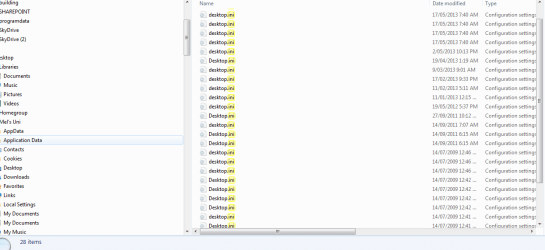
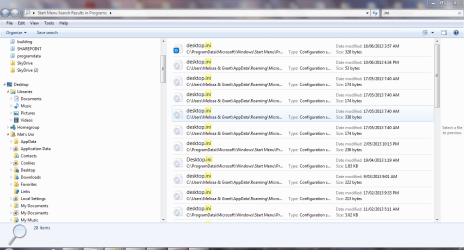
3. Desktop.ini - well I am not too sure still on the issues if I should remove them - I have attached some snips - and some show the location. I recently had a try of downloading a program so I could retrieve .chk file and noticed that when I extracted from the .exe from the zip file that I ended up with a .ini file. It seems to have some information in it as it is not 1KB.

Could someone just clarify what I should do, so I do not damage the operation of my computer.

I recently also thought that I may have made such a big error I restored all the files from my recycle bin. :o
 

Attachments

  • .ini snip.PNG
    .ini snip.PNG
    20.5 KB · Views: 2
  • .ini snip - one.PNG
    .ini snip - one.PNG
    73.1 KB · Views: 3

My Computer My Computer

At a glance

Windows 7 Home Premium 64bitWindows 7 Service Pack 1 x86 NTFS4 GB
Computer type
Laptop
Computer Manufacturer/Model Number
Sony VAIO / E Series VPCEB46FG
OS
Windows 7 Home Premium 64bit
CPU
Windows 7 Service Pack 1 x86 NTFS
Motherboard
AMD E-350 Processor
Memory
4 GB
Hard Drives
500GB
Other Info
1.6GHz
Back
Top